If you’ve ever seen a logo or cap design that looks like it pops off the fabric, that effect usually comes from 3D embroidery, not regular stitching. This easy-to-follow guide explains every important part of the process, so you can understand how professional results are achieved. It covers the key techniques, tools, and small details that make raised embroidery look clean and premium.
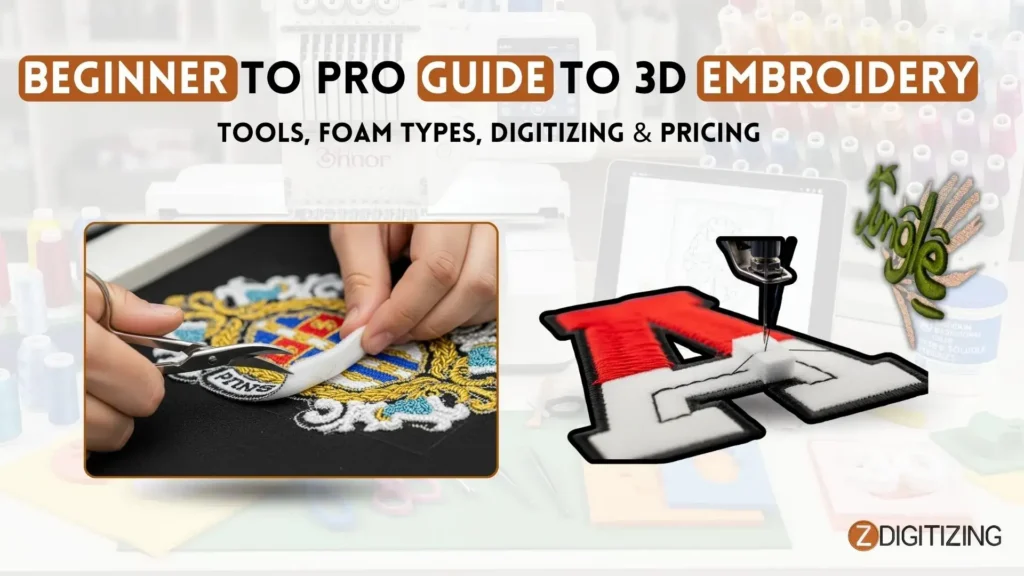
Whether you’re a beginner, hobbyist, or business owner, learning this raised stitching method will help you create modern, eye-catching designs with confidence.
Beginner to Pro Guide to 3D Embroidery: Tools, Foam Types, Digitizing & Pricing
What is 3D Embroidery?
It is a special embroidery method that creates real height on fabric instead of flat stitches. In this process, stitches are sewn over a thin foam layer, which makes the design look raised, bold, and premium.
The foam sits under the stitches and is removed after stitching, leaving a clean and lifted shape on the logo. This is why 3D designs feel solid, textured, and more eye-catching than normal embroidery.
Difference Between Flat vs 3D Embroidery
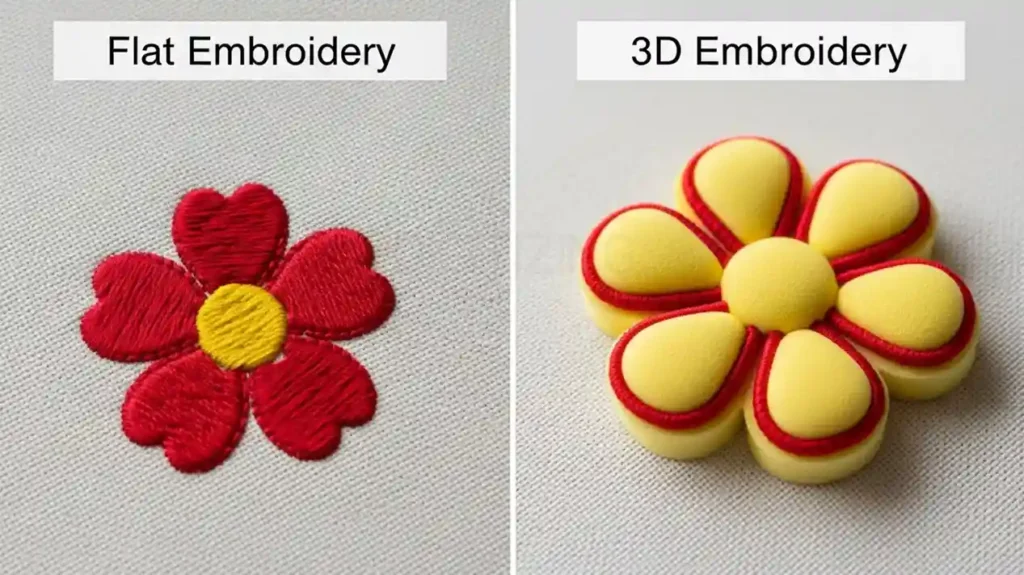
Flat embroidery sits completely flat on the fabric, with no height at all. 3D Puff Embroidery uses foam under the stitches to create a lifted, bold look.
Key differences:
- Flat embroidery uses normal stitch density
- Puff embroidery uses a higher stitch density to fully cover the foam
- Puff designs need more thread for clean edges
- Foam is removed after stitching to leave a sharp raised effect
This is why puff designs take more planning and precision than flat ones.
Tools and Setup You Need for 3D Embroidery
Before you start stitching, having the right physical setup matters more than people think. 3D machine embroidery puts extra pressure on the machine because the needle has to stitch over foam, not just fabric.
When your tools are right, designs come out clean, raised, and professional instead of messy or uneven. That’s why choosing the correct machine, hoops, and supplies is the first step to successful 3D puff embroidery.
Choosing the Right Machine for Raised Work

You don’t always need the most expensive setup to begin, but your machine must be stable and consistent. Many home machines can handle light foam if designs are simple, but a dedicated 3d embroidery machine makes the process smoother, especially for thicker foam and frequent production.
Look for a machine that allows:
- Presser foot height adjustment
- Speed control for dense stitching
- Pause or stop functions for foam placement
- Strong motor and reliable tension system
These features reduce skipped stitches and help maintain clean edges during 3D embroidery runs.
Hoops, Frames, and Why Tension Matters
Hooping stability is critical when working with raised designs. Foam adds resistance, and loose hooping can shift fabric mid-stitch. Magnetic hoops provide an even grip across the fabric, while traditional hoops must be tightened carefully to avoid slipping.
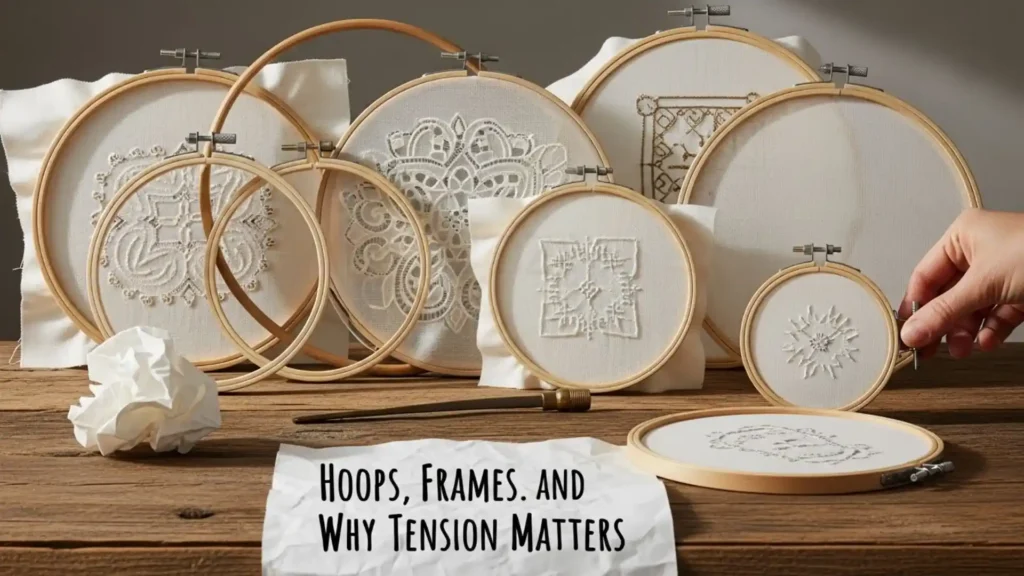
For caps, a solid cap frame is essential because puff stitching creates extra drag on the front panel. For flat items like jackets or 3D embroidery patches, always choose a hoop size that fits the design closely. Good tension keeps the foam in place and prevents distortion, which is one of the most common problems in embroidery 3D.
Needles, Thread, and Stabilizer Setup
Raised designs need stronger piercing power than flat stitching. Slightly larger needles help penetrate foam cleanly without shredding thread. Polyester thread is the preferred choice because it handles higher tension and repeated needle strikes better.
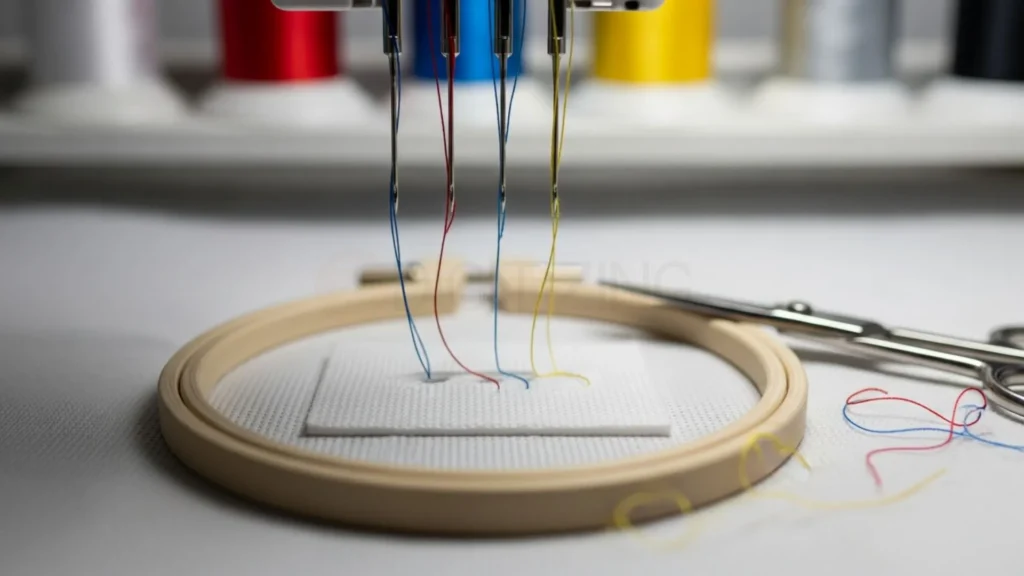
For embroidery 3d puff, the foundation under the foam still matters:
- Structured caps work best with tear-away stabilizer
- Hoodies and bags usually need cut-away or heavy tear-away
- Always match stabilizer strength to fabric weight
Even though foam creates height, stabilizer supports the entire design and keeps stitches from sinking. When your setup is balanced, 3D puff embroidery becomes more predictable, repeatable, and professional-looking.
Foam Basics for Perfect 3D embroidery
In raised designs, foam is not a small detail, it is the core of the result. In embroidery 3d, the right foam decides how high the logo stands, how clean the edges look, and how professional the final finish feels.
If foam is too soft, stitches crush it and the design loses height. If it is too hard, the needle may deflect or even break. This is why understanding foam correctly is essential for consistent, high-quality 3d digitizing.
Foam Types and Thickness (2mm, 3mm, and 6mm Explained)
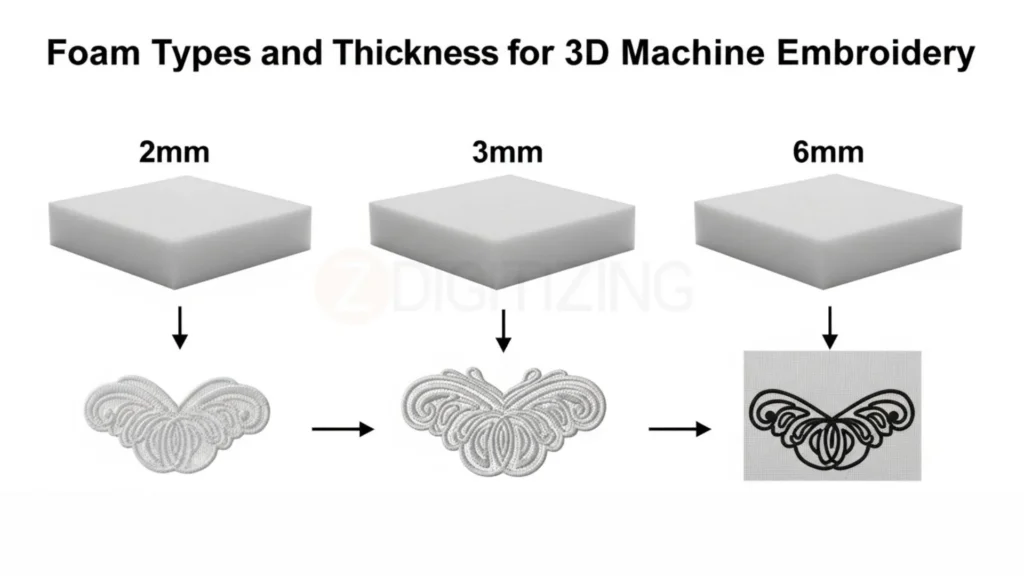
Foam thickness directly controls how bold or subtle the design looks. Each thickness serves a different purpose, and choosing the wrong one can ruin an otherwise good design.
- 2mm foam is best for delicate text and fine scripts where you want a soft, controlled lift
- 3mm foam is the industry standard and works perfectly for most cap logos and bold lettering
- 6mm foam is used only for extreme high-rise designs and usually needs extra stitch coverage to seal the sides
For professional results, always test your design with different foam heights before final production. This step helps you judge edge sharpness, comfort, and durability in 3D embroidery projects.
Foam and Thread Color Matching
Color matching is a simple trick that makes a big difference. Even with perfect digitizing, tiny gaps can appear. When foam color matches thread color, these gaps stay invisible.
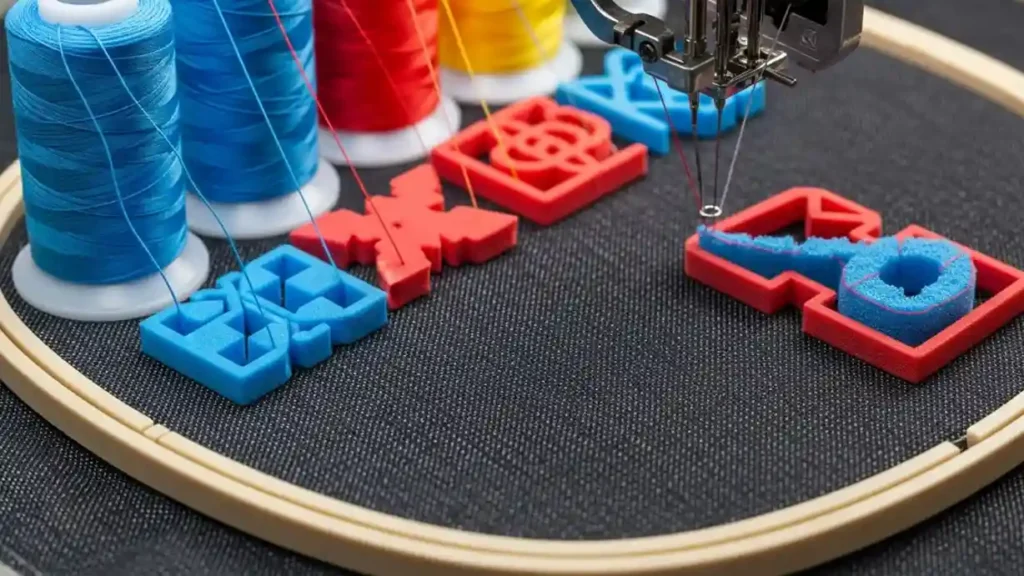
Using the correct puff embroidery foam shade under the thread keeps logos clean and premium. Dark foam under dark thread and light foam under light thread prevent shadows and unwanted highlights.
In commercial work, the goal of foam embroidery is clean coverage, not visible foam. When foam selection is done right, embroidery 3D looks sharp, durable, and professional, exactly what customers expect.
Mastering 3D Embroidery Digitizing (The Pro Secret)
This is the stage where flat artwork turns into bold, raised designs that truly stand out. It is different from normal files because foam changes how stitches behave. Once you understand this workflow, this embroidery becomes predictable, clean, and profitable instead of risky.
Below is a simple, shop-tested process explained in easy English, exactly how professionals handle 3D embroidery files.
Step 1: Prepare and Simplify the Artwork
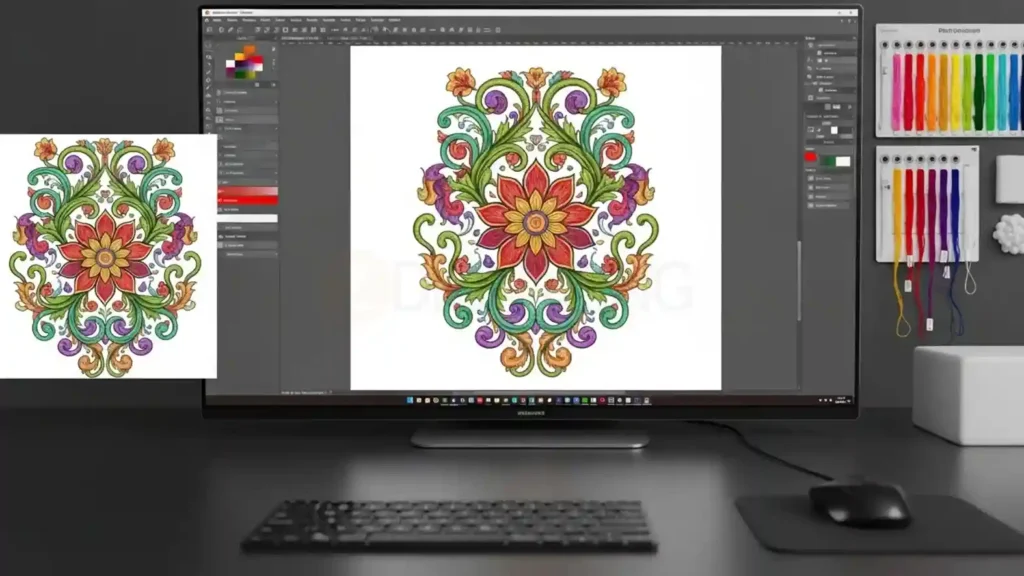
Start with a clean vector file such as AI, EPS, or SVG. Remove tiny details, thin serifs, and elements smaller than 3mm because they will not stitch well over foam. Any raised area should have strokes widened to at least 5–6mm so the foam can be fully covered.
At this stage, clearly decide which parts will stay flat and which parts will be puffed.
Step 2: Import into Embroidery Digitizing Software
Open your preferred software and import the cleaned artwork. Set the design size according to placement, for example 3.5″ × 2.5″ for cap fronts. Scale the logo proportionally and add clear center and alignment guides. This helps avoid placement issues once the design reaches the machine.
Step 3: Digitize Flat Areas First
Create underlay stitches using 0.4–0.5mm spacing to stabilize the fabric. Digitize all flat elements such as small text or background fills before any raised stitching. Use normal satin density for 3D embroidery around 4–5mm so these areas remain flat and clean. Flat elements should always stitch before puff sections.
Step 4: Outline Raised Areas for Foam Placement
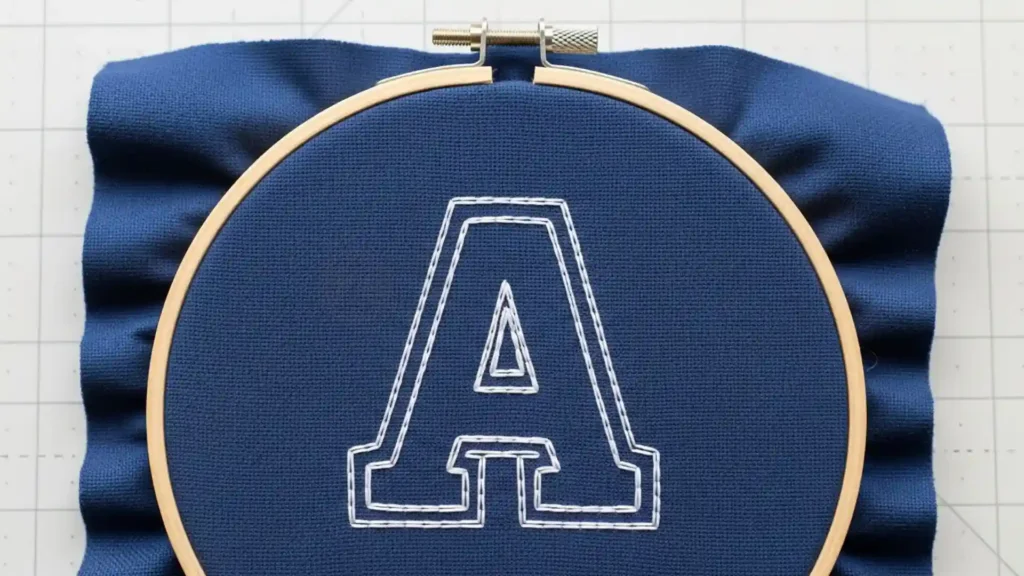
Trace the puff sections using a running or light satin stitch. Keep this outline at about 80% of the final satin width and lower density to 6–7mm. Set this outline as a separate color so the machine stops for foam placement. This outline acts like a tear line for clean foam removal later.
Step 5: Place Foam and Stitch Puff Satin
After the machine stops, place foam carefully and resume stitching. Use dense satin stitches with 2.5–3mm density and add 0.2–0.4mm pull compensation outward. Stitch direction should be vertical or slightly angled to avoid foam distortion.
This is the core of 3D embroidery digitizing, where height and edge quality are decided.
Step 6: Lock Edges and Add Trimming Lines
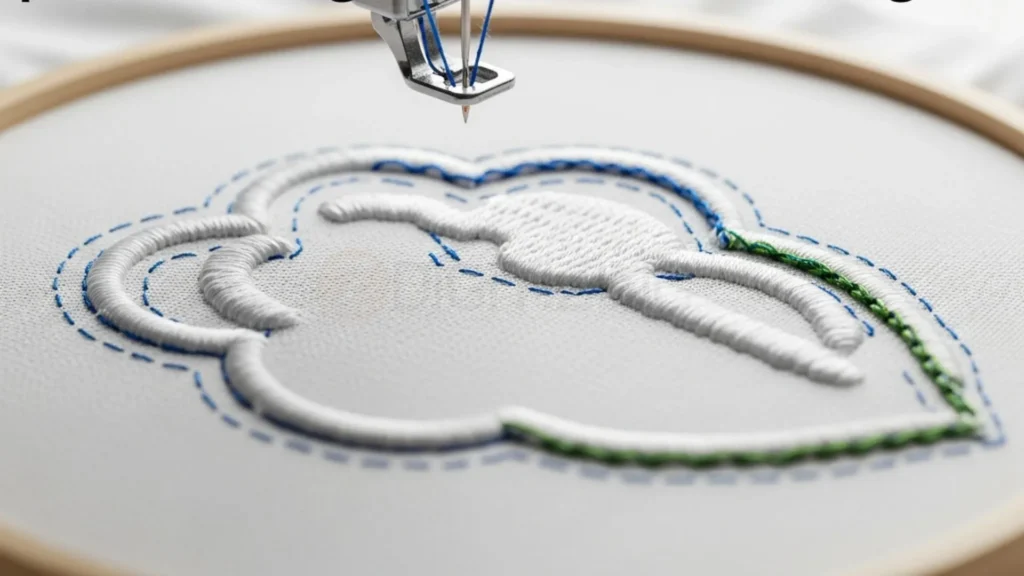
Add 3–4 short tack stitches at the ends of satin columns to secure edges. Optional trimming lines at 45° angles help excess foam tear away cleanly. These small details prevent lifting and frayed edges after wear.
Step 7: Sequence Everything Correctly
Follow this exact order for best results of 3D embroidery: Underlay → flat stitches → puff outlines → foam stop → dense puff satin → edge locks → borders
Proper sequencing reduces machine stops and keeps stitching smooth.
Step 8: Apply Compensation and Test Settings
Increase pull compensation by 10–20% compared to flat designs. Lighten underlay density by around 20% so the foam does not get crushed. Export files in DST or EXP format and slow the first run to 500–600 SPM.
Step 9: Preview, Test Stitch, and Adjust
Run a full stitch simulation before production. Test on scrap fabric using the same foam and stabilizer. If needed, adjust density or compensation in 0.1mm steps until coverage is perfect.
Step 10: Finalize and Save Production Notes
Save the approved file with notes like foam thickness (2mm or 3mm), fabric type, and density values. Create a small spec sheet for operators showing pause points and foam color. This turns one successful job into a repeatable process.
Step-by-Step Tutorial for Creating 3D Embroidery
With your embroidery 3D file digitized and tested, the embroidery process turns that digital plan into raised, professional results on fabric. This stage requires precise hooping, foam handling, and machine monitoring to ensure every stitch compresses the foam cleanly without shifting or thread breaks.
Follow these steps exactly for repeatable, high-quality puff on hats, patches, or garments.
1. Gather Materials and Prep Workstation
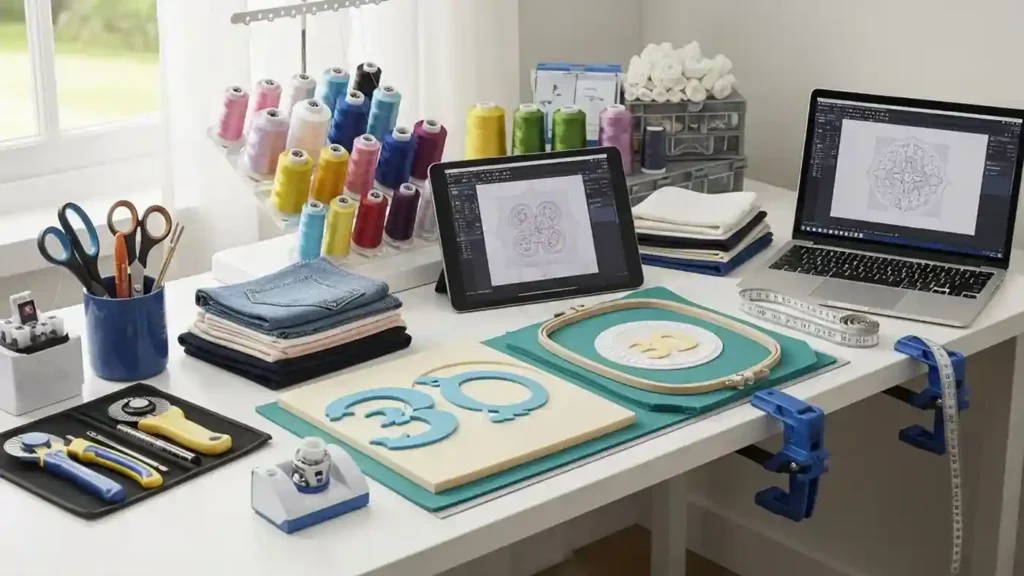
Collect your hoop/cap frame, stabilizer (cut-away for stretchy fabrics, tear-away for structured caps), 3d puff embroidery foam (pre-cut slightly larger than puff areas), matching polyester thread, size 75/11 sharp needles, and scrap fabric for final test. Clear your machine area of debris, foam fragments gum up tension disks and hook areas.
2. Hoop Fabric with Stabilizer
Cut stabilizer 2-3 inches larger than hoop on all sides. Hoop fabric taut but not distorted, with stabilizer sandwiched underneath (floating method works for caps). For 3D embroidery hats, use a cap frame tensioning the front panel perfectly flat. Align design center marks precisely using your machine’s laser or template.
3. Load Design and Set Machine Parameters
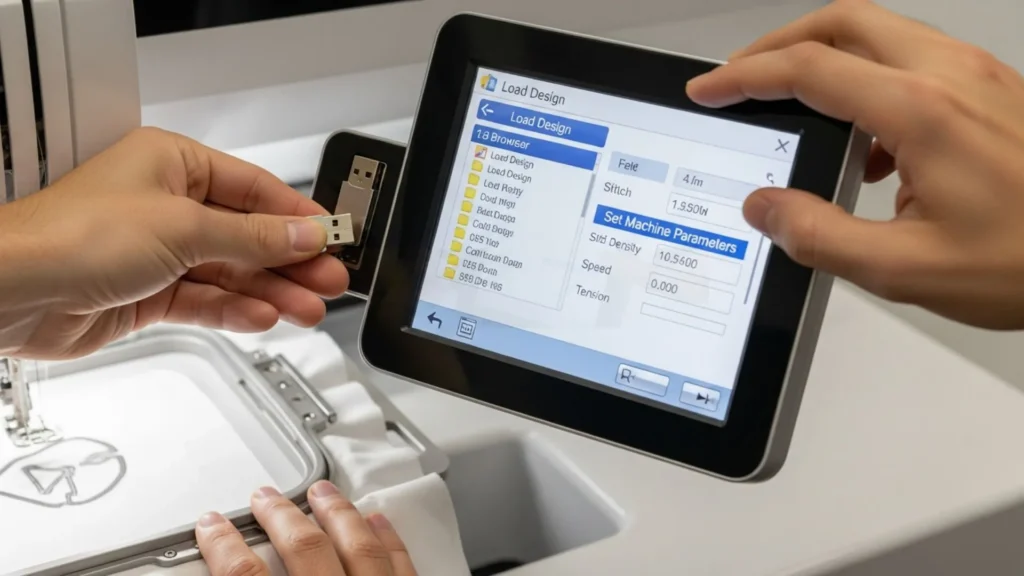
Transfer the DST/EXP file to your machine. Set speed to 500-600 SPM (slower for first runs), presser foot height +1-2mm higher than flat embroidery, and tension slightly looser (3.5-4.0 on most machines). Thread all needles with matching colors. Run an air test (no fabric) to confirm sequence and pauses work.
4. Stitch Placement/Outline Line
Start the design. Let it run the underlay and placement outline stitches (light running/satin lines around puff areas). Stop the machine manually when it pauses or color-changes for foam (usually after outlines). Check alignment, placement line should be crisp with no puckering or shifting.
5. Insert 3d Puff Foam
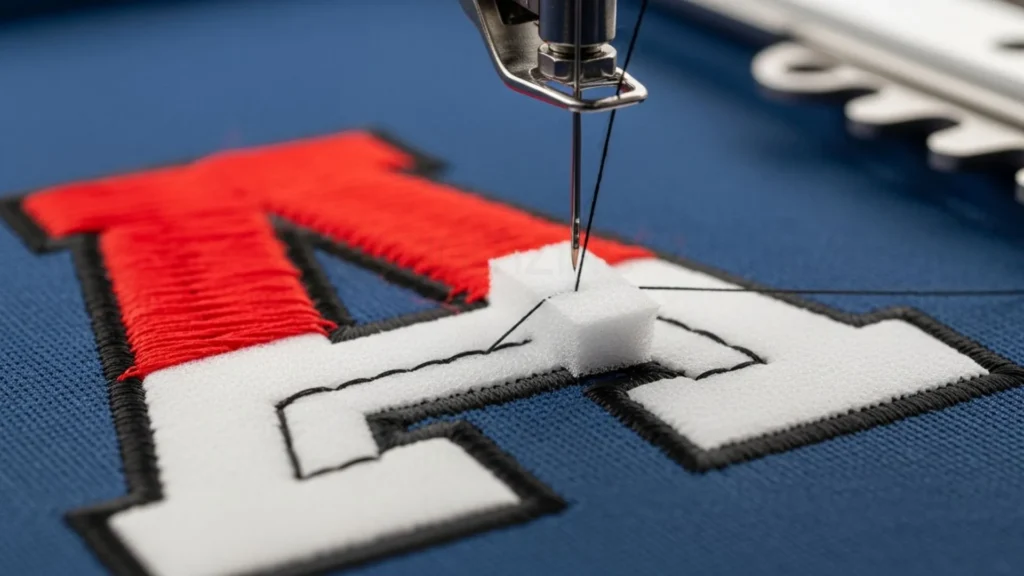
Lay pre-cut foam precisely inside each placement outline, matching thread color exactly. Foam should cover the puff area completely with 1-2mm overhang (tears cleaner). Smooth flat with finger, no wrinkles or air pockets. Resume machine immediately to start dense satin stitching over foam.
6. Run Dense Satin Puff Stitches
Watch the first few satin runs closely of 3D embroidery. Needles should pierce foam cleanly, compressing it evenly as stitches build height. Foam will perforate and tear along outline edges naturally. If foam shifts or shows through, stop immediately, check tension/hooping before continuing.
7. Complete Remaining Elements
Let flat details, borders, and edge-locking tacks finish automatically. Final tack-down stitches (perpendicular to satin columns) secure puff edges against raveling. Machine beeps or stops when done, do not advance fabric yet.
8. Remove Excess Foam and Inspect
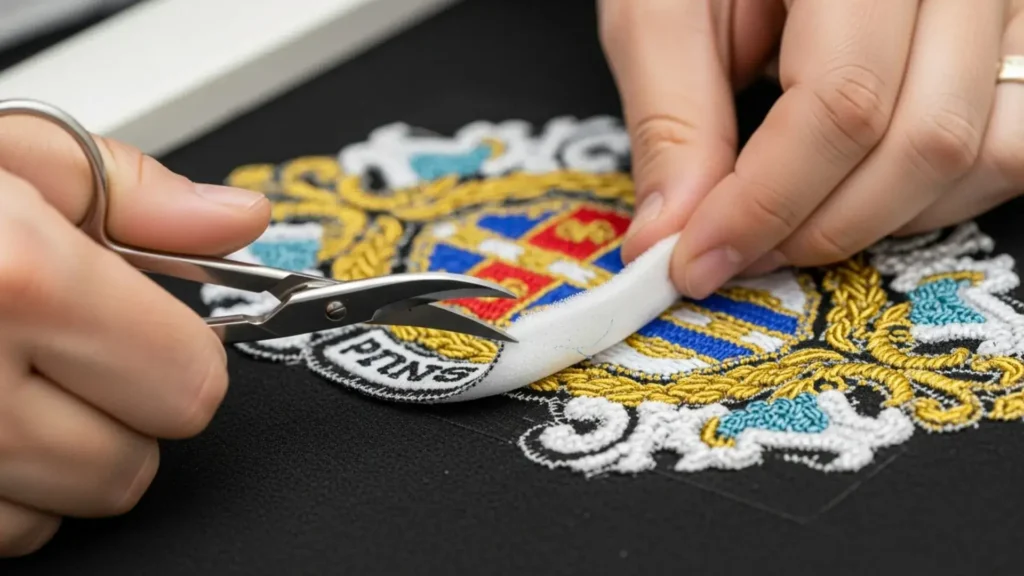
Gently tear away excess foam along perforated edges using tweezers or fingers. It should peel cleanly without disturbing stitches. Trim stubborn pieces with small scissors. Inspect under good light: check edge coverage, height uniformity (2-3mm proud of fabric), no exposed foam, balanced tension front/back.
9. Final Quality Check and Press
Remove from hoop carefully. Press lightly face-down with steam iron (protect with cloth) to set stitches and shrink any foam wisps. Check wash test (gentle cycle) if client specifies durability standards. Approve only if edges are sharp, height consistent, colors true.
10. Production Run and Operator Handoff
Once first sample passes, run remaining items identically (same hoop tension, foam batch, thread cone). Document exact settings (speed, tension, foam thickness) on job ticket. Train operators: “pause here, foam color X, check first piece every 10 items.”
Business Side: Pricing Your Custom 3D Embroidery Services
Setting the right price for your work is the difference between a struggling hobby and a thriving enterprise. Because embroidery 3D requires specialized materials, increased machine time, and a higher level of technical skill, your pricing model must reflect the premium value you are providing to your clients.
Labor vs. Materials: Calculating Your Overhead
When pricing 3D logo embroidery, you must look beyond the thread count. Consider the cost of the puff foam, which usually adds $0.50 to $1.50 per unit—and the fact that you must slow your machine speed by nearly 30% to prevent thread breaks.
These “hidden” costs, alongside the labor required for post-production cleaning with a heat gun, justify a “Puff Premium” of 20% to 50% over your standard flat embroidery rates.
Why Quality Results Begin with Affordable Digitizing?
The most expensive mistake in this business is running a poorly digitized file that ruins a premium hat. To maximize your profit margins, you need a partner that offers both precision and value.
At ZDigitizing, we provide a 3D embroidery technique digitizing that is optimized for production efficiency, ensuring your machine runs smoothly without constant thread breaks. Unlike other services that charge inflated “setup fees,” ZDigitizing offers flats and affordable rates that are consistently less than the market average.
How Much to Charge for Custom 3D Embroidery Services?
For small batches (under 12 pieces), it is standard to charge a flat setup fee plus $2.50 to $5.00 per 1,000 stitches. As you scale to bulk orders, you can remain competitive by lowering your per-stitch rate while still maintaining your “Puff” surcharge.
To keep your upfront costs low and your quality high, utilize premium embroidery digitizing services to ensure your designs pop perfectly every time. By choosing a reliable partner like ZDigitizing, you can offer your customers top-tier embroidery results while keeping your own operational costs at a minimum.
Troubleshooting: 5 Common 3D Embroidery Mistakes
Even seasoned professionals encounter hurdles when transitioning from flat designs to high-loft projects. Identifying these mechanical and digital errors early will save you hours of unpicking thread and wasting expensive foam.
- Visible Foam “Hairs” at Edges: This occurs when your stitch density is too low or your capping stitches are missing. If the satin stitch doesn’t fully wrap around the foam, small bits of material will poke through; use a heat gun for a quick fix, but adjust your digitizing for the next run.
- The Foam Isn’t Tearing Away: If you struggle to remove the excess material, your needle penetrations are likely too far apart. The stitches need to act like a sharp perforation; if they are too loose, the foam remains anchored to the 3D embroidery design.
- Thread Loops and Bird-Nesting: 3D puff embroidery requires significantly higher top tension than flat work. If the tension is too loose, the thread won’t “bite” into the foam, resulting in unsightly loops or a total machine jam.
- Design Shifting or “Ghosting”: Because of the thickness of 3D puff embroidery foam, the presser foot can push the material forward as it stitches. If your design isn’t properly stabilized or “tacked down” with a light adhesive, the outlines will not align with the puff sections.
- Needle Deflection or Breaks: Using a needle that is too thin (like a 65/9) for thick 3mm or 6mm foam will cause the needle to bend upon impact. Always upgrade to a 75/11 or 80/12 sharp needle to ensure it can pierce through the foam and the heavy fabric layers of 3D embroidery hats.

Conclusion: Moving from Beginner to Pro
Learning 3D puff embroidery takes time, practice, and attention to detail. From choosing the right foam to setting correct stitch density, every small step improves the final result. When things are done properly, a simple logo turns into a bold, premium design that truly stands out on apparel and headwear.
But one thing is always clear: machines and materials alone are not enough. The real foundation of 3D embroidery is digitizing. If the file is not prepared correctly, issues like flat puff, rough edges, or visible foam will appear, no matter how carefully you stitch. That’s why professional digitizing is so important, especially for detailed placements like caps and structured items that often need expert cap digitizing services.
At ZDigitizing, we handle this part for you. We provide professional embroidery digitizing services backed by 10+ years of experience. Our expert team works 24/7 with 24/7 customer support, quality guaranteed, preview provided before payment, and minor edits free. Our prices are already lower than the market, and we offer 50% OFF on your first order.
If you want clean, raised, and production-ready results, visit ZDigitizing, place your first order, and experience premium embroidery digitizing quality with confidence.