Before spending money on a Bernette embroidery machine, think about your most common projects. A machine for occasional gifts may not suit regular customer orders, and extra sewing features only add value if you use them. We compare the main options to help you make a practical buying decision.
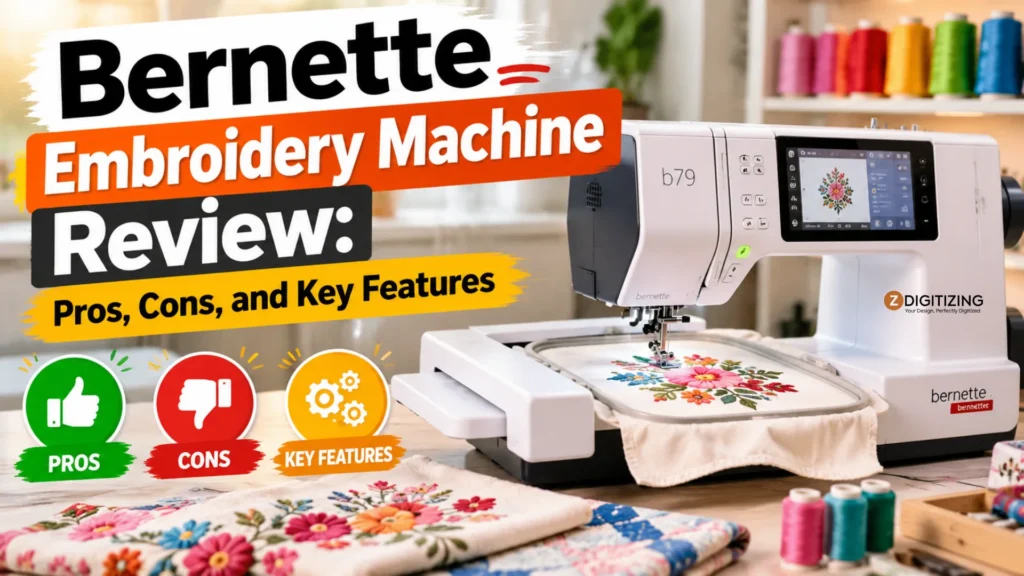
Bernette Embroidery Machine Review: Pros, Cons, and Key Features
Bernette Embroidery Machine Comparison at a Glance
Choosing a Bernette starts with deciding whether you need embroidery only or sewing and embroidery together. This quick comparison helps you shortlist models before exploring their features.
Model | Machine Type | Standard Embroidery Area | Connectivity | Best For | Current US Price |
Bernette b70 DECO | Embroidery-only | 260 x 160 mm hoop size | USB flash drive | Embroidery-focused buyers | $1,299 |
Bernette b79 | Sewing and embroidery | 260 x 160 mm hoop size | USB flash drive | Sewing and embroidery | $2,199 |
Bernette b79 Yaya Han Edition | Sewing and embroidery | 260 x 160 mm hoop size | USB flash drive | Buyers interested in the software bundle | $2,499 |
Bernette b59 | Sewing and embroidery | 160 x 100 mm (Multi-position hoop available) | Wi-Fi / StitchDirect App | App-connected workflows | $1,599 |
What Is Bernette, and How Is It Related to BERNINA?
Bernette is a subsidiary brand of BERNINA, designed to offer reliable Swiss-engineered features at a more accessible price point. While BERNINA machines target high-end industrial and advanced home markets with exclusive engineering, Bernette models deliver robust performance for everyday makers.
When evaluating these machines, you will find a clear split between embroidery-only options and combination units. Exploring individual models, included accessories, and local dealer support ensures you invest in a machine that matches your workflow without paying for features you will never use.
Bernette B70 DECO Review: A Dedicated Embroidery Option
If you already own a reliable sewing machine and want a dedicated workspace solely for stitching out designs, the Bernette embroidery machine B70 is worth a close look.

Key Specifications and Current US Price
Specification | Verified Detail |
Product type | Embroidery-only machine |
Key features | Color touchscreen, built-in embroidery designs, embroidery tutorial |
Compatibility | Supports popular embroidery formats (.exp, .pes, .dst, etc.) |
Main performance specification | Maximum embroidery stitch speed up to 850 stitches per minute |
Price or pricing model | $1,299 (Checked October 2026, includes standard dealer accessories) |
Important limitation | Single-needle machine requiring manual thread color changes |
Embroidery Features and Everyday Workflow
The b70 DECO centers around a bright, responsive color touchscreen that lets you position, rotate, mirror, and scale designs directly on the screen. Importing custom files is as simple as plugging in a USB flash drive.
The machine features reliable hoop recognition, automatic thread cutting, and prompts for manual color changes. For everyday projects, this means clean jumps, sharp details, and minimal guesswork during setup.
Suitable Projects and Practical Limitations
This dedicated unit excels at monograms, left chest logos, and personalized gifts on flat items, tote panels, and correctly hooped apparel.
However, remember its single-needle design limits you to one thread color at a time. Multi-color logos require you to pause the machine, trim threads, and swap spools manually for each color change.
Included Accessories, Software and Additional Costs
The package includes multiple hoop sizes, an embroidery foot, bobbins, and basic setup tools. Depending on your dealer, you may receive trial software or introductory bundles.
Remember to budget separately for essential consumables like embroidery thread, tear-away stabilizer, cut-away backing, and sharp embroidery needles.
Bernette b70 DECO Pros and Cons
- Pros: Dedicated workspace, large color touchscreen, dependable stitch quality, and seamless USB file transfer.
- Cons: Single-needle workflow requires manual intervention for multi-color designs, and it lacks sewing capabilities.
Who Should Buy the Bernette b70 DECO?
This model fits embroidery-focused users who already own a trusty sewing machine and want to separate their production steps. It is ideal for hobbyists and small creators whose project sizes fit comfortably within the standard hoop dimensions.
Bernette B79 Review: Sewing, Quilting and Embroidery Together
For makers who need both garment construction and detailed stitch-outs in one machine, the Bernette embroidery machine B79 combines a full-featured sewing system with a powerful embroidery module.

Key Specifications and Current US Price
Specification | Verified Detail |
Product type | Combination sewing and embroidery machine |
Key features | Dual Feed system, stitch designer, color touchscreen |
Compatibility | USB design import, broad presser-foot compatibility |
Main performance specification | Maximum embroidery stitch speed up to 850 stitches per minute |
Price or pricing model | $2,199 (Checked October 2026) |
Important limitation | Requires physical removal and attachment of the embroidery module when switching functions |
Embroidery Features and Custom Design Importing
The embroidery side matches the robust capabilities of dedicated units, offering quick USB file loading and on-screen editing tools.
When you want to evaluate its overall standing in the market, looking at a Bernette vs Brother embroidery machine review reveals that Bernette models lean heavily into rigid frame stability and precise stitch placement.
Sewing Functions, Dual Feed and Quilting Workspace
Sewing on the b79 is exceptionally smooth, thanks to the integrated Bernette Dual Feed system that feeds fabric evenly from both top and bottom.
You also get a generous workspace for quilting, hundreds of built-in utility and decorative stitches, and a Stitch Designer feature for creating custom stitch patterns.
Switching Between Sewing and Embroidery
Switching functions requires attaching or detaching the embroidery module and changing the stitch plate and presser foot.
While this transition takes only a minute, organizing your production batches helps you avoid constantly swapping modules back and forth during a single project.
Project Suitability and Performance Considerations
The b79 handles everything from delicate silk blouses to heavy denim jackets and quilted blankets.
Achieving professional results depends heavily on using the correct stabilizer, proper hooping techniques, and high-quality embroidery digitizing.
Included Accessories, Software and Ownership Costs
The package includes an extension table, multiple hoops, specialized sewing feet, and basic accessories.
Keep in mind that long-term ownership involves routine maintenance, professional servicing, and restocking consumables like bobbins and needles.
Bernette b79 Pros and Cons
- Pros: Ultimate versatility combining advanced sewing and embroidery, dual feed fabric handling, and extensive stitch options.
- Cons: Higher initial investment and physical module switching between sewing and embroidery modes.
Who Should Buy the Bernette b79?
This combination unit suits quilters, garment makers, and crafters who want one powerful machine for all phases of a project without clearing space for two separate appliances.
Bernette B79 Yaya Han Edition Review: Is the Bundle Worth It?
If you want the core power of a combination machine paired with professional-grade creative software, the Bernette b79 Yaya Han Edition targets cosplay artists, advanced makers, and custom apparel designers.

Main Differences From the Standard b79
This special edition features a distinctive teal exterior finish, an exclusive collection of decorative embroidery designs curated by cosplayer Yaya Han, and specialized accessories tailored for complex costume work.
Included Embroidery Software and Practical Uses
The standout addition in this bundle is the Bernina Toolbox software suite, which allows you to edit, combine, and lettering-customize designs directly on your computer before sending them to the machine.
Current US Price and Bundle Value
Priced at $2,499, this bundle costs more than the standard version.
Evaluate whether you will actually use the included software and custom design files before paying the extra premium.
Bernette b79 Yaya Han Edition Pros and Cons
- Pros: Eye-catching design, exclusive built-in designs, and included professional lettering and editing software.
- Cons: Higher price point that may not benefit users who already own robust embroidery editing software.
Who Should Choose the Yaya Han Edition?
Choose this edition if you specialize in costume design, cosplay creation, or complex apparel customization and want out-of-the-box computer software to manipulate your motifs.
Bernette B59 Review: Wi-Fi and App-Based Design Editing
For makers who love modern digital workflows, the Bernette embroidery machine B70 deco sibling, the app-connected b59, brings wireless convenience directly to your sewing table.

Key Specifications and Current US Price
Specification | Verified Detail |
Product type | App-connected sewing and embroidery machine |
Key features | Wi-Fi connectivity, StitchDirect app integration |
Compatibility | iOS and Android mobile devices |
Main performance specification | Standard embroidery area with multi-position hoop support |
Price or pricing model | $1,599 (Checked October 2026) |
Important limitation | Requires a stable wireless network connection for seamless app transfers |
Wi-Fi Connectivity and the StitchDirect App
The b59 connects via Wi-Fi to the StitchDirect app on your phone or tablet. You can edit designs, monitor stitch progress, and transfer files wirelessly without fussing with USB sticks.
Standard Embroidery Area vs. Multi-Position Hoop
While the standard embroidery field has physical boundaries, using a multi-position hoop lets you shift your fabric to stitch larger designs across sequential placements.
Always check your alignment marks carefully when using multi-position frames to prevent pattern distortion.
Sewing Features and Everyday Setup
Alongside its wireless embroidery perks, the b59 offers dependable utility sewing stitches, an easy needle threader, and a comfortable workspace for crafting and home decor projects.
Included Accessories, Software and Additional Costs
The box supplies essential presser feet, hoops, and access to mobile app features. Optional accessories like specialized quilting feet or extra hoops can be purchased as your skills grow.
Bernette b59 Pros and Cons
- Pros: Wireless design transfer, mobile app editing support, and robust combination sewing features.
- Cons: Smaller standard embroidery area compared to flagship models.
Who Should Buy the Bernette b59?
This machine fits tech-savvy crafters who prefer editing designs on mobile devices and want wireless convenience without stepping up to larger commercial price tags.
What to Check Before Buying a Bernette Embroidery Machine
Before finalizing your purchase, evaluate how a new machine fits your physical workspace and long-term goals.
Your Largest Design and Garment Access
Measure the largest designs you plan to stitch. Remember that hooping finished garments like sleeves or fitted shirts requires clearance around the machine arm.
Total Budget Beyond the Machine
Factor in ongoing expenses such as embroidery thread, backing materials, bobbins, needles, and optional software licenses.
Exploring competitive Bernette embroidery machine price points across authorized dealers helps secure the best package deal.
Dealer Support, Warranty and Training
Purchase your machine from an authorized dealer who offers a solid manufacturer warranty, local repair service, and hands-on setup classes to get you started smoothly.
Small-Business Production Requirements
If you plan to launch a business, analyze your expected order volume.
A single-needle machine works wonderfully for custom one-offs, but high-volume orders will eventually demand a multi-needle embroidery setup.
How to Prepare Custom Artwork for Bernette Embroidery
Loading a customer logo straight into your machine rarely yields clean results without proper digital preparation.

Convert Artwork Into a Compatible Embroidery File
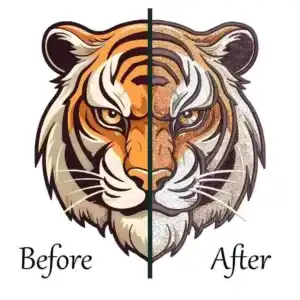
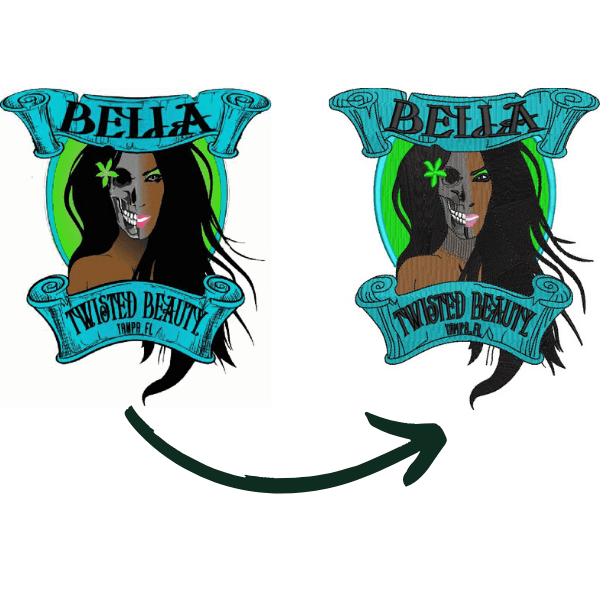
Image files like JPEGs or PNGs tell a computer what a picture looks like, but embroidery machines require stitch files that tell needles where to step.
Professional digitizing turns flat vector graphics into precise path commands.
Match the Design to the Fabric and Finished Size
Different fabrics require different stitch densities and underlay settings to prevent puckering.
Always adjust pull compensation and density settings to suit stretchy knits or thick canvas.
Test Before Stitching the Final Item
Always run a test stitch-out on scrap fabric using the exact same backing, topping, and thread you plan to use on the final garment.
If you encounter registration issues or thread breaks, fine-tune your file before touching customer items.
For reliable, production-ready results, you can also utilize ZDigitizing cheap embroidery digitizing services to ensure clean pathing.
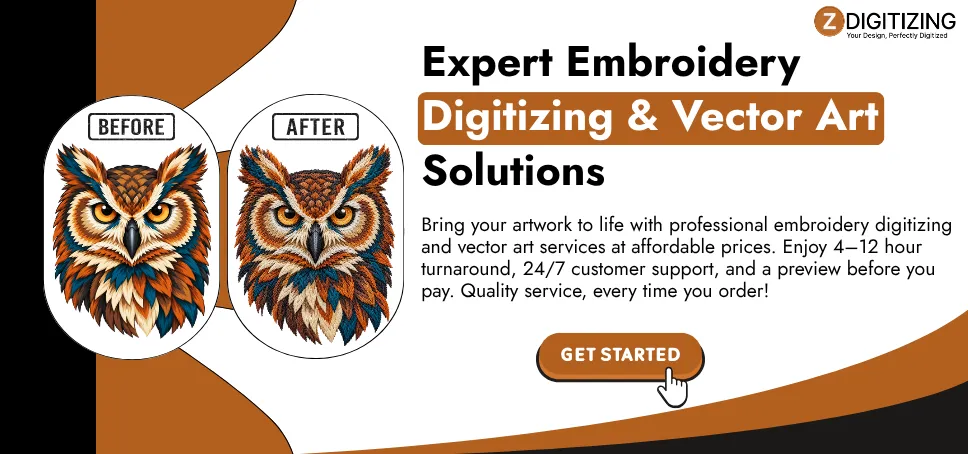
Get More From Your Bernette With Professional Digitizing
Selecting the ideal Bernette depends entirely on your primary projects and workspace.If you already own a dependable sewing machine, a dedicated unit like the b70 DECO keeps production streamlined.
If you need a versatile all-in-one workstation, models like the b79 or b59 offer incredible flexibility for garment makers and crafters alike.
Once you choose your model, a well-prepared embroidery file is just as important. Correct stitch density, underlay and stitch order help reduce puckering, thread breaks and unclear lettering.
At ZDigitizing, we manually digitize your artwork for your fabric, finished design size, machine-compatible format and also for cap digitizing. With 10+ years of experience, our team provides quality-checked files, a preview before payment, free minor revisions and 24/7 customer support. Standard delivery takes 4–12 hours, with 1–4-hour urgent service available for time-sensitive projects.
Ready to personalize your next shirt, tote or gift? Get 30% off your first order and give your Bernette embroidery machine a file prepared for your project. Upload your artwork to ZDigitizing for a quote.