For a clean, durable shirt transfer, how to use heat press for shirts correctly comes down to preparing the garment, setting the press for the material, applying even pressure, and following the correct peel method. Start by pre-pressing the shirt for a few seconds, position the design accurately, and use the temperature, time, and pressure specified by the transfer manufacturer. After pressing, peel according to the material instructions and complete any required post-press or curing step.
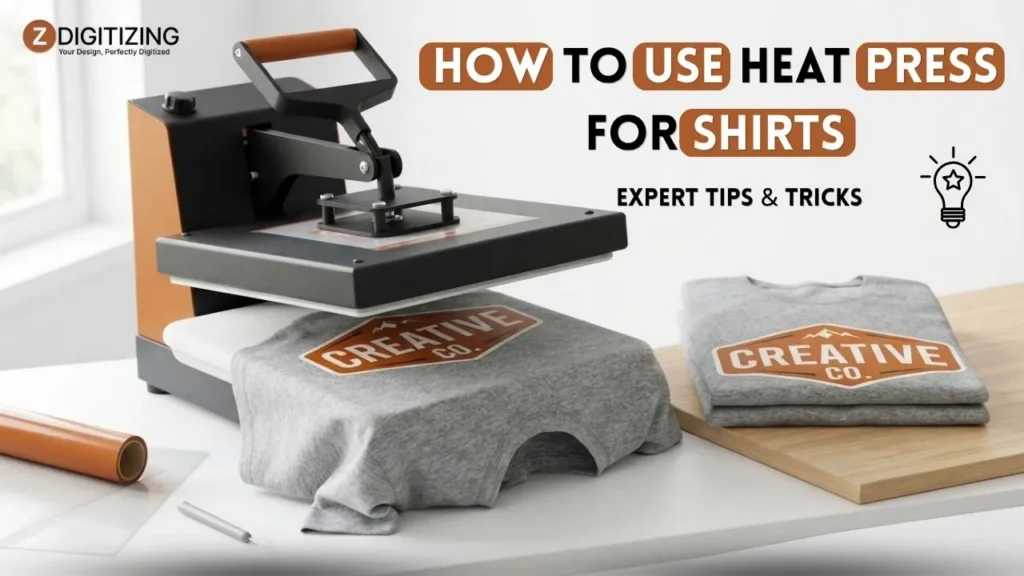
How to Use Heat Press for Shirts: Expert Tips & Tricks
What You Need Before Using a Heat Press
Before turning on your heat press machine, prepare both the garment and the transfer. A stable work surface, clean shirt, suitable protective sheet, and the correct application instructions prevent many common pressing problems before they happen.

You will typically need:
- A heat press with accurate temperature and pressure controls
- A clean, dry shirt
- Your HTV, DTF transfer, sublimation design, or transfer paper
- Lint roller or lint-removal tool
- Heat-resistant tape when needed
- Parchment paper or another manufacturer-approved protective sheet
- Pressing pillow or pad for uneven areas such as pockets and seams
Before pressing, make sure the garment is dry and free of lint, dust, wrinkles, and moisture. Place the press on a stable, level surface with enough clearance to operate it safely.
If you’re using a new transfer material, check its application sheet before choosing settings. The transfer manufacturer’s instructions should take priority over generic heat-press charts.
How to Use a Heat Press for Shirts: Step-by-Step
The basic process is simple, but small mistakes in preparation, positioning, pressure, or peeling can affect the final result. Following the same controlled sequence makes how to use a heat press machine much more predictable.

1. Preheat the Press
Turn on the press and allow it to reach the required temperature before loading the garment. Do not rely only on the display reaching its target number; an inconsistent heating element can produce uneven results.
For frequent production, an external temperature check can help identify a press that is displaying the correct temperature but heating unevenly.
2. Pre-Press the Shirt
Place the shirt flat on the lower platen and pre-press it for roughly 3–5 seconds when the transfer manufacturer’s instructions allow it.
This helps remove wrinkles and some moisture while creating a smoother surface for the transfer. Moisture is particularly important when working in humid conditions because trapped moisture can interfere with adhesion.
For thick hoodies or garments with raised areas, use a suitable pressing pillow or pad if needed rather than forcing seams, pockets, or hardware directly under the platen.
3. Position the Design
Place the shirt squarely on the platen and smooth it without stretching the fabric. Position the design according to the intended garment placement; for a typical adult front design, a common starting point is around 3 inches below the neckline, but the design size and shirt style should determine the final placement.
Use a ruler or placement guide when consistency matters. Heat-resistant tape can help hold certain transfers in position, especially when there is a risk of movement while closing the press.
For HTV, the carrier is commonly positioned according to the product’s application instructions. Do not assume that every transfer uses the same orientation or carrier method.
4. Adjust Temperature, Pressing Time, and Pressure Correctly
Understanding how to use heat press for shirts requires matching settings to the transfer film rather than guessing. Adjust the press to your material’s exact specifications:
- Temperature: Set exact Fahrenheit/Celsius required for the adhesive.
- Pressing Time: Dwell time required for proper ink or glue activation.
- Pressure: Calibrate medium-firm pressure so the lower silicone pad compresses slightly without bottoming out.
5. Close the Press and Let the Timer Run
Once the garment and transfer are correctly positioned, close the press smoothly and allow the complete timer cycle to run.
Avoid opening the press early to check the design. Interrupting the cycle can reduce the heat or pressure delivered to the transfer and make the result inconsistent.
If the press has an automatic opening function, make sure the release setting is appropriate for the application rather than assuming every material should be treated the same way.
6. Peel According to the Transfer Instructions
Peeling is not simply a final step; it is part of the application process.
Some HTV products require a hot peel, some a warm peel, and others a cold peel. DTF transfers commonly require cooling before the film is removed, while sublimation is generally handled differently because the dye is transferred directly into suitable polyester material.
Never pull the carrier or film at random temperature. Follow the specific product instructions.
7. Finish and Let the Shirt Cool
Some transfers require a second press or post-cure step after the carrier is removed. If the product calls for one, follow the specified time, temperature, and protective-sheet requirements.
Allow the shirt to cool completely before folding, packaging, or washing it. For production work, following the recommended wash and care instructions is also important for checking whether the transfer has been applied correctly.
Set Temperature, Time, and Pressure Correctly
Temperature, pressing time, and pressure work together. A correct temperature cannot compensate for insufficient pressure, and adding extra time is not always a solution when a transfer is not adhering properly.

When establishing settings, follow this priority sequence:
- Review Material Spec Sheets: Always prioritize the transfer manufacturer’s documented settings over general charts.
- Account for Fabric Sensitivity: 100% cotton handles higher heat, while polyester and tri-blends require lower temperatures to prevent heat press lines or fabric scorch.
- Verify Platen Pressure: Ensure even compression across the entire graphic area.
- Run a Test Swatch: Press a small scrap piece of identical fabric to confirm adhesion and check for discoloration before starting a full batch.
If your press consistently produces different results from one area of the platen to another, check the platen, pad, pressure adjustment, and actual temperature rather than repeatedly changing the transfer settings.
Heat Press Settings for HTV, DTF, Sublimation & Transfer Paper
There is no single temperature and time combination that works for every transfer. The ranges below are useful starting points for understanding the differences between methods, but the product-specific application instructions should always take priority.

Transfer Method | Common Starting Range | Pressure | Peel / Finish |
HTV | Often around 300–320°F | Medium to medium-firm | Depends on the HTV |
DTF | Often around 300–325°F | Medium to firm | Commonly cold peel; may require post-press |
Sublimation | Often around 380–400°F | Light to medium | Usually remove paper promptly after pressing |
Transfer paper | Varies considerably | Product-specific | Follow paper manufacturer’s instructions |
These are broad reference ranges, not universal settings. Always use the manufacturer’s current instructions for the exact product.
HTV
Applying a heat press for htv projects depends on vinyl density and adhesive structure. Standard matte PU vinyls press near 305°F for 10–15 seconds, whereas glitter, metallic, or stretch vinyls often require distinct pressure or temperature adjustments.
DTF
DTF (Direct-to-Film) applications rely on TPU powder adhesive. Maintain firm, even pressure during the initial 12–15 second press, let the film reach room temperature for a clean cold peel, and perform a 5-second post-press with parchment paper to embed the design into the weave.
Sublimation
A sublimation heat press is normally used at substantially higher temperatures than standard HTV applications. Sublimation is designed for suitable polyester fabrics or specially coated substrates, rather than ordinary cotton shirts.
The design is transferred into the substrate rather than sitting on the surface like conventional vinyl. Keep the material flat and remove the sublimation paper according to the recommended process to reduce unwanted movement or ghosting.
Transfer Paper
Inkjet and laser transfer papers can have very different application requirements. Temperature, pressing time, pressure, paper orientation, peel method, and whether a protective sheet is required can all vary.
For this reason, transfer-paper settings should come directly from the specific paper manufacturer’s instructions rather than from a general shirt heat press chart.
The same principle applies to specialty materials: follow the product specification first, then use a test press to confirm the result on the actual garment.
Prepare Different Shirt Fabrics and Garment Areas
The same transfer can behave differently depending on the shirt fabric and the area being pressed. Before following how to use a heat press machine instructions, check whether the garment can safely handle the required heat and pressure.
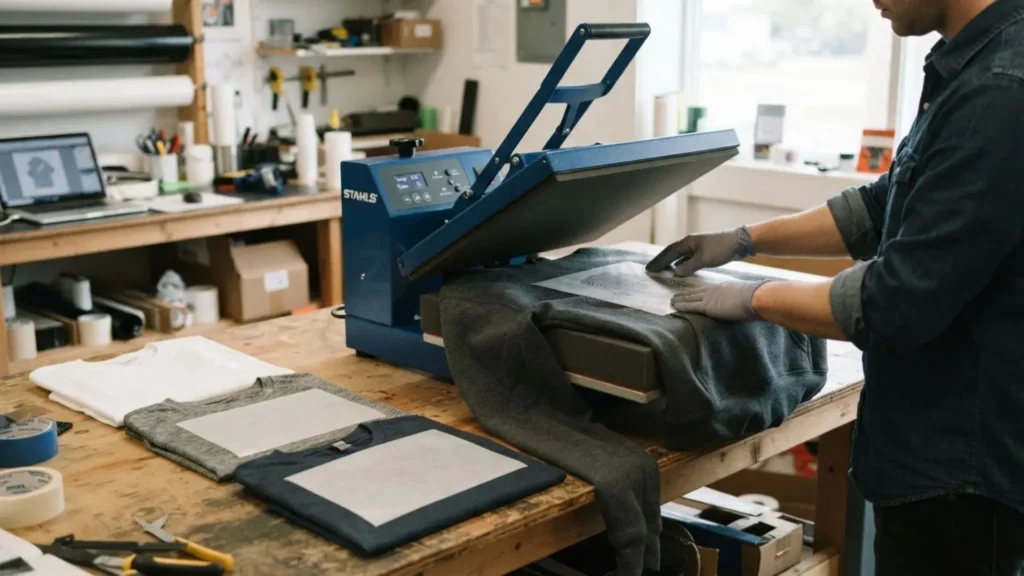
Cotton Shirts
Cotton is generally one of the more forgiving fabrics for heat-applied decoration. It can handle many standard HTV and DTF applications, provided the transfer’s recommended settings are followed.
Pre-press the shirt to remove wrinkles and moisture, then position the design on a smooth surface. Avoid stretching the fabric while positioning it because this can affect the finished appearance.
Polyester and Tri-Blend Shirts
Polyester can be more sensitive to high heat and may develop scorching, shine, or dye migration if the wrong settings are used. Tri-blends can also require more care because the fabric composition changes how it responds to heat.
Use the lowest effective temperature specified by the transfer manufacturer when appropriate, and test the actual garment before production.
Hoodies and Fleece
Thick garments can create uneven pressure because the fabric does not sit as flat as a standard T-shirt. A pressing pillow can raise the decoration area above seams, pockets, or bulky sections and help create a flatter pressing surface.
For large designs on thick garments, check whether the entire design fits inside the effective pressing area. If the transfer requires multiple pressing sections, follow the transfer manufacturer’s instructions rather than overlapping heat randomly.
Seams, Pockets, Zippers, and Hardware
Raised seams and hardware can prevent the upper platen from making even contact with the transfer. Whenever possible, position the garment so the decoration area sits on a flat portion of the lower platen.
A pressing pillow can help with pockets and other uneven areas. Do not force a thick seam underneath the platen simply to complete the pressing cycle.
Common Heat Press Problems and How to Fix Them
Most pressing failures can be traced to one of four variables: temperature, time, pressure, or preparation. When a design fails, change one variable at a time instead of immediately increasing the temperature.
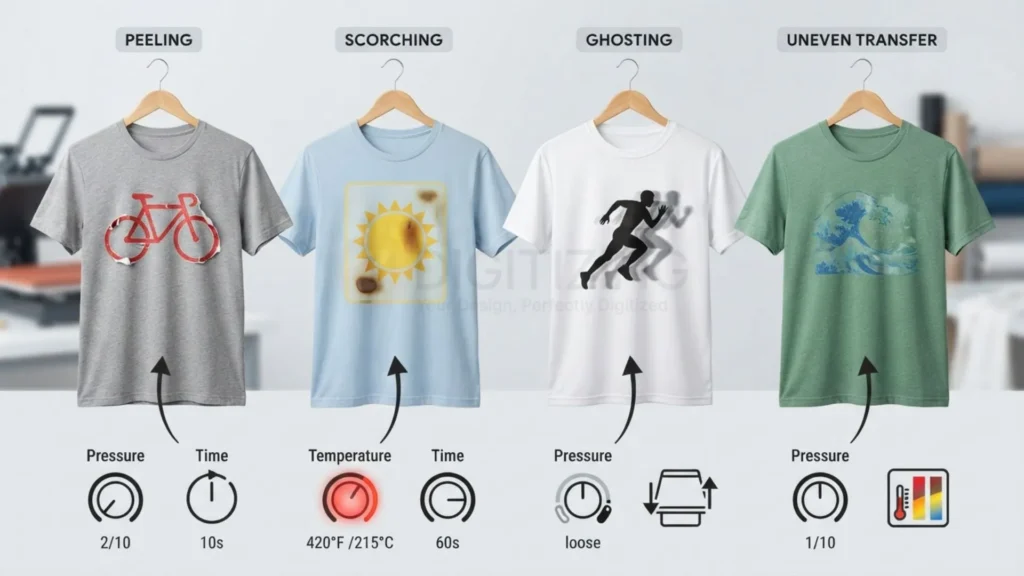
The Design Is Peeling
Cause: The transfer may not have received enough heat, time, or pressure. Moisture or an incorrect peel method can also interfere with adhesion.
Solution: Recheck the manufacturer’s settings, confirm the actual platen temperature, verify pressure, and follow the specified peel temperature. If the garment was damp, pre-press it according to the material instructions before trying again.
The Shirt Is Scorched or Shiny
Cause: Excessive heat or dwell time can damage or change the appearance of some fabrics. Direct contact with a hot platen can also leave unwanted marks.
Solution: Check the garment’s heat tolerance, reduce the temperature when the transfer specification permits it, avoid unnecessary dwell time, and use an approved protective sheet where appropriate.
If scorching keeps occurring, test the actual garment before changing production settings across an entire order.
The Design Has Ghosting or a Shadow
Cause: The transfer paper or sublimation film shifted while closing or opening the press.
Solution: Secure all transfers with thermal heat-resistant tape before clamping, avoid stretching the shirt, and raise the upper platen slowly after pressing to eliminate vacuum suction lift.
Pressure Looks Uneven
Cause: The press may be unlevel, the pad may be worn, or a seam or pocket may be preventing consistent contact.
Solution: Check the lower pad and platen, confirm the press is level, and use a pressing pillow for uneven garment areas. If different parts of the platen produce noticeably different results, inspect the press rather than repeatedly changing transfer settings.
The Design Cracks After Washing
Cause: Incorrect application, insufficient curing, excessive stretching, or a transfer that was not suitable for the garment can all contribute.
Solution: Follow the transfer’s complete application and post-press instructions, then test the finished shirt through the recommended wash process before producing a larger batch. For shops looking to fix design errors and scale production beyond vinyl, partnering with on-demand embroidery digitizing services in USA provides a seamless way to expand into professional embroidered uniforms without software overhead.
What Are Heat Presses Used For?
Heat presses are used to apply heat-activated decoration to garments and other compatible substrates. They can be used for HTV, DTF transfers, sublimation, transfer papers, and certain specialty applications.
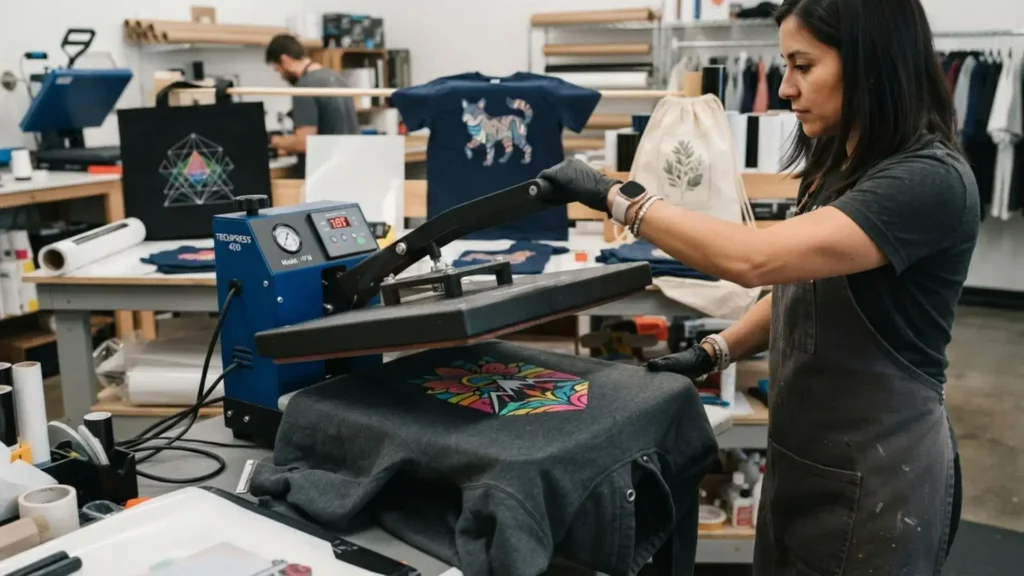
For apparel decoration businesses, a heat press supports diverse decoration methods:
- Cutting and pressing custom names, numbers, and chest logos with HTV
- Applying full-color Direct-to-Film (DTF) transfer graphics
- Infusing polyester activewear with high-temperature sublimation inks
- Applying commercial screen print transfers on demand
- Personalizing small-batch custom apparel without screen setup fees
Equipment alone does not dictate quality, matching material chemistry, fabric heat tolerances, and exact dwell times determines wash durability.
Choosing the Right Heat Press Machine for Shirts
The right heat press machine for shirts depends more on your production requirements than on a long list of extra features. Consider the size of your designs, garment thickness, daily volume, available workspace, and how consistently the machine controls temperature and pressure.

Start With Platen Size
A 15 × 15-inch platen serves as an industry standard for adult t-shirts, accommodating front, back, and chest prints. A small heat press (9 × 12 inches) suits sleeve logos, youth shirts, and tight workspaces, while a 16 × 20-inch platen is preferred for oversized street-style graphics.
Look at Temperature Accuracy
High-quality presses utilize cast-in heating elements that maintain consistent edge-to-edge heat. Avoid machines with cold spots that cause localized transfer peeling.
Check Pressure Control
Opt for central pressure adjustment knobs that apply downward force evenly across the center of the platen rather than tilting to one side.
Consider Your Workspace
Measure your counter footprint before buying. Swing-away presses require 360-degree clearance around the unit, whereas clamshell models operate within a compact vertical footprint.
Clamshell vs. Swing-Away vs. Auto-Open: Which Press Fits Your Needs?
The mechanical design of a press affects how it operates, how much space it needs, and how easily you can position garments.
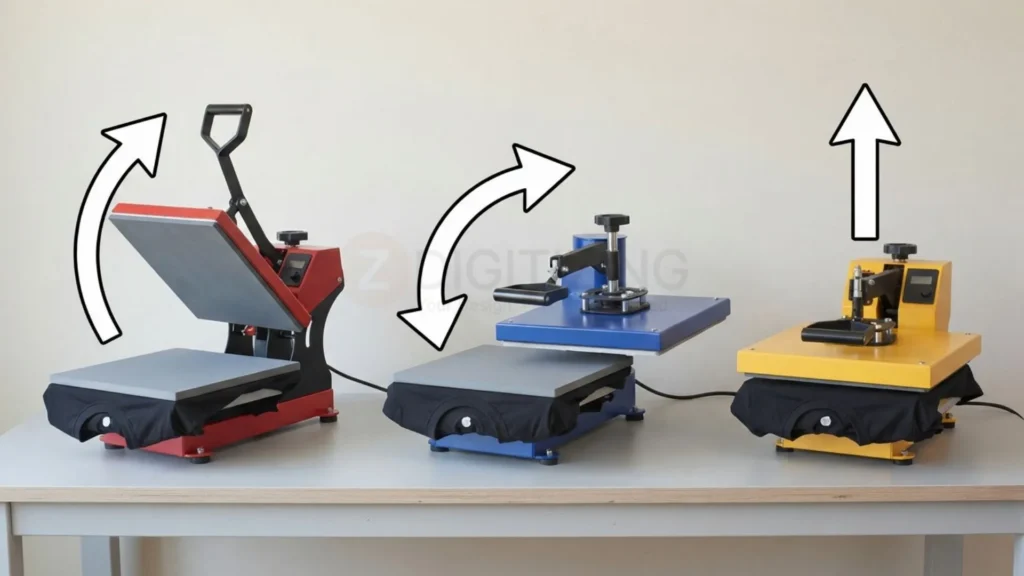
Clamshell
A clamshell press lifts upward from a hinge at the rear. It is usually compact and straightforward, making it practical where workspace is limited.
Its main limitation is access: the upper platen remains over the garment while you position the design. Care is also needed when working around thick garments.
Swing-Away
A swing-away press moves the upper platen sideways before loading the garment. This gives you more open access to the lower platen and can make positioning easier.
The trade-off is that it requires more surrounding workspace and can cost more than basic clamshell models.
Auto-Open
An auto-open press releases the platen automatically when the programmed cycle finishes. This can reduce the chance of accidentally leaving a transfer under heat for too long and can make repeated production more consistent.
For higher-volume work, that consistency can be useful, but the underlying temperature and pressure accuracy still matter more than the automation feature alone.
How Much Is a Heat Press? Budget, Cheap & Used Options
The answer to how much is a heat press depends on platen size, construction, temperature and pressure control, automation, and whether the machine is intended for hobby or production use.
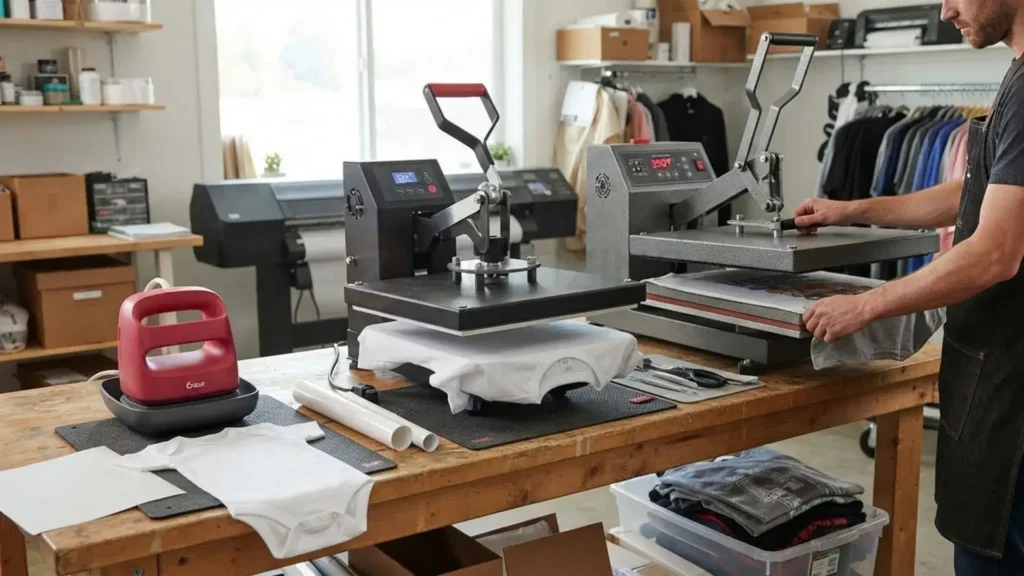
Cheap Heat Presses
A cheap heat press can make sense for occasional hobby work or someone testing a new apparel business. The important question is not simply whether the machine is inexpensive, but whether it can maintain reliable temperature and pressure.
If the machine’s temperature fluctuates significantly or pressure is inconsistent, low purchase cost can become expensive through wasted garments and transfers.
Good Heat Presses
Selecting a good heat press or upgrading to a commercial heat press requires balancing platen size, even heat distribution across the heating coils, and sturdy steel frame construction built for repetitive production.
For regular shirt production, reliability and serviceability are often more useful than a long list of accessories.
Used Heat Presses
A used heat press can be practical when the heating element, controller, platen, pressure mechanism, and silicone pad are all in good condition.
Before buying, test the machine rather than relying only on its appearance. Check whether it reaches the programmed temperature, whether the platen heats consistently, whether the pressure mechanism works smoothly, and whether the pad is worn or damaged.
If possible, test an actual transfer on a spare garment before committing to the purchase.
Heat Press Buying Tips for a Small Business
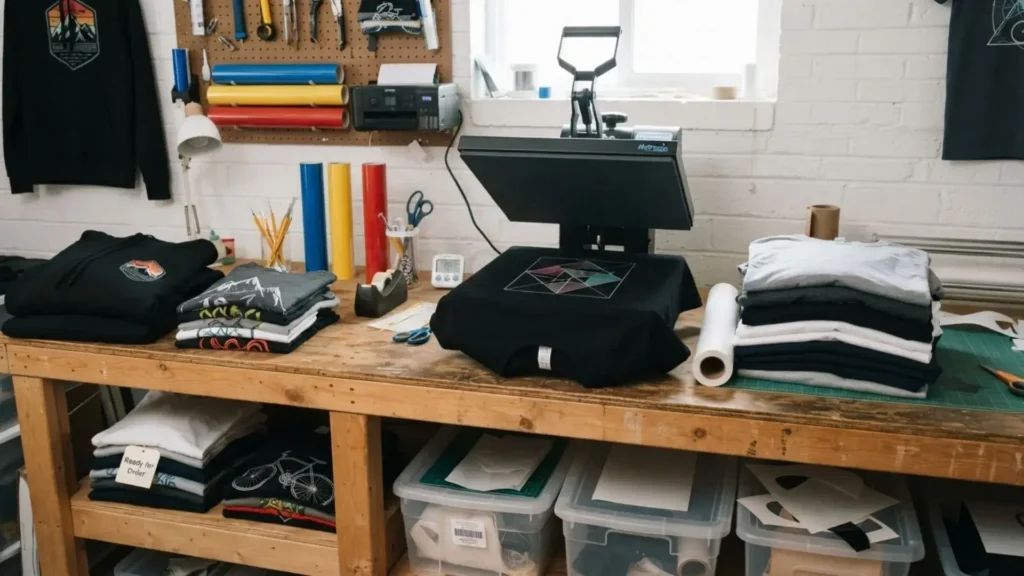
For a small apparel business, choosing a press should start with the work you expect to produce rather than the feature list on the box. The best heat press for small business depends on order volume, garment types, design size, available workspace, and the consistency you need from one shirt to the next.
Match the Press to Your Production Volume
If you are producing a few personalized shirts each week, a compact press may be enough. A business handling daily orders needs a machine designed for repeated cycles without significant temperature or pressure variation.
Think about your actual workflow:
- Occasional customization → compact or entry-level press
- Regular shirt orders → reliable mid-size press with adjustable pressure
- Higher daily volume → durable press designed for repeated production
Buying a larger machine than your workload requires can consume valuable workspace without improving the finished product.
Prioritize the Controls That Affect Results
Temperature accuracy, even heating, pressure adjustment, platen size, and build quality should come before decorative features or unnecessary attachments.
A digital display is useful, but the displayed temperature does not guarantee that every part of the platen is reaching the same temperature. If you produce commercially, consistency matters more than having the longest feature list.
Think About Garment Thickness
If your business mainly produces lightweight T-shirts, a standard platen may cover most jobs. Hoodies, jackets, thick fleece, pockets, and other uneven garments can require a more flexible setup.
Consider whether the press allows enough adjustment for different garment thicknesses and whether compatible pressing pillows or interchangeable platens are available.
Leave Room for Testing
Even with a reliable machine, expanding your product line into embroidered apparel requires proper file preparation alongside press testing. Switching from vector print files to stitch files relies on precise Manual Digitizing to prevent puckering.
This is especially important when introducing a new transfer supplier or moving from cotton shirts to polyester and blended garments.
Cricut, Mini & Small Heat Presses: Where They Fit
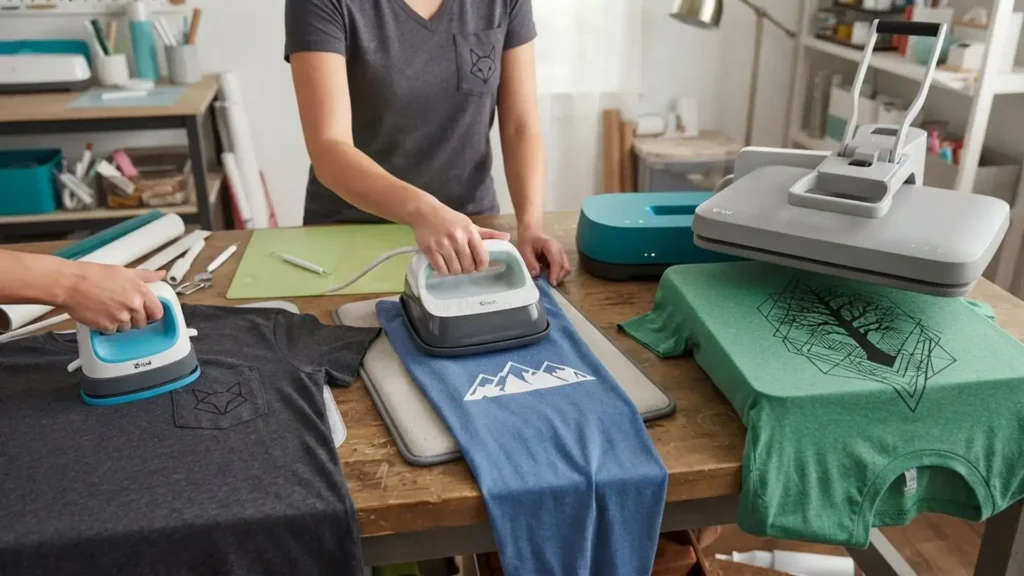
A cricut heat press, mini press, or other compact machine can be useful when the decoration itself is small. The important question is whether the press matches the size and type of work you actually need to complete.
Cricut Heat Press
A Cricut-style press can be convenient for small-scale personalization and users who value compact equipment and simple controls. It can work well for smaller projects, but its size may become restrictive when applying large shirt designs.
Choose it based on the design dimensions you regularly produce rather than assuming a compact press can replace a full-size platen.
Mini Heat Press
A mini heat press is particularly useful for small areas such as sleeves, pockets, children’s garments, and narrow sections that are difficult to position under a full-size platen.
It is not normally the first choice for large front or back shirt graphics because the small heating area may require multiple pressing positions.
Small Heat Press
A small heat press can be a practical option when workspace is limited or production is occasional. Before purchasing, check the actual heating area rather than relying on the machine’s overall dimensions.
For a business focused mainly on adult T-shirts, a platen large enough to cover the common design sizes can reduce the need for multiple pressing passes.
When Heat Press Isn’t the Right Decoration Method
Heat pressing is effective for many apparel applications, but it is not the ideal decoration method for every design or garment. Choosing the decoration method based on the artwork and intended use can prevent unnecessary limitations later.

Heat transfer methods work particularly well when you need:
- Full-color artwork
- Detailed photographic designs
- Gradients and complex color combinations
- Small-batch personalization
- Fast application to compatible garments
When to Choose Embroidery Over Heat Pressing
For corporate polos, outerwear, and headwear, 3D Puff embroidery digitizing offers an elevated, tactile finish that heat transfers cannot replicate. Achieving crisp thread results depends on precise file preparation.
The decision should therefore start with the artwork, garment, quantity, durability expectations, and desired appearance, not simply which machine is already available.
Choosing the Right Decoration for Your Shirt Business
Knowing how to use heat press for shirts is only part of producing consistent custom apparel. The bigger decision is matching the decoration method to the garment, artwork, quantity, and finish you want.
A heat press is a practical choice for transfers, vinyl, sublimation, and on-demand apparel. However, when your clients require visible thread texture, dimensional stitching, or premium uniform branding, partnering with ZDigitizing ensures your logos transition seamlessly into flawless, machine-ready stitch files.
Ready to elevate your apparel line with high-end embroidery? New customers get 50% OFF their first order at ZDigitizing, get your custom logos converted into machine-ready files today!