The simple answer: Is TIFF a vector file? No. A TIFF file is a raster image format, not a vector format. While it delivers exceptional image quality for photography and professional printing, it doesn’t offer the infinite scalability that vector graphics provide.
Understanding this difference matters when you’re creating logos, preparing artwork for print, designing signage, or sending files for embroidery digitizing. Using the wrong format can lead to blurry graphics, rejected print files, or extra production costs.
Is TIFF a Vector File? What You Need to Know
What Is a TIFF File?
Before deciding whether is tiff a vector file or not, it helps to understand what a TIFF file is actually designed for.
TIFF (Tagged Image File Format) is a high-quality image format created to preserve as much visual detail as possible. Unlike JPEG, which compresses image data and sacrifices some quality, TIFF typically uses lossless compression or no compression at all. That’s why photographers, designers, publishers, and print professionals often rely on the TIFF graphics format when image quality is the top priority.
A TIFF file stores images as a grid of pixels, making it a raster format rather than a vector format. Every pixel contains color information, so enlarging the image beyond its original resolution causes those pixels to stretch, resulting in softer edges or visible pixelation.
Common uses of the Tagged Image File Format include:
- Professional photography
- Magazine and brochure printing
- High-resolution scanned documents
- Medical and scientific imaging
- Print production where maximum image quality is required
Although TIFF files can produce excellent print results, they are built for photographs and detailed images, not artwork that needs to scale infinitely.
Bottom Line: Many people assume TIFF is a vector format because printers frequently request TIFF files. In reality, printers ask for TIFF when printing high-resolution photographs, while logos, icons, and illustrations are usually expected in a vector format.
Understanding TIFF File Architecture
To understand why TIFF is not a vector file, you have to look at how it builds images. TIFF files rely entirely on fixed grids of pixels rather than scalable mathematical paths, making them raster graphics through and through.
A vector image format, on the other hand, builds graphics using mathematical equations and paths. Instead of fixed pixels, vector files redraw shapes every time they’re resized, allowing them to remain perfectly sharp at any scale.
Here’s a simple comparison:
Feature | TIFF file format | Vector Files (SVG, EPS, AI) |
Image Type | Raster (Pixels) | Mathematical Paths |
Scalability | Limited | Infinite |
Best For | Photos & High-Resolution Images | Logos, Icons & Illustrations |
Enlarging | Can become pixelated | Always stays sharp |
Editable Shapes | No | Yes |
This distinction becomes especially important for branding projects. If your company logo may appear on everything from business cards to billboards, a raster TIFF isn’t the ideal master file because enlarging it eventually reduces quality.
Likewise, if artwork is being prepared for professional embroidery digitizing designers usually request a vector file whenever possible. Clean vector paths are easier to interpret before converting artwork into embroidery stitches, reducing manual cleanup and improving the final result.
The key takeaway is simple: a TIFF may deliver outstanding image quality, but image quality alone doesn’t make it a vector file.
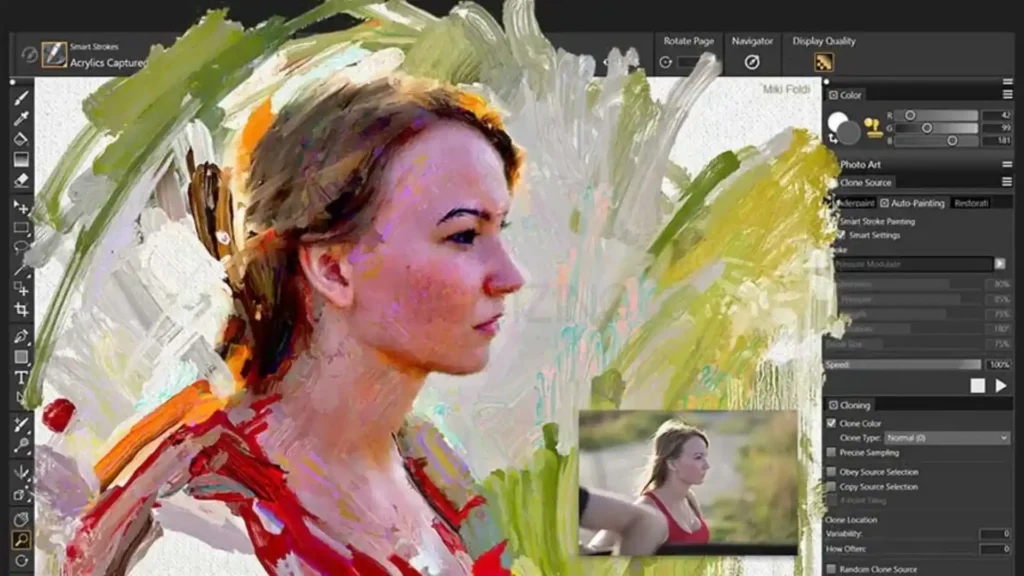
Why People Think TIFF Is a Vector File
One reason people search for whether TIFF is a vector file so often is that TIFF files are commonly used in professional printing. People naturally assume that if printers prefer TIFF, it must be a vector format, but that’s not how it works.
The confusion usually comes from these situations:
- TIFF files often look sharper than JPEG images.
- They can be saved at very high resolutions.
- Many print shops request TIFF files for photographs and large images.
- TIFF supports lossless image quality, making it suitable for professional production.
However, none of these features change how the file stores image data. A TIFF is still made up of pixels, regardless of its resolution or file size.
Think of it this way:
- A 600 DPI TIFF is still a raster image.
- A low-resolution SVG is still a vector file because it’s built with mathematical paths, not pixels.
This is why simply increasing resolution doesn’t transform a raster image into a vector graphic.
Pro Tip: Don’t confuse image quality with file type. A high-resolution TIFF can produce excellent prints, but it will never provide the unlimited scalability of a true vector file.
Raster vs Vector Graphics: Why the Difference Matters
To fully understand is tiff a vector file, you first need to understand the difference between raster vs vector graphics.
Although both can produce professional-looking artwork, they are built in completely different ways and serve different purposes.
Feature | Raster Graphics (TIFF, PNG, JPEG) | Vector image format (SVG, EPS, AI) |
Built From | Pixels | Mathematical paths |
Scalability | Limited | Unlimited |
Best For | Photos & detailed images | Logos, icons & illustrations |
File Editing | Pixel editing | Shape editing |
Enlarging | Can lose quality | Remains perfectly sharp |
Raster Graphics
Raster images are created from thousands—or even millions—of tiny pixels. Every pixel stores its own color information, which is why raster files are excellent for photographs and highly detailed artwork.
The downside is that those pixels have a fixed resolution. Once you enlarge the image beyond its original dimensions, the pixels stretch, causing visible softness or pixelation.
That’s exactly how the TIFF graphics format works.
Vector Graphics
Vector artwork doesn’t rely on pixels. Instead, it uses mathematical paths and curves to define every shape.
Because the artwork is calculated rather than stored as pixels, vector graphics stay perfectly sharp whether they’re printed on a business card or a highway billboard.
That’s why logos, icons, branding materials, packaging, and technical illustrations are usually created as vector artwork files instead of raster images.
If your artwork will later be converted into embroidery stitches, starting with a clean vector file also makes the process more efficient. Professional providers offering premium quality patch digitizing generally achieve better results when the original artwork contains clean, editable paths instead of pixel-based graphics.
Expert Insight: Resolution improves the quality of raster images, but it doesn’t remove their limitations. Vector graphics don’t depend on resolution at all, they’re designed to scale without losing clarity.
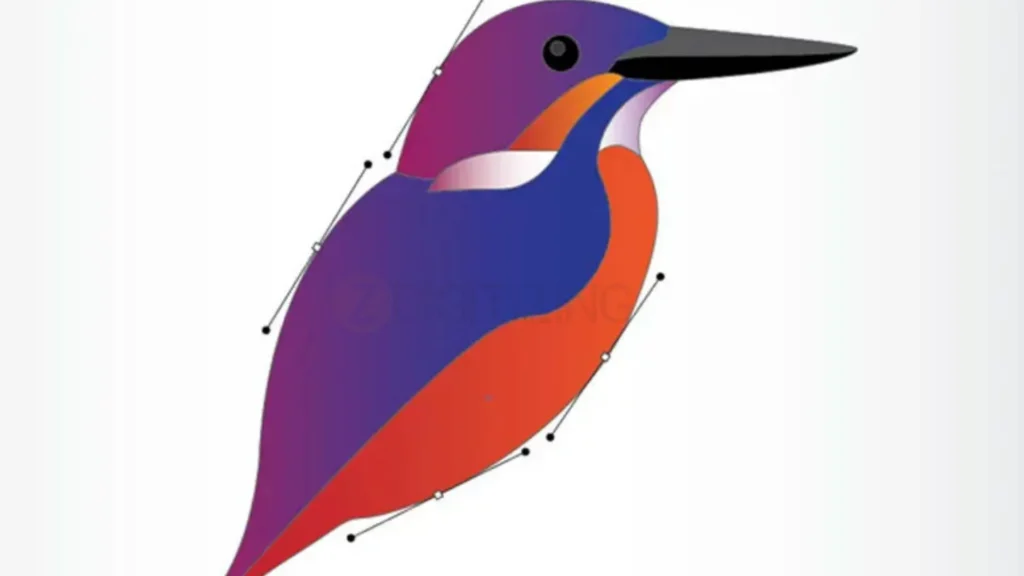
Can You Convert a TIFF to a Vector File?
Yes, you can convert TIFF to vector, but there’s one important thing to understand: the conversion doesn’t recover information that isn’t already in the image.
A vector file isn’t simply a TIFF saved with a different extension. Instead, the software creates new vector paths by tracing the pixels in the raster image. The cleaner and higher quality the original TIFF is, the better the vector result will be.
If the TIFF is blurry, heavily compressed, or low resolution, the converted artwork may contain rough edges, unnecessary anchor points, and inaccurate shapes that require manual editing.
How Raster-to-Vector Conversion Works
The typical raster to vector conversion process looks like this:
- Import the TIFF into vector editing software.
- Use an auto-tracing tool to detect shapes and edges.
- Generate editable vector paths.
- Clean up unnecessary nodes and smooth curves.
- Save the artwork as SVG, EPS, AI, or another vector format.
While automatic tracing can save time, it rarely produces production-ready artwork on the first attempt. Professional logos usually need manual refinement to achieve clean, scalable results.
Expert Insight: Auto-tracing creates new vector paths based on the pixels it sees—it doesn’t recreate the original vector artwork. That’s why manually refining the traced paths often makes the biggest difference in quality.
TIFF vs SVG, EPS, PDF, PNG, and JPEG
Choosing the right file format becomes much easier once you understand where TIFF fits among the most common design formats.
Format | Type | Best Used For |
TIFF vs SVG | Raster vs Vector | TIFF for photographs; SVG for logos, icons, and web graphics |
TIFF vs EPS | Raster vs Vector | TIFF for high-quality images; EPS for professional print artwork |
TIFF vs PDF | Raster vs Mixed | TIFF stores raster images, while PDFs can contain both raster and vector graphics |
TIFF vs PNG | Raster vs Raster | TIFF for print-quality images; PNG for web graphics with transparency |
TIFF vs JPEG | Lossless Raster vs Lossy Raster | TIFF preserves maximum quality; JPEG offers smaller file sizes for everyday use |
Which Format Should You Choose?
Use a TIFF when you need:
- High-resolution photographs
- Professional image printing
- Archiving artwork without quality loss
- Detailed scanned documents
Choose a vector format when you need:
- Logos and branding
- Business cards
- Signage
- Packaging
- Marketing materials
- Artwork that may be resized later
If your artwork includes a company logo, an AI vector file, SVG, or EPS is usually a much better long-term choice than TIFF because the design remains sharp at any size and is easier to edit in the future.
Practical Tip: If a printer asks for your logo, don’t assume a TIFF is the safest option. Ask whether they prefer a vector PDF, AI, EPS, or SVG file. Most professional print providers recommend vector artwork whenever scalability matters.
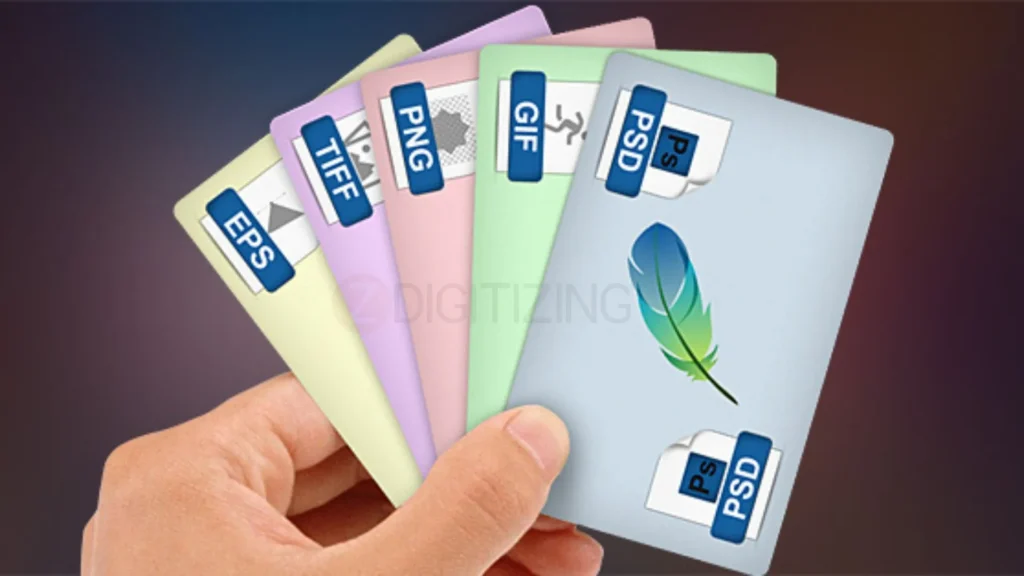
Is TIFF Good for Printing?
One common reason people search “is tiff a vector file“ is because TIFF is heavily used in commercial printing. Seeing print shops request TIFFs leads many creators to assume it’s automatically the best format for every design project, but the right choice depends on what you are printing.
- For Photographs & Detailed Images: TIFF is unbeatable. It preserves original pixel details, supports lossless compression, and handles CMYK color profiles seamlessly.
- For Logos, Text & Graphics: A true vector format (like SVG, EPS, or AI) is far superior. Vector graphics maintain crisp, razor-sharp edges no matter how large you scale them, from a business card to a billboard.
Quick Print Reference Guide
Project | Recommended Format |
Professional Photos | TIFF |
Company Logos | SVG, EPS, AI, or Vector PDF |
Brochures with Images | TIFF or High-Quality PDF |
Large Banners | Vector PDF or EPS |
Business Cards | Vector Artwork |
Product Labels | Vector Artwork |
Pro Tip: Professional designers frequently combine both formats in a single layout. For example, a magazine ad might feature a high-res TIFF photograph alongside a vector logo to ensure maximum print quality.
4 Common Mistakes People Make with TIFF Files
Understanding is tiff a vector file—and why it isn’t, helps you avoid costly production errors down the road. Here are the most frequent mistakes creators make with TIFFs:
1. Confusing High Resolution with Vector Scalability
A 600 DPI TIFF looks amazingly sharp on screen, but it is still fundamentally a grid of pixels. Increasing resolution improves clarity at the original size, but it will not make a raster file infinitely scalable.
2. Exporting Branding Logos as TIFF Only
Saving a company logo exclusively as a TIFF limits its future use. If you ever need that logo for a vehicle wrap, trade show display, or uniform patch, blowing up a TIFF will result in pixelated, fuzzy edges. Always archive your original vector source files (.AI, .EPS, or .SVG).
3. Relying 100% on Automated Vector Conversion
Auto-tracing tools in design software can convert pixels to paths, but they rarely output production-ready artwork on the first try. Complex shadows, subtle gradients, and low-resolution graphics usually generate thousands of unnecessary anchor points that require manual vector cleanup.
4. Sending TIFF Files for Precision Manufacturing
Not every production process works well with raster graphics. Screen printers, signmakers, and embroidery digitizers require clean, editable vector paths to map out cuts, colors, and stitch sequences accurately.
Quick Tip: Before sending artwork to a printer or production company, ask which format they prefer. Providing the correct file the first time can save revisions, additional charges, and production delays.
How to Check If Your File Is a TIFF or a Vector Graphics File?
If you received a file from a designer or client and aren’t sure whether it’s raster or vector, you can test it in seconds using these methods:
- The Zoom Test (Easiest Method): Open the file on your computer and zoom in to 500% or more. If the edges become jagged, blurry, or blocky, it is a pixel-based raster image like a TIFF. If the edges stay perfectly smooth and sharp at any zoom level, it is a vector file.
- Check the File Extension: TIFF files end in .tif or .tiff. Standard vector formats typically end in .svg, .eps, .ai, or .cdr. (Note: PDF files can contain both raster TIFFs and vector paths).
- Open in Design Software: If you open the file in Adobe Illustrator or CorelDRAW and clicking on the logo highlights individual editable wireframe lines (anchor points), it’s a vector. If selecting the logo selects a rectangular box around the image, it’s a raster graphic.
Conclusion
To sum up: Is TIFF a vector file? No. While TIFF is one of the best raster formats available for high-resolution imagery and photographic printing, it lacks the scalable, editable paths needed for logos, signage, and custom manufacturing.
If you have a TIFF or low-resolution logo that needs to be prepared for embroidery, custom patches, or precision print work, converting it into clean vector artwork is the crucial first step.
If your artwork is only available as a TIFF, our team can convert it into clean, production-ready vector files or embroidery designs. At ZDigitizing, we also provide affordable embroidery digitizing services in Canada, and new customers receive 50% off their first order.