If you’ve ever wished you could stitch the same characters your kids watch on screen, a Brother Disney Embroidery Machine can make that easier without constant trial and error. I’ll walk you through what these machines actually do, what you’re paying for, and who they’re best for. We’ll also cover where Disney-ready models are worth it, where they aren’t, and the simple steps that help you avoid puckering and messy stitch-outs.

By the end, you’ll know how to pick the right machine, get more designs, and start stitching clean, bright Disney embroidery with confidence.
Brother Disney Embroidery Machine Review: Designs, Features, and Pricing
What Makes a Brother Disney Embroidery Machine Different?
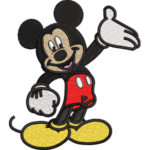
Brother’s Disney-branded machines feel different for one simple reason: they make Disney-style stitching easier from the first day. Instead of spending hours hunting for designs that might work, you get official character options that are already prepared for the machine.
So when your goal is something like Mickey, Elsa, or a cute Pixar-style frame, it’s often as easy as choosing a design on the screen and pressing start. In this section, we’ll break down what truly sets a Brother Embroidery Machine Disney apart, so you can quickly tell if it matches what you want to do.
Built-in Disney designs are the biggest “wow” factor. Many Disney Brother embroidery machine models come with a ready-to-use library (sometimes 10 designs, sometimes 100+), so you can start stitching without downloading anything.

That’s perfect if you’re doing quick projects like a name on a towel, a character patch on a backpack, or a fun design on a kid’s t-shirt. On the other hand, a regular Brother model without Disney branding usually means you’ll need to find design files yourself, sometimes paying per design, and sometimes dealing with “free downloads” that look fine on screen but stitch out messy.
Also, keep in mind that not every Brother Disney Embroidery Machine is embroidery-only. Some are combo machines that sew too, which is a big plus if you also do hems, simple repairs, or basic garment stitching.
Embroidery-only models are often more compact and easier to manage in small spaces, while sewing+embroidery machines give you one setup for everything, from quilt borders to Disney-style monograms and character designs on towels and hoodies.
Brother Disney Machine Review: Who It’s For (And Who Should Skip)
Disney branding doesn’t automatically mean a machine is right for everyone. This section helps you quickly see whether these machines match your goals, skill level, and project types. If you want to avoid buyer’s regret with a Brother Disney Embroidery Machine, this self-check is essential.
Best for Beginners, Parents, and Gift Makers
Disney designs are excellent for learning because they’re visually clear and forgiving when stitched correctly. These machines work especially well for:
- Parents personalizing kids’ clothes, backpacks, and blankets
- Gift makers creating birthday towels, baby items, and holiday sets
- Beginners who want guided menus and friendly editing tools
A Disney embroidery machine lineup is usually built with ease of use in mind, which helps new users gain confidence faster.
Best for Side Hustles and Small Shops
Disney-themed embroidery can sell well when done properly. If you run a small shop or side hustle, you’ll benefit most from:
- A medium or larger embroidery field
- Reliable trimming to reduce cleanup time
- Easy design import for new releases
For small-scale production, a Brother Disney Embroidery Machine can be a smart starting point when matched to the right workload.
Who Should Skip Disney Models and Buy a Different Type Instead?
You may want to skip Disney models if:
- You never plan to use Disney or character-style designs
- Your focus is on large commercial logos or jacket backs
- You already rely heavily on professional digitizing software
In those cases, a non-Disney machine with a larger field or industrial focus may serve you better.
Best Brother Disney Embroidery Machine Options (Best Picks by Use Case)
If you’re trying to pick the right Brother Disney machine, don’t worry about “the best” in general, focus on what you actually want to stitch. Some models are perfect for small, fun projects, while others are better for larger hoops, cleaner placement, and heavier use.
Below are popular choices that people often consider when they want a reliable Brother Machine for Disney-style designs.
- Brother PE550D
- Brother NS2750D
- Brother NQ3700D
- Brother SE2100Di
- Brother Stellaire Innov-is XE2
1. Brother PE550D | Best Budget Disney Machine For Small Projects
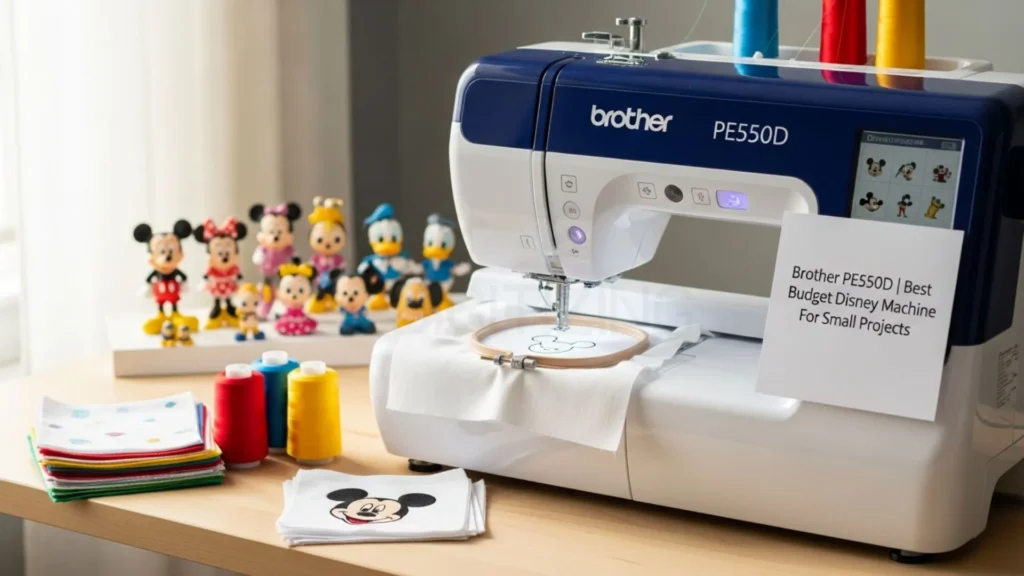
If you’re trying to keep the budget low and still want a smooth start, the Brother Disney Embroidery Machine PE550D is one of the easiest machines to begin with. It’s compact, embroidery-only, and comes with a 4×4-inch embroidery field, so it’s ideal for small designs like a simple Mickey-style icon on a hat pocket or a cute character frame on a toddler bib.

Out of the box, you get 125 built-in designs total, including 45 Disney favorites (like Minnie and Goofy) plus 9 lettering fonts (6 English and 3 Japanese), which makes quick personalization simple. The 3.2-inch color LCD touchscreen also helps a lot because you can preview, resize, rotate, mirror, and even curve text directly on the machine, so you don’t need a computer for basic setup.
What makes it even better for beginners is how easy it is to keep and use in daily life. It weighs around 15 pounds and has a small footprint, so it fits on a shelf or table and stores away easily after use, perfect for apartments or shared spaces. The automatic needle threader, drop-in bobbin, and built-in tutorials reduce the “new machine stress,” especially during color changes.
Pricing is another big reason people love it of Brother Disney Embroidery Machine: it usually falls around $300 to $400, and it often goes on sale under $350. If your goal is simple gifts and quick Disney embroidery ideas without learning complicated features, this model keeps things fun and manageable while still giving clean results.
Pros
- Budget-friendly pricing (often under $400)
- Lightweight and easy to store (great for small spaces)
- 45 Disney designs plus many extra built-in patterns
- Beginner-friendly touchscreen with simple editing
- Strong warranty support for long-term use
Cons
- 4×4 field limits larger hoodie or blanket designs
- Preview is not a true “photo-real” color simulation
- Embroidery-only (no sewing features)
- Slower max speed (650 SPM) for dense designs
2. Brother NS2750D | Best Value Mid-Range Option
If you want more room than a basic machine but don’t want to jump to premium pricing, the Brother NS2750D is a very practical middle choice. It’s a sewing + embroidery combo, so you can stitch Disney characters and also handle simple sewing jobs like hemming jeans, fixing tears, or finishing quilt edges.
The main upgrade is the 5×7 inch embroidery field. This extra space makes it much easier to stitch larger designs on hoodies, tote bags, and baby blankets without squeezing everything into a tiny hoop.
This Brother Disney Embroidery Machine includes 35 built-in Disney designs (including Pixar favorites like Woody and Buzz), plus around 100 sewing stitches to support everyday sewing alongside embroidery. The color touchscreen keeps things simple: you can drag designs into place, add basic text or frames, and preview colors before you stitch.

That makes it easier to get clean results with machine embroidery Disney designs, even if you’re still learning and don’t want the process to feel technical.
Now, let’s talk price because that matters. The Brother NS2750D usually sits around $800 to $1,000, which is why many family crafters see it as the “sweet spot.” You’re getting a bigger hoop size, better editing, and time-saving features, without paying premium-machine money or needing multiple machines in your space.
Where it really saves time is cleanup. Automatic thread cutting and jump-stitch trimming reduce the amount of hand snipping, which can easily save you 10–15 minutes on bigger multi-color projects compared to entry-level models. It’s also stable on regular tables, quiet enough for evening sessions, and the included hoops (4×4, 5×7, and solo stitch) cover most home projects.
Pros
- 5×7 embroidery field fits family-size projects comfortably
- Sewing + embroidery in one machine (saves space and money)
- Color touchscreen with easy drag-and-drop editing
- Auto thread trimming speeds up color changes and cleanup
- Strong value for the price range ($800–$1,000)
Cons
- Only 35 Disney designs built in (you’ll expand via USB)
- No Wi-Fi, so extra designs need a thumb drive
- Can get noisier at top speeds than premium models
- Heavier to move often (around 32 lbs)
3. Brother NQ3700D| Best Premium Option (For Heavy Use)
If you want premium performance without stepping all the way into the “industrial” world, the Brother Disney Embroidery Machine NQ3700D is a strong choice for bigger projects and frequent stitching. It’s a sewing + embroidery combo with a generous 6×10 inch field, which gives you room for full character scenes on quilts, larger towel layouts, and bold hoodie designs without constantly resizing or re-hooping.

You’ll find built-in Disney designs included, plus plenty of additional patterns, and the large color touchscreen makes it easy to preview layouts, drag-and-drop placement, and organize thread changes so your stitch-outs look planned, not rushed.
It also helps that this model is built for longer sessions. With Wi-Fi support and the Artspira app, you can transfer designs quickly from your phone instead of juggling USB drives. It runs up to 850 stitches per minute and includes time-saving features like automatic thread trimming and jump-stitch cutting, which makes dense fills feel much more manageable on thicker fabrics like denim and fleece.
If you’re quilting often, doing regular custom orders, or stitching 20+ hours a week, this Brother Disney Embroidery Machine is designed to keep up without shaking, shifting, or slowing you down. Priced at $1,500-$2,000, the included large hoops, extensive editing tools, and 25-year limited warranty make it a long-term workhorse.
Pros
- Large 6×10 field for bigger Disney-style layouts and quilts
- Wi-Fi + Artspira support for faster transfers and previews
- 850 SPM speed with auto trimming saves time on multi-color designs
- Large touchscreen with advanced editing and placement tools
- Sewing + embroidery combo supports full projects
Cons
- Higher upfront cost compared to mid-range options
- Needs a dedicated table space due to size
- Advanced tools take time to learn fully
- Heavier than compact entry-level machines
4. Brother SE2100Di | Best Option For Kids’ Clothes And Patches
This Brother Disney Embroidery Machine is a great pick for smaller, detailed projects like kids’ apparel and clean-looking patches, especially if you want a machine that feels easy from the first day. Designed around Disney’s 100th anniversary, it offers a practical 5×7-inch embroidery field that suits chest pockets, sleeve logos, and backpack patches without feeling overwhelming.
It includes 193 total designs, with 100 exclusive downloadable Disney options (from Steamboat Willie to Marvel and Pixar favorites), and the 3.7-inch color touchscreen makes it simple to preview and place designs neatly, even on curved areas like hoodie sleeves.

What really helps on kid-sized gear is the combo setup: you can switch between embroidery and sewing when you need to hem, fix seams, or secure appliqué edges, so you’re not stuck using two different machines. With Wi-Fi and the Artspira app, you can send designs wirelessly from your phone and check placement before you even start stitching.
Note: You can keep using the built-in designs for now, but if you want your own custom logo or character-style artwork, it’s worth getting it digitized professionally. That’s where patch digitizing from ZDigitizing helps, your patch files are built for clean borders, smooth stitching, and a crisp finish that looks professional and holds up on jackets, backpacks, and kids’ uniforms.
It runs up to 710 stitches per minute and includes automatic thread trimming, and with the right stabilizer choice, it handles knits like tees and fleece with less puckering. If you want a modern Brother Disney Embroidery Machine for school gear, small custom orders, and practical Disney embroidery ideas, this model is a solid balance of features and simplicity.
Priced around $900-$1,100, it’s forgiving for busy parents or small-scale customizers who want pro results on school gear, team uniforms, or personalized gifts without a steep learning curve.
Pros
- 193 designs with 100 Disney 100th anniversary exclusives (easy app downloads)
- Wi-Fi + Artspira app for phone previews and wireless transfers
- 5×7 field is ideal for kids’ clothing placements and patches
- Combo sewing + embroidery supports full garment projects
- Compact and home-friendly for regular use
Cons
- 5×7 field limits oversized quilt or jacket-back designs
- 710 SPM is slower than premium machines for high-volume work
- App connectivity may lag on older devices
- Fewer built-in fonts than higher-end models for custom text
5. Brother Stellaire Innov-is XE2 | Best No-Compromise Disney Options
If you want the “no limits” choice, the Brother Stellaire Innov-is XE2 is the kind of Brother Disney Embroidery Machine that’s built for big ideas and serious output. It comes with a massive 9.5″ x 14″ embroidery field, so you can stitch full character scenes, jumbo hoodie backs, quilt blocks, and long borders without splitting the design or shrinking details just to make them fit.
The 10.1″ HD color touchscreen feels like a tablet, which makes designing and positioning much easier, clear previews, zoom, and simple drag-and-drop placement so your layout looks right before you ever press start.

What really makes this Machine stand out is precision plus speed. The 2-point LED positioning system helps you line up designs accurately on bulky quilts, jackets, or finished garments, where placement mistakes are expensive.
It also stitches fast (up to around 1,050 stitches per minute), so dense, colorful character fills don’t eat your whole day. On top of that, you get pro-level tools like automatic thread trimming, jump-stitch cutting, and on-screen density adjustments, which help you control tricky designs with lots of color changes.
And because this supports Wi-Fi, USB, and Brother’s design ecosystem (including iBroidery and Artspira), you can expand your library and move designs around without constantly dealing with cables.
Pros
- Extra-large 9.5″ x 14″ field for big scenes, quilts, and jacket backs
- Hundreds of built-in designs overall, including 100+ Disney/Disney-Pixar designs, plus fonts and frames
- Fast stitching (up to about 1,050 SPM) with strong stability for dense work
- Large HD touchscreen with powerful editing (resize, rotate, mirror, combine, color shuffle, density tweaks)
- 2-point LED positioning helps with accurate placement on large or awkward items
- Wi-Fi + app support for easier design transfers and library expansion
Cons
- High price compared to mid-range options (best for serious users)
- Embroidery-only, so you’ll still need a separate sewing machine
- Larger footprint requires a sturdy table and dedicated space
- Advanced features take time to learn if you’re a complete beginner
Quick Pick:
- Tight budget or total beginner: Brother PE550D
- Everyday family crafts plus sewing: Brother NS2750D
- Bigger designs and heavier weekly use: Brother NQ3700D
- Kids’ clothes, small placements, and patches: Brother SE2100Di
- Want the “no-compromise” premium experience: Brother Stellaire Innov-is XE2
If you’re trying to choose your first Brother Disney Embroidery Machine, start with your project size and how often you’ll stitch, then the right pick becomes obvious.
Best Brother Disney Embroidery Machines | Quick Comparison
If you’re comparing models, the easiest way is to line up the basics side by side. This quick table shows field size, Disney design access, connectivity, and the price band, so you can pick faster with less confusion.
Model | Embroidery field size | Built-in Disney design count | Connectivity (USB/Wi-Fi/app) | Editing tools | Best for | Typical price band |
PE550D | 4×4 inch | 45 | USB | Basic resize/rotate | Beginners, small items | $300-$400 |
NS2750D | 5×7 inch | 35 | USB | On-screen + frames | Family, medium projects | $800-$1,000 |
NQ3700D | 6×10 inch | 55 | USB/Wi-Fi/Artspira | Advanced + color sort | Pros, large designs | $1,500-$2,000 |
SE2100Di | 5×7 inch | 193 (100 Disney download) | Wi-Fi/app | Drag-drop + lettering | Kids clothes/patches | $900-$1,100 |
Stellaire XE2 | 9.5×14 inch | 101 | Wi-Fi/My Design Center | Laser pointer + full | Heavy daily use | $4,000+ |
Common Mistakes With Brother Disney Embroidery Machines (And How To Avoid Them)
Even a great machine can give you messy results if a few small things go wrong.
The good news is that most problems with a Disney Brother embroidery machine are simple to fix once you know what to check before you press start.
- Using the wrong hoop size for the design: Disney characters often need the right hoop to keep details from getting cut off. Always check the on-screen preview first. If any part looks cropped (like arms, ears, or tails), switch to a bigger hoop before you thread the machine.
- Forcing resize or mirror on restricted Disney designs: Some built-in Disney designs won’t allow resizing or flipping. If options are greyed out or the machine warns you, don’t fight it. Instead, keep the character design as-is and add text, borders, or frames around it to make the layout feel custom.
- Skipping stabilizer on kids’ stretchy clothes: This is a big one. Stretchy fabric like t-shirts and hoodies can pucker fast without stabilizer. Use tear-away for stable fabric, and cut-away for knits and hoodies. Hoop the fabric and stabilizer together, and test on scrap if it’s your first time.
- Getting thread breaks or loops because the design is too dense: Disney outlines and filled areas can be dense, which can cause breaks or looping if the tension isn’t right. For your first run, slow the machine down a bit, use good-quality thread, and make sure the bobbin area is clean.
- Do not test-stitch multi-color designs first: Big designs with many colors can shift or look different on real fabric. A quick test stitch on scrap (same fabric type + stabilizer) helps you catch problems early and saves you from wasting a good shirt or towel.
- Trying to sell Disney items without checking the rules: For personal gifts, you’re usually fine. But selling Disney-stitched items can require licensing. If you want to sell, consider using original themes, generic characters, or custom designs that are safe for business use.
These small checks take a few minutes, but they save hours of fixing puckering, wasted thread, and restarting designs.
Conclusion
Now you know what really matters when choosing a Brother Disney Embroidery Machine, the hoop size you need, how often you’ll stitch, and whether a sewing+embroidery combo fits your routine. When you match those points to your budget, you’ll get cleaner results and avoid the common problems like puckering, shifting, and messy outlines.
Built-in designs are a fun starting point, but when you want cleaner layouts, custom names, sharper details, or business-safe alternatives for selling, professional digitizing becomes the real game-changer.
That’s where ZDigitizing helps you level up fast with Custom embroidery digitizing services in USA that are made to stitch clean on real fabric, not just look good on screen. With 10+ years of experience, quality guaranteed through a file check before delivery, 24/7 customer support, and a preview before payment, you get pro results without the stress.
They also deliver in 4–12 hours (standard) and 1–4 hours (urgent), so you can keep your orders moving, and new customers can try them with 50% OFF on the first order.
Start your first order with ZDigitizing and get a clean, production-ready file that stitches right the first time.