Dealing with sudden thread nests, broken needles, or skipped stitches right in the middle of a project can instantly stall your creative momentum. When facing Brother embroidery machine problems, knowing how to isolate mechanical tension issues from digitizing glitches saves hours of frustration. This guide breaks down essential troubleshooting techniques, error code fixes, and maintenance routines to keep your embroidery projects running seamlessly.
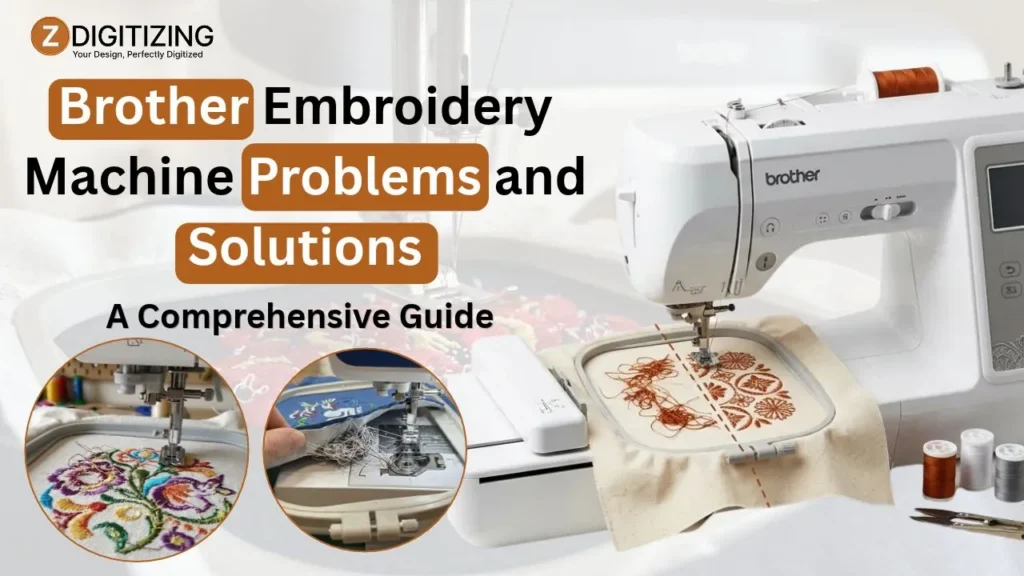
Brother Embroidery Machine Problems and Solutions: A Comprehensive Guide
Core Mechanics: Master the "Big Three" First
Before trying complex repairs, check the “big three”: threading, needle selection, and bobbin placement. Many brother embroidery machine problems can be resolved by correcting these basic setup issues.
Flawless Threading Technique
The single most critical rule when threading any home embroidery unit is simple: always keep the presser foot UP during threading. Raising the presser foot opens the upper tension disks, allowing the thread to seat deeply into the tension assembly.
If you thread the machine with the presser foot down, the tension disks remain tightly closed, causing severe Brother embroidery machine thread jam errors, loose top loops, and bird nesting instantly.
Always trace the upper thread path with steady tension, ensuring the thread engages the take-up lever properly before threading the needle.
Golden Rules of Needles
Needles are dynamic components that dull rapidly under high-speed stitching. Using the wrong needle type or size causes immediate Brother embroidery needle problems, including fabric puckering, thread shredding, and uneven stitch formation.
Fabric Type | Recommended Needle Type | Optimal Needle Size | Primary Use Case |
Standard Woven Cotton / Denim | Embroidery (Sharp Point) | 90/14 | Heavy fabrics, structured caps, heavy canvas |
Knits / Stretch Performance Wear | Ballpoint / Jersey | 75/11 | T-shirts, hoodies, stretch materials |
Fine Silk / Organza / Delicate Wovens | Microtex / Fine Embroidery | 75/11 or 70/10 | Delicate fabrics, fine detail monograms |
Replace your needle after every 8 hours of continuous run time or at the first sign of a burr.
Bobbin Basics
Proper bobbin setup is non-negotiable for clean stitch formation. Place your bobbin into the case so the thread unwinds in a counter-clockwise direction, forming the shape of the letter “P”. Pull the thread securely through the bobbin tension groove.
Additionally, fine lint accumulation beneath the needle plate often creates persistent Brother bobbin case problems. Inspect the bobbin race regularly and remove trapped lint using a soft brush to prevent feeding jams.
Common Troubleshooting Scenarios & Immediate Fixes
Some Brother embroidery machine problems, such as thread breaks, skipped stitches, or uneven embroidery, can interrupt your work. Here are common issues and simple fixes to help you get back to stitching.
Problem A: Upper Thread Breaking or Shredding
If your upper thread breaks repeatedly or frays into tiny fibers near the needle eye, you are dealing with mechanical resistance along the upper thread path.
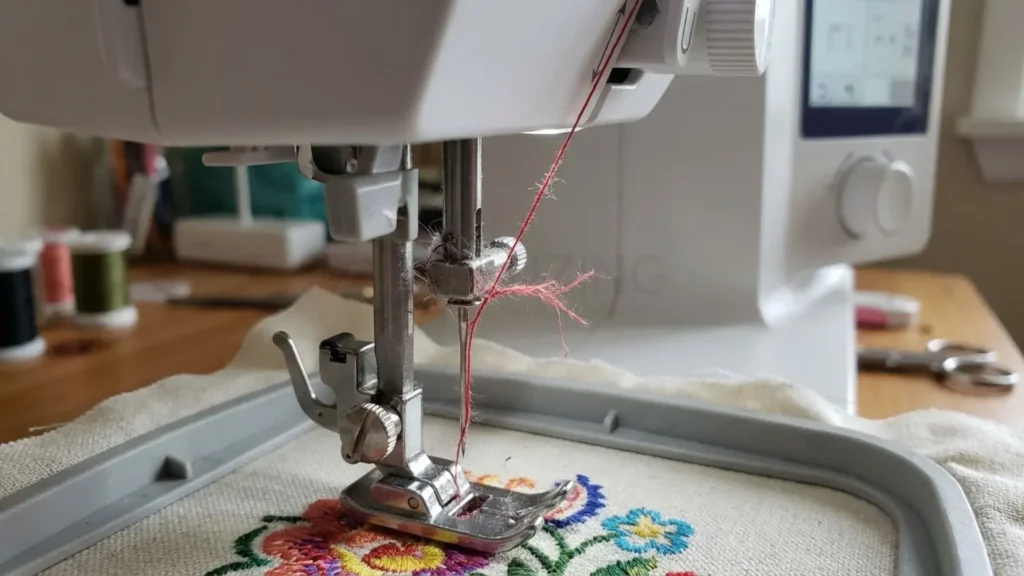
Primary Causes: Inferior quality thread, using an incorrect spool cap size that catches the thread, or microscopic burrs on the needle eye and thread guides.
Targeted Solutions: Switch immediately to high-quality 40wt polyester or rayon embroidery thread. Ensure your spool cap matches the diameter of your thread spool perfectly so the thread feeds off smoothly without snagging.
If thread fraying continues on compact units, inspecting your setup for Brother PE535 embroidery machine problems or addressing Brother PE550D embroidery machine problems often reveals a nicked needle eye that requires an immediate needle change.
Problem B: Bird Nesting (Tangled Thread Under the Fabric)
A dense nest of thread gathering underneath your needle plate indicates a total loss of upper thread tension.

Primary Causes: The upper thread missed the take-up lever, threading occurred with the presser foot lowered, or lint is jammed between the upper tension disks.
Targeted Solutions: Snip the tangled nest carefully from beneath the needle plate, never force the fabric out.
Remove the needle plate and clear all thread scraps from the bobbin race. Re-thread the entire upper path from scratch with the presser foot raised, ensuring the thread seats firmly into the take-up lever.
Problem C: Skipped Stitches or Jagged Designs
When designs appear distorted, misaligned, or show missing stitches, the issue usually involves needle deflection or improper fabric stabilization.

Primary Causes: A slightly bent needle, improper hooping technique, or choosing an inadequate stabilizer backing for your fabric weight.
Targeted Solutions: Perform the “Drum Tight” test after hooping: tapping your hooped fabric should produce a firm, drum-like sound without distorting the grain line.
Replace your needle immediately to eliminate Brother embroidery machine skipped stitches. Pair stretchy materials with cut-away stabilizer, while stable woven goods work best with tear-away backings.
Problem D: Bobbin Thread Showing on the Top Side
White bobbin thread pulling up to the top surface spoils the finished design and points to a direct tension imbalance.
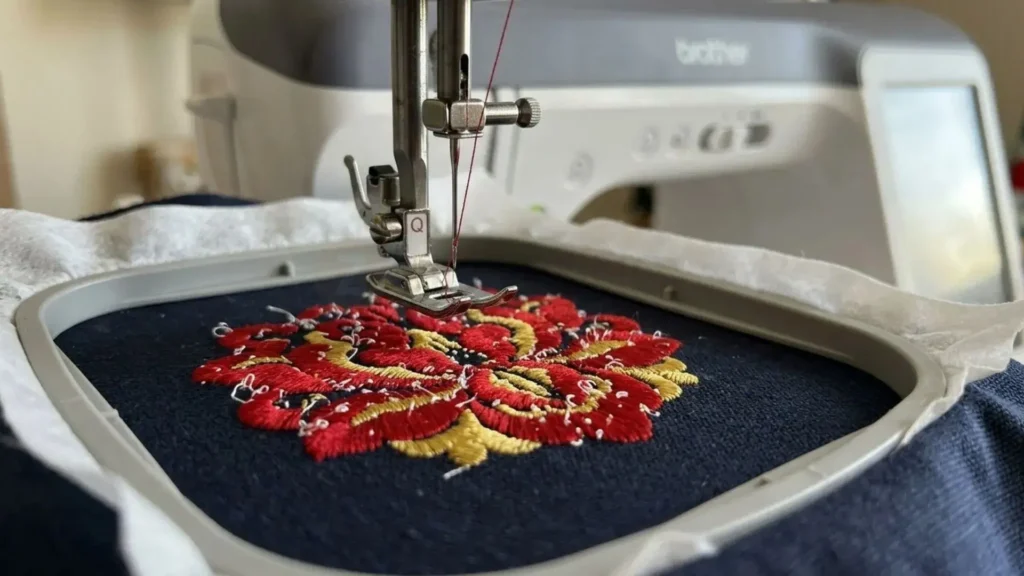
Primary Causes: Upper thread tension is set too tight, or the bobbin case tension is excessively loose due to trapped lint or loose tension screws.
Targeted Solutions: Lower your upper tension dial incrementally (e.g., from 4.0 down to 3.2). Clean out the upper tension disks by sliding unflavored dental floss through the path to dislodge trapped thread dust.
Addressing Brother SE600 embroidery machine problems or fixing Brother SE700 embroidery machine problems usually requires balancing upper tension with a clean, properly threaded bobbin case.
Decoding Brother-Specific Error Codes
Modern Brother embroidery machines display error messages when something needs attention. Understanding these messages can help you identify Brother embroidery machine problems and take the right steps to resume stitching.
E01 / E02: Presser Foot Errors
This safety interlock triggers if you press the Start/Stop button while the presser foot remains in the raised position. Lower the presser foot completely to clear the prompt. If the error persists, clear away dust around the presser foot height sensor.
E06: Motor Lock Warning
The machine detects high rotational resistance and automatically stops the motor to prevent gear damage. Turn the power OFF immediately. Remove the hoop, needle plate, and bobbin case to remove any dense thread jams locked behind the hook assembly.
Turning the handwheel manually towards you should feel smooth before turning the machine back ON.
Bobbin Winder Error
If the machine screen freezes or refuses to enter embroidery mode, check the bobbin winder spindle on top of the casing. If the spindle is pushed to the right in winding position, the machine disables embroidery functions. Push the spindle back to the left position.
Prevention & Proactive Maintenance Schedule
Regular cleaning and routine checks can help prevent common Brother embroidery machine problems. Follow your model’s maintenance schedule to keep it running smoothly and reduce unexpected interruptions.
The 8-Hour Rule

Treat every 8 to 10 hours of active stitching as a mandatory service milestone:
- Turn off the machine power and remove the needle.
- Remove the needle plate and extract the bobbin case.
- Brush away all accumulated lint and thread dust from the race area.
- Insert a brand-new embroidery needle matching your next project’s fabric requirements.
Oiling vs. Non-Oiling Models
It is crucial to follow manufacturer lubrication guidelines based on your machine’s mechanical design:
- Single-Needle Home Models: Popular mid-range units require zero manual oiling in the bobbin area. Internal components are factory-sealed with long-life synthetic grease. Attempting to oil these units can collect lint and cause electrical short circuits.
- Multi-Needle Commercial Units: Heavy-duty machines require daily lubrication. Applying a single drop of specialized sewing machine oil to the rotary hook race every 4 to 8 hours of continuous operation is mandatory to prevent friction damage.
Resolving Model-Specific Mechanical Glitches
Each Brother machine series has a different mechanical setup. Identifying your model can help you find the right fix for a Brother embroidery machine problems.
Compact & Combination Home Units
Standard single-needle combination platforms are ideal for everyday projects, but their compact needle plates make them sensitive to tension imbalances and dust buildup.
When addressing Brother PE800 embroidery machine problems or managing Brother PE900 embroidery machine problems, the primary fix for persistent thread bunching is removing the needle plate to clean trapped lint beneath the feed dog covers.
Similarly, evaluating Brother SE1900 embroidery machine problems often comes down to verifying that the thread take-up lever is fully engaged during complex multi-color designs.
Multi-Needle & Commercial Production Machines
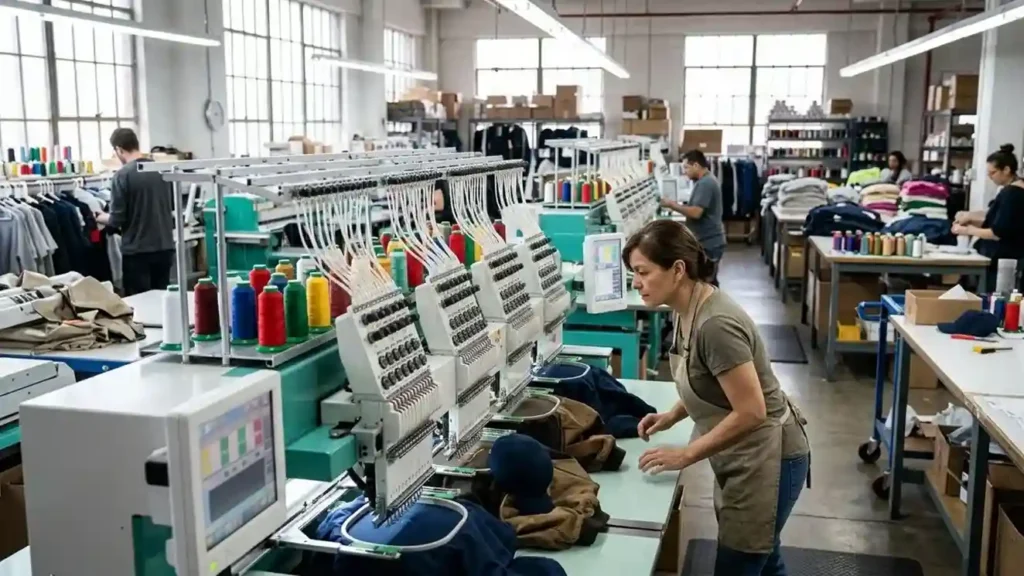
Professional multi-needle setups handle demanding production schedules, but require rigorous mechanical maintenance and precise calibration.
- Cap Driver & Tubular Arm Maintenance: When dealing with Brother PR680W embroidery machine problems, Brother PR670E embroidery machine problems, or Brother PR1055X embroidery machine problems, mechanical shifts are frequently caused by improper cap frame driver alignment or incorrect needle bar height settings during high-speed stitching.
- Rotary Hook Maintenance: Commercial multi-needle rotary hooks demand regular lint removal and daily oiling. Keep spare bobbin cases calibrated specifically for pre-wound polyester bobbins to maintain consistent bottom tension across all needle bars.
Master Your Embroidery Workflow Today
Troubleshooting home equipment relies on systematic diagnostic steps: maintain correct upper thread pathing with the presser foot raised, select fresh needles matched to your fabric, keep the bobbin area clean, and balance thread tension settings carefully.
While resolving hardware challenges forms one half of successful embroidery, flawless stitch output relies equally on clean, professionally digitized files.
When facing complex designs, high-density stitch files, or challenging structured garments like hats, working alongside an experienced embroidery machine operator ensures your files are optimized to run smoothly without frequent thread breaks or needle deflections.
Professional file preparation plays a crucial role in preventing unexpected Brother embroidery machine problems on the shop floor.
Whether you need specialized cap logo digitizing for structured headwear or want to convert custom artwork into clean, production-ready stitch files, partnering with a dedicated digitizing service saves time and protects your equipment from unnecessary mechanical strain.
Take your embroidery business to the next level with expert file preparation from ZDigitizing. Enjoy professional, production-tested stitch files with 30% off your first order today to make your next stitching project completely seamless!