Buying separate sewing and embroidery machines can stretch your budget and crowd your table. The Brother SE1900 puts both functions in one machine, with enough embroidery space for many personalized projects. Our review explains its strengths, everyday limits, and buying value for USA sewists, quilters, and small craft businesses.

Brother SE1900 Review: Features, Performance, and Is It Worth Buying?
Brother SE1900 Quick Specifications at a Glance
Specification | Detail | What it means for you |
Machine type | Computerized sewing-and-embroidery combo | One machine for both tasks |
Maximum embroidery field | 5″ × 7″ | More room than a 4″ × 4″ field |
Built-in sewing stitches | 240 | Utility and decorative choices |
Built-in embroidery designs | 138 | Patterns available without USB import |
Maximum sewing speed | 850 stitches per minute | Sewing speed differs from embroidery speed |
Design transfer | USB; no built-in wireless connection | Transfer compatible designs using USB media |
Included hoop | 5″ × 7″ | Check that it is present when buying used |
USA availability | Discontinued; listed out of stock by Brother | Compare remaining stock and secondhand offers carefully |
Brother confirms these core specifications on its USA product page.
Our quick verdict: This combo makes sense for home sewing, quilting, and occasional personalized orders when the price and condition are right. Its strongest advantage is combining useful sewing controls with a 5″ × 7″ embroidery field. Its main limits are USB transfer, manual color changes, and restricted production capacity.
If your first question is is Brother SE1900 discontinued, yes, Brother lists it as discontinued. For USA shoppers, that makes the exact machine and seller important: check the condition, included embroidery unit, service history, and return terms before comparing prices.
Brother SE1900 Sewing Features for Everyday USA Projects
We value the sewing side for practical controls that help with repairs, quilt blocks, garments, and home decor.

Stitch Options for Garments, Quilts, and Home Décor
The Brother SE1900 sewing and embroidery machine gives you useful choices for garment repairs, quilt blocks, decorative seams, and household projects. The practical benefit comes from choosing the right stitch for the fabric, rather than having the largest possible stitch menu.
A straight stitch handles many woven seams. A suitable stretch stitch helps a knit seam move with the fabric. Buttonhole options are useful for shirts, cushions, and similar projects, but always sew a sample using the same fabric layers first.
We rate these everyday functions more highly than decorative stitches you may rarely use. For a USA home business making repeat items, a dependable seam and easy setup matter more than a long stitch menu.
Fabric Feeding and Adjustable Controls
Fabric feeding determines how evenly the layers travel under the foot. Speed control and adjustable presser-foot pressure help you respond when a thin fabric gathers or a knit stretches as you sew.
Start slowly on unfamiliar material. If the bottom layer feeds ahead of the top layer, try a suitable walking foot and test again. Pulling the fabric from behind can bend the needle and distort the seam.
The Brother SE1900 computerized sewing and embroidery machine offers more control than a basic machine, but the operator still needs to match the needle, thread, foot, and stitch to the project.
The advanced needle threader and quick-set bobbin simplify routine preparation. Follow the threading order carefully, and check that the bobbin is the correct type and seated as instructed. These conveniences reduce setup work; they do not remove the need to check threading.
Knee Lifter and Free-Motion Quilting Setup
We like the knee lifter because it frees your hands when you need to turn a corner or reposition a quilt block. You raise the presser foot with your knee while keeping the fabric in place.
For free-motion quilting, follow the manual’s drop-feed instructions and use a compatible quilting foot. You control the fabric movement, so even stitches depend on balancing hand speed with needle speed.
Large quilts remain a workspace challenge. A combo machine can decorate quilt blocks without providing the room of a longarm quilting system.
My Custom Stitch for Decorative Sewing
My Custom Stitch lets you create and save decorative sewing stitches. A repeating border on a pillowcase or a simple decorative line on a quilt label is a practical use.
Aha, this is where two different tasks can get mixed up. Creating a decorative sewing stitch does not turn a business logo into embroidery. ZDigitizing handles that custom artwork step through manual digitizing, planning the stitches around your fabric, placement, and finished size.
Brother SE1900 Embroidery Features and Design Limits
The embroidery side offers useful room for everyday personalization, provided the design and garment fit the available space.

What Fits Inside the 5″ × 7″ Field?
The Brother SE1900 hoop size is a major reason to consider this model. Its maximum embroidery area gives you room for many towel monograms, tote designs, quilt labels, patches, and appropriately sized left chest logos.
A design measuring 4½” wide cannot fit within a 4″-wide embroidery field in that orientation. The wider field can therefore prevent the need to split some everyday designs.
Here’s the catch: the Brother SE1900 still has a fixed maximum stitching area. Buying a larger frame does not give it a larger single-position embroidery field. Large jacket-back artwork requires different equipment or a carefully planned split design.
Also check whether the garment can move freely. A design may fit on screen while the finished sleeve or pocket is too tight to position correctly.
Built-In Patterns, Lettering, and Monograms
Built-in patterns are useful for practice, quick gifts, and simple personalized items. We see their main value in helping beginners learn placement and threading before moving to a custom logo.
Small text needs extra care. Reducing letters too far can close the gaps in letters such as “e” and “a.” Fabric texture and thread thickness also affect readability.
For a detailed customer logo, ZDigitizing can assess the lettering and simplify fine details where needed. USA sellers should also confirm that they have permission to reproduce the artwork or purchased design commercially.
Touchscreen Preview and Basic Editing
The color touchscreen helps you select and arrange designs before stitching. Basic placement and editing are convenient at the machine, while detailed artwork changes are easier to assess on a computer. Follow the operation manual for the controls available with each pattern type.
Previewing a design is useful, but it does not prove that the stitches will suit your fabric. Screen colors also do not guarantee a match to the thread on your spool.
For major size changes, we recommend ZDigitizing’s fabric-specific file preparation. A jacket-size logo reduced to a left chest placement may need simplified lettering, different underlay, and a new stitch layout. Simple scaling can leave too many stitches in a small space or too little coverage in a larger one.
USB Design Transfer and Compatible Files
The Brother SE1900 embroidery machine uses compatible embroidery data, not an ordinary picture file. Brother support lists formats including .PES and .DST; file version, design dimensions, and other machine limits still matter.
A practical transfer workflow is:
- Ask ZDigitizing for a compatible file at the required finished size.
- Save it to USB media that meets the machine’s requirements.
- Insert the USB media and select the design.
- Check its orientation, dimensions, and placement.
- Run a test stitch-out before using the customer’s garment.
Renaming logo.jpg to logo.pes does not create stitches. ZDigitizing plans the sewing sequence, underlay, stitch types, and fabric adjustments that turn artwork into usable embroidery data.
A Wilcom .EMB working file is different from an exported machine file. Keep the editable source when available, but load the supported export into the machine.
Color Changes and Jump-Thread Cleanup
This is a single-needle setup. When the design needs another thread color, you change the upper thread yourself.
Do not confuse automatic thread cutting with automatic removal of every jump between separate objects. Plan for manual cleanup of connecting threads, particularly between letters and scattered design elements.
For USA craft sellers, that finishing time belongs in the job estimate. A short stitch count does not always mean a quick finished order. A design with many separate letters can need more cleanup than one larger, continuous shape.
What Comes With the Brother SE1900?
Accessory | Purpose | Check before buying |
Embroidery unit | Moves the hoop during embroidery | Included, undamaged, and working |
Supplied hoop | Holds the project | Inner and outer sections present |
Sewing and embroidery feet | Support different operations | Correct feet and attachments included |
Knee lifter | Raises the presser foot | Present and functional |
Bobbins and needles | Basic sewing supplies | Correct type; replace worn items |
Tools and documentation | Setup and maintenance | Match the model and package |
Brother advertises eight included accessory feet. Retailer bundles and secondhand packages can differ, so request photographs rather than assuming the original contents remain complete.
Before buying a Brother SE1900 secondhand, ask the seller to demonstrate both sewing and embroidery. A missing embroidery unit can turn a low asking price into an expensive purchase.
Treat extension tables, extra hoops, and specialty quilting feet as separate purchases unless the seller confirms otherwise.
Sewing Performance Across Common Fabrics
We assess the Brother SE1900 by fabric feeding, seam quality, and thickness, since each material needs a suitable setup.
Cotton and Quilting Cotton
For cotton clothing and quilt blocks, our priority is consistent seams and predictable feeding. These projects suit the machine’s everyday sewing role, but the needle, stitch length, and fabric layers still affect the result.
For a USA quilting project, sew a sample block and measure the seam allowance after pressing. A foot marked for a particular allowance does not replace checking where the needle actually enters the fabric.
Before a large quilt, check both a plain seam and a layered intersection. A sample reveals feeding problems while they are still easy to fix.
Lightweight Fabrics and Stretch Knits
Fine fabric can pucker when the needle, thread, or tension is unsuitable. Start with a fresh needle appropriate for the material and test on an offcut.
For knit garments, use a suitable stretch or ballpoint needle and an appropriate stitch. Let the feed system move the material instead of stretching it as you sew.
The Brother SE1900 provides controls that can help with these adjustments, but no stitch setting guarantees the same result on silk, jersey, and quilting cotton.
Denim, Canvas, and Bulky Seams
Occasional denim repairs and suitable canvas projects are different from continuous industrial work. Thickness increases sharply at folded hems, seam crossings, and strap attachments.
Slow down at bulky transitions and keep the foot level using an appropriate aid when needed. Stop if the machine struggles; forcing the material can damage the needle or project.
For repeated leather, upholstery, or dense webbing work, our recommendation is equipment built for that workload. Occasional thick seams and all-day heavy production place very different demands on a machine.
Noise, Vibration, and Workspace
Noise matters in a shared USA home workspace, especially during long projects. During a buying demonstration, listen at several speeds for irregular knocking or scraping and watch for excessive movement on the table.
Place the machine on a firm table. Leave space for hoop travel, fabric support, and your hands. A garment caught against a wall or table edge can affect embroidery even when the machine itself works correctly.
Embroidery Quality and Practical Workflow
Good embroidery comes from matching the file, fabric, backing, and machine setup before the first stitch.
Satin Stitches, Fill Areas, and Small Lettering
Clean embroidery depends on the complete setup. Satin stitches should cover their intended edges, fill areas should sit evenly, and outlines should meet the shapes they surround.
The Brother SE1900 cannot compensate for every problem in a poorly prepared design. Excessive stitch buildup, weak underlay, or unsuitable sewing order can cause trouble on otherwise capable equipment.
For buyers comparing best embroidery digitizing services, we recommend judging the stitch plan and support, not just the preview image. ZDigitizing combines manual digitizing with quality checks and free minor revisions, helping you refine lettering, coverage, and placement for the actual project.
Match Backing and Topping to the Project

Backing supports the fabric underneath. Topping sits above textured material to help keep stitches from sinking. The final combination depends on the design, material, and test result.
Project | Starting backing choice | Topping | Common mistake |
Knit polo or T-shirt | Suitable cut-away backing | Consider for textured surfaces | Stretching the knit during hooping |
Terry towel | Suitable backing for the design | Water-soluble topping is often useful | Letting lettering sink into the pile |
Stable woven tote | Tear-away or cut-away as appropriate | Usually unnecessary on smooth fabric | Ignoring movement around handles or seams |
Dense patch design | Purpose-made patch material and suitable backing | Depends on the surface | Using a file too dense for the base |
Do not stretch the garment tight like a drum to make it look smooth. Once released, stretched fabric can pull back around the embroidery and create puckering.
Switch Between Sewing and Embroidery Carefully
Follow the model’s instructions when changing the unit, foot, needle setup, and threading. Check the correct bobbin arrangement and allow clear space around the moving hoop.
One Brother SE1900 cannot embroider an order while you sew a separate garment on the same machine. For a busy USA home shop, that scheduling limit may matter more than the number of built-in stitches.
Troubleshoot Before a Customer Order
If bobbin thread appears on top, begin with correct threading and bobbin installation. Do not immediately turn the bobbin-case screw.
For thread breaks, check the needle, thread path, spool feeding, and dense sections of the design. For shifted outlines, check hoop security, fabric movement, and whether loose garment sections are catching.
When problems remain with a custom logo, send ZDigitizing clear photos of the front and back, the fabric details, and your finished design size. These details help separate file adjustments from machine or setup problems.
Is It Easy for Beginners?
The Brother SE1900 can suit a patient beginner who wants room to grow. Learning the controls is only one part of the process; hooping, backing selection, placement, and thread handling take practice too.
We recommend a simple learning path:
- Stitch a built-in pattern on stable woven fabric.
- Add a short monogram to a suitable practice item.
- Learn how backing and hooping change the result.
- Order a custom design from ZDigitizing for your chosen material.
- Test the file before stitching a valuable garment.
Keep the Brother SE1900 manual nearby during setup. It is more useful than guessing from a video made for a different model.
A Brother SE1900 service manual serves a different purpose from the owner’s guide. For timing, electrical, or internal repair issues, use an authorized technician rather than treating a repair document as a beginner tutorial.
Price and Ownership Costs in the USA
We compare the full cost of a Brother SE1900, including accessories and servicing, before judging whether the offer is good value.
Remaining Stock, Refurbished, and Used Machines
The Brother SE1900 price depends on the seller and condition. On November 12, 2026, Brother’s USA page displayed $989.99, but the machine was marked discontinued and out of stock. Treat that figure as a reference, not a confirmed available deal.
The SE2000 page displayed $1,499.99 on the same date. USA seller prices, taxes, shipping, stock, and bundle contents can change.
When you find a Brother SE1900 for sale, compare the complete cost: machine, missing accessories, delivery, possible servicing, and return protection. Request a recent stitch sample and a demonstration of USB import.
Supplies and Optional Accessories
Budget for needles, embroidery thread, bobbin thread, backing, topping, and suitable USB media. Add specialty feet or extra hoops only when a real project requires them.
Custom artwork may also need professional preparation. With ZDigitizing, you can order a machine-ready file without buying digitizing software and learning it for a single logo. That is useful when a USA craft shop wants to add custom work without taking on another full learning curve.
We recommend starting with a modest supply list and expanding after successful practice projects.
Warranty and Service Checks
The advertised warranty does not cover every component for 25 years. Brother’s linked USA document specifies one year for parts, labor, and accompanying accessories; two years for electronic components and circuit boards, excluding replacement labor; and 25 years for the chassis casting.
It applies to the original end-user under its terms. Used purchases and purchases outside authorized channels may not qualify. Ask Brother about your exact purchase situation and intended use, and keep the original receipt.
Brother SE1900 Pros and Cons
Advantages | Limitations |
Combines sewing and embroidery in one workspace | Cannot perform both tasks at once |
Useful field for many personalized gifts and chest designs | Oversized artwork exceeds its single-position field |
Broad sewing functions and custom decorative stitches | Not designed for continuous industrial sewing |
USB import supports professionally prepared designs | No built-in wireless design transfer |
Can suit occasional small-batch work | Manual color changes and finishing add time |
Used or remaining-stock offers may reduce purchase cost | Condition, missing parts, and warranty eligibility require checks |
Our view of the Brother SE1900 depends on the offer in front of you. A complete, demonstrated machine can be attractive; an untested unit with missing parts is a different proposition.
Comparing Other Brother Machines for USA Buyers
We compare the Brother SE1900 with these alternatives by design space, transfer convenience, and whether you need sewing.
SE600 and SE700: Smaller Embroidery Fields
Buying factor | SE1900 | SE600 / SE700 |
Maximum embroidery field | 5″ × 7″ | 4″ × 4″ |
Main reason to consider | More single-position design room | Smaller projects and a potentially lower entry cost |
Connectivity distinction | USB workflow | SE600 and SE700 differ; check the exact model |
The extra embroidery room can matter more than a longer feature list. Before choosing, measure several designs you actually want to stitch.
Do not treat the SE600 and SE700 as identical. In particular, the SE700 adds wireless capability, so verify each model’s transfer workflow before buying.
SE2000: Wireless Transfer and Less Cleanup
Buying factor | SE1900 | SE2000 |
Maximum embroidery field | 5″ × 7″ | 5″ × 7″ |
Built-in designs | 138 | 193 |
Built-in sewing stitches | 240 | 241 |
Wireless transfer | No | Yes, using supported software or app workflows |
Same-color jump-thread trimming | Plan for manual cleanup | Supported jump-stitch trimming function |
The practical Brother SE1900 vs SE2000 decision is about convenience and total cost. Brother describes wireless transfer, Artspira compatibility, color sorting, and jump-thread trimming on the newer model.
We give these conveniences more weight for regular custom orders. Wireless transfer reduces USB handling, and jump-thread trimming can reduce finishing work. Neither feature removes manual thread-color changes on a single-needle machine. If the older model costs almost as much after servicing, we favor the newer option.
PE800: Embroidery Without Sewing
Buying factor | SE1900 | PE800 |
Machine purpose | Sewing and embroidery | Embroidery only |
Maximum embroidery field | 5″ × 7″ | 5″ × 7″ |
Best ownership fit | You want both functions in one machine | You already have a sewing machine |
The PE800 is a dedicated embroidery machine with a 5″ × 7″ field.
A dedicated embroidery machine lets your separate sewing machine remain available during a stitch-out. For a growing USA craft business, that can improve workflow even without moving to a multi-needle model.
Suitability for a Small USA Embroidery Business
For a small USA business, this machine makes the most sense when orders are selective and production time is priced correctly.
Projects That Fit Small-Batch Work
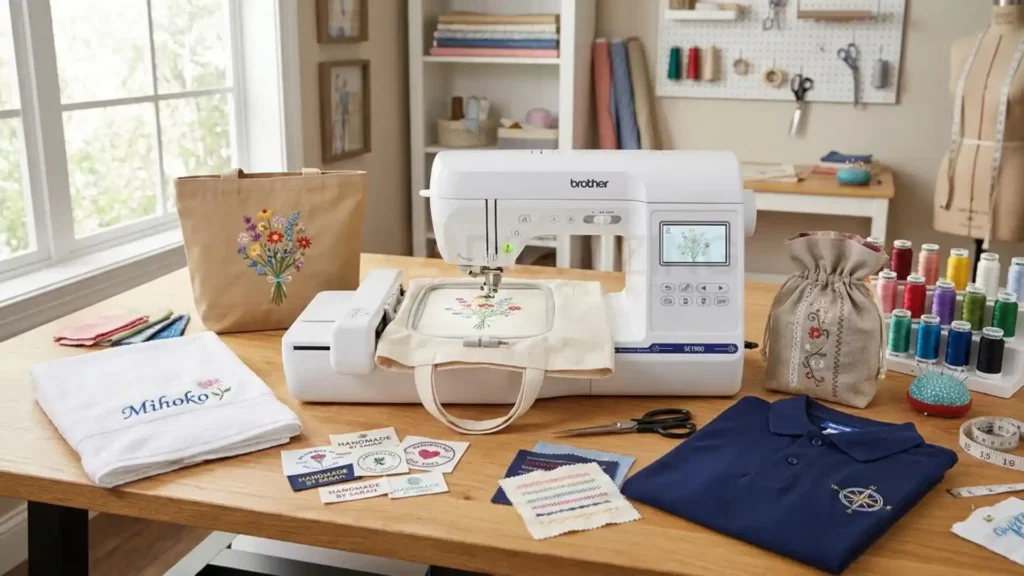
The Brother SE1900 is easier to justify for occasional personalized gifts than for nonstop production. Towels, accessible tote panels, fabric labels, and suitable flat garments can fit that approach.
Price each job using preparation, hooping, stitching, color changes, trimming, and packing time. Also allow for a test sample and possible rework.
Production Limits Before Taking Orders
A single needle means manual thread changes, while a domestic flatbed arrangement limits garment access. A tiny sleeve, closed pocket, or structured cap can be difficult even when the logo itself fits.
Professional cap embroidery digitizing from ZDigitizing can plan stitches for the cap and intended equipment. It cannot give this machine the rotating cap-frame capability of a commercial setup. Match both the file and the equipment to the order.
When ZDigitizing Can Help
Complex logos, small lettering, and textured fabrics deserve more than a quick automatic conversion. ZDigitizing’s team manually plans underlay, stitch direction, density, and sewing order around your actual project. That attention matters when you are putting a customer’s logo on a garment you cannot afford to spoil.
With 10+ years of experience, ZDigitizing supports USA home businesses, apparel decorators, and embroidery shops with practical benefits:
- PDF preview before payment: Review the proposed design before committing. The preview supports approval; a fabric test still checks the sewn result.
- 24/7 customer support: Get help with artwork requirements, file delivery, and revision requests.
- Free minor revisions: Request small adjustments within the service’s revision scope.
- Quality-checked manual digitizing: Receive a file prepared with your size, fabric, and placement in mind.
- Fast turnaround options: Standard delivery is typically 4–12 hours, with urgent 1–4-hour options available depending on the job. Confirm timing when ordering.
Send your artwork, finished dimensions, fabric, placement, and required format. Include a photo of the item if seams, texture, or access may affect the design. This gives the team a clearer brief and reduces avoidable back-and-forth.
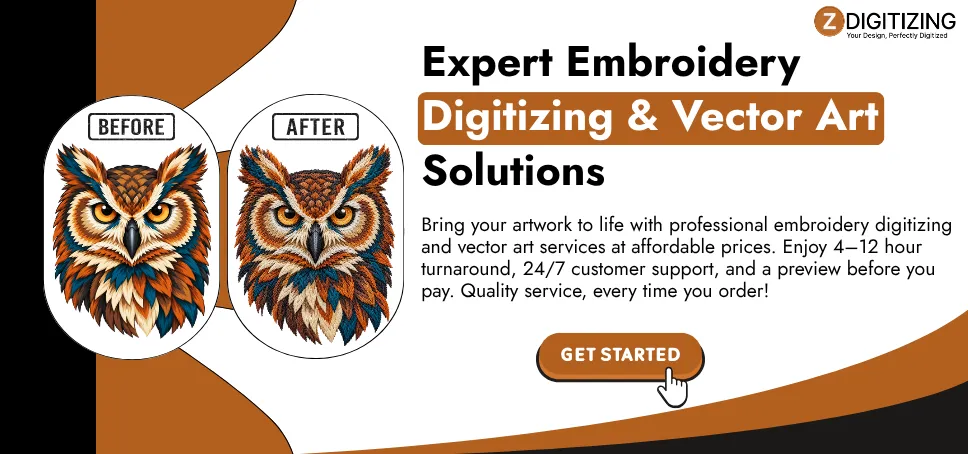
Get 30% off your first digitizing order with ZDigitizing. Upload your artwork to get a file prepared for your machine and project. Start with a matching-fabric test, approve the stitched result, and then move to the full order.
Is Brother SE1900 the Right Machine for Your USA Sewing Space?
Choose the SE1900 based on your project sizes, workload, and the condition of the machine offered.
Buy It If
- You need sewing and embroidery in one workspace.
- Your planned projects fit the available field and garment access.
- The machine is complete, demonstrated, and priced attractively.
- You accept USB transfer and manual color changes.
Consider Another Machine If
- You need larger designs or dedicated cap production.
- Wireless transfer and reduced cleanup would save substantial time.
- You need to sew while another machine embroiders.
- The asking price leaves little saving over a newer supported option.
Our verdict: the Brother SE1900 remains a practical choice when you need both functions, your projects fit its limits, and the complete package offers a clear saving. Compare condition and total cost before buying. Then give your custom artwork the same care by choosing ZDigitizing’s manual file preparation and first-order offer.