Christmas embroidery patterns are one of the most fun things to work on during the holiday season, and if you’re here, you’re probably excited to turn your festive ideas into real stitch files. And honestly, digitizing your own designs isn’t as complicated as it looks. Once you understand the basics, you’ll be able to create personalized Christmas trees, Santa hats, snowflakes, and cute holiday quotes exactly the way you imagine them.
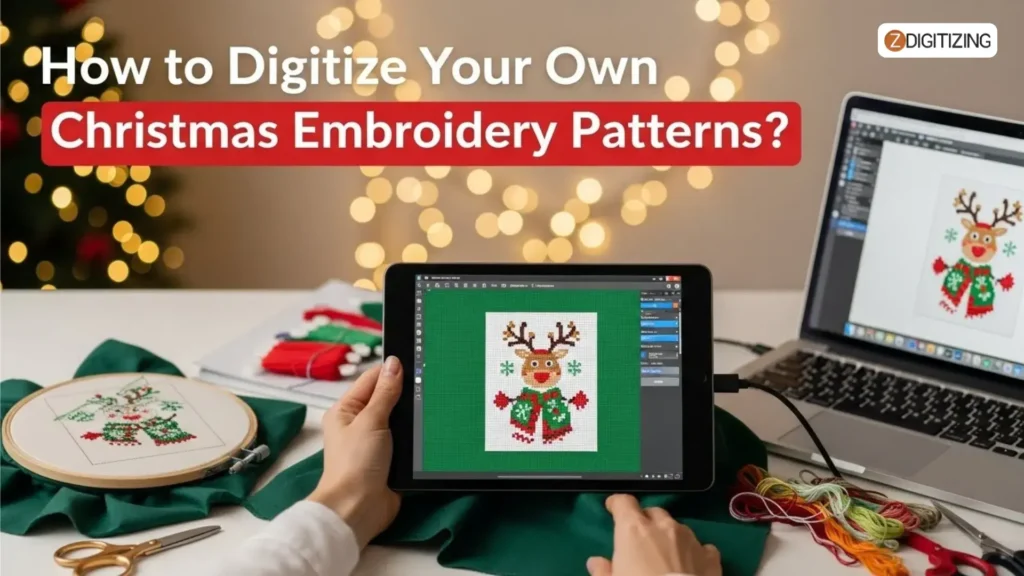
In this guide, we’re going to walk through the whole process step by step. By the end, you’ll feel confident creating your own holiday designs, whether you want to decorate gifts, make festive apparel, or sell custom Christmas projects.
How to Digitize Your Own Christmas Embroidery Patterns?
What Do You Need for Christmas Embroidery Patterns Digitizing?
Before you start digitizing your holiday embroidery designs or Christmas embroidery designs, you need a few important tools ready. These essentials make the process smooth, accurate, and beginner-friendly.
Once these are in place, you can convert any Christmas artwork into a clean stitch file.
Items Needed for Digitizing:
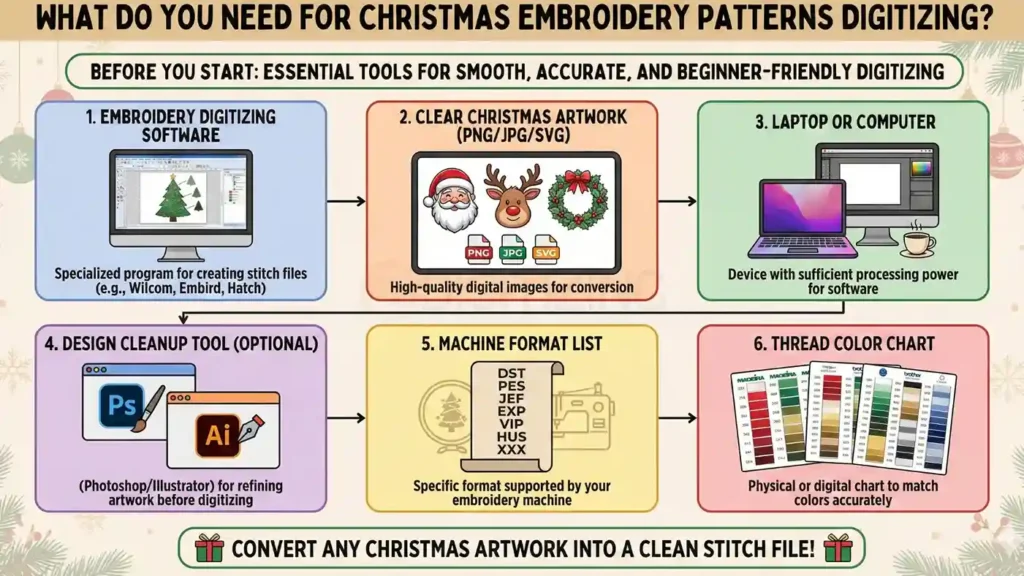
- Embroidery digitizing software
- Clear Christmas artwork (PNG/JPG/SVG)
- Laptop or computer
- Design cleanup tool (Photoshop/Illustrator – optional)
- Machine format list (DST, PES, JEF, EXP, etc.)
- Thread color chart
1. Embroidery Digitizing Software
Here are the top-rated embroidery digitizing software options you can use for your Christmas embroidery projects. These are great whether you’re a hobbyist, an Etsy seller, or planning commercial-level embroidery.
- Wilcom Embroidery Studio: The gold standard for professionals: offers the most advanced tools and highest precision, ideal for complex holiday embroidery designs and heavy workloads.
- Hatch Embroidery Software: A user-friendly, flexible choice with many of Wilcom’s features but more affordable, great for small businesses or home-based Christmas projects.
- Embrilliance StitchArtist: A good middle-ground option: simple enough for beginners but capable enough to digitize clean templates for seasonal embroidery designs.
- Ink/Stitch: A free, open-source choice that works well if you’re just starting out and want to experiment without spending money, fine for basic Christmas embroidery patterns.
- PE-Design 11 (Brother): reliable all-rounder, especially if you use a Brother embroidery machine; solid functionality for everyday and holiday embroidery jobs.
2. Clear Christmas Artwork (PNG/JPG/SVG)
Before digitizing, make sure the artwork you choose is clean, simple, and high-quality so you get smooth stitches and perfect Christmas embroidery patterns.
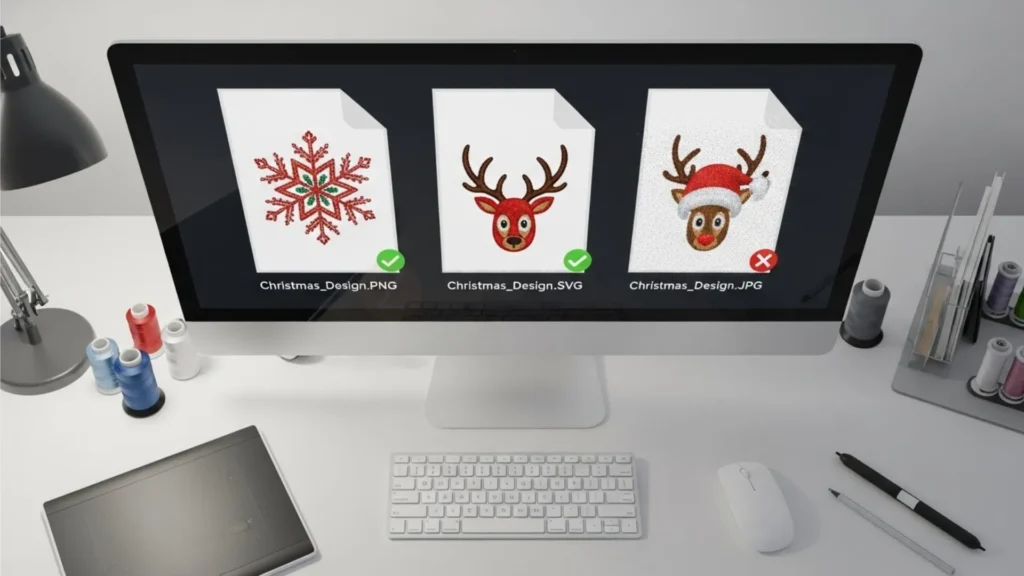
When selecting an image, pick artwork with bold outlines, fewer tiny details, clear shapes, and high resolution (at least 800–1200px). Avoid blurry photos, screenshots, or designs packed with micro-details that won’t stitch well.
How to select the right image:
- Choose artwork with clear, visible edges
- Prefer PNG/SVG over low-quality JPG
- Avoid complex shading or gradients
- Pick designs with limited, small elements
- Ensure the image isn’t pixelated or stretched
3. Laptop or Computer
For digitizing, you don’t need a super-powerful device, but you do need a stable laptop or PC that can smoothly run your software. If your system hangs or freezes, it becomes difficult to zoom, trace, preview stitches, or save your Christmas designs properly. Ideally, choose a device with decent RAM (8GB+) and enough storage so your workflow stays smooth.
4. Design Cleanup Tool (Photoshop/Illustrator – Optional)
Sometimes your artwork needs small edits before digitizing, like removing noise, refining outlines, increasing contrast, or simplifying shapes.
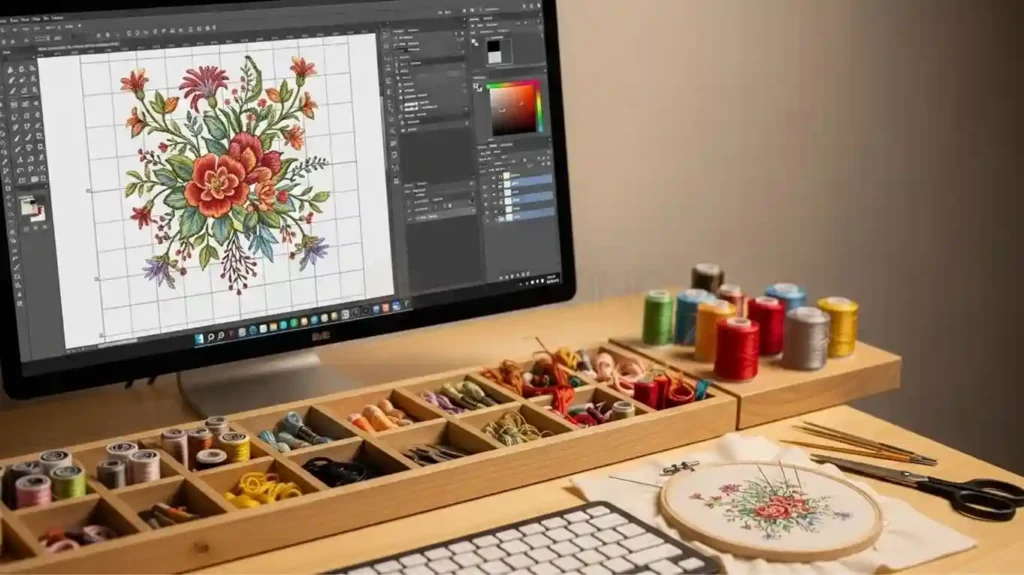
Tools like Photoshop or Illustrator help you clean the artwork so your stitches come out neat. This step is especially useful when preparing detailed Christmas ornament embroidery, where tiny elements must be clarified before converting to stitches.
When to use cleanup tools:
- If the image looks blurry or low-contrast
- If you need to remove the background or extra lines
- If outlines need sharpening
- If colors need adjusting for better tracing
5. Machine Format List (DST, PES, JEF, EXP, etc.)
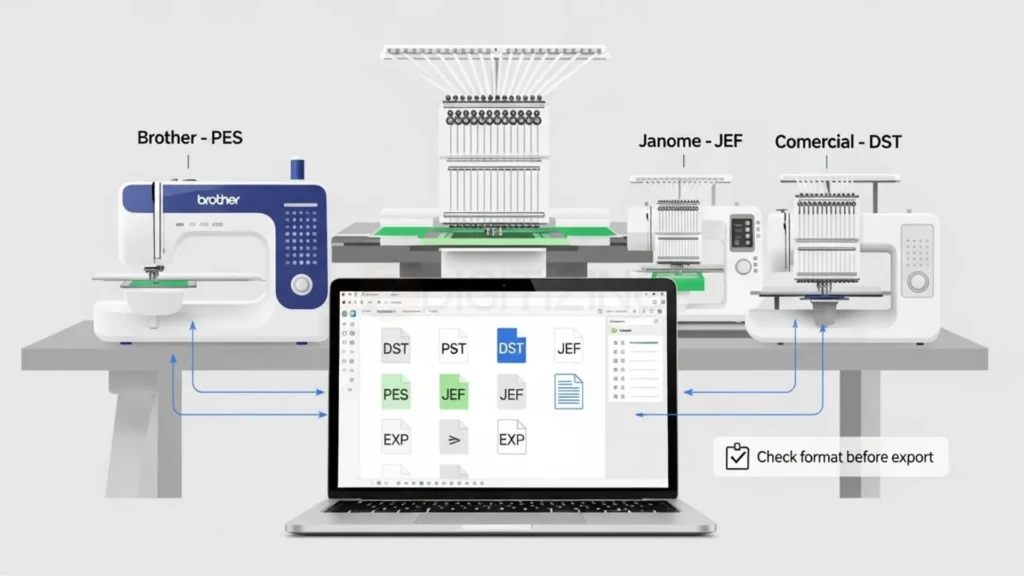
Always keep a small list of the formats your machine accepts. Every embroidery machine reads different file types, so you must save the final stitch file in the correct format. It saves you from errors, conversion issues, and wasted time. For example, Brother uses PES, Janome uses JEF, and commercial machines often use DST.
Tip: Before exporting, double-check the format so your design runs smoothly on your machine.
6. Thread Color Chart

A thread color chart helps you match the right thread shades while digitizing and stitching. This keeps your design consistent when learning how to create your own embroidery pattern, especially for Christmas embroidery patterns where reds, greens, golds, and whites need to look accurate.
Using a chart also helps you plan colors properly before saving the file.
Why it helps:
- Ensures accurate color mapping
- Prevents color confusion during stitching
- Makes your final Christmas designs look polished and professional
Christmas Embroidery Patterns – Step-by-Step Digitizing Process
Once your tools are ready, it’s time to actually start embroidery digitizing for Christmas. Think of this like a simple recipe: we’ll take your artwork, clean it, map stitches, and save it for the machine.
You can use this same process for all your seasonal embroidery decorations, not just one design.
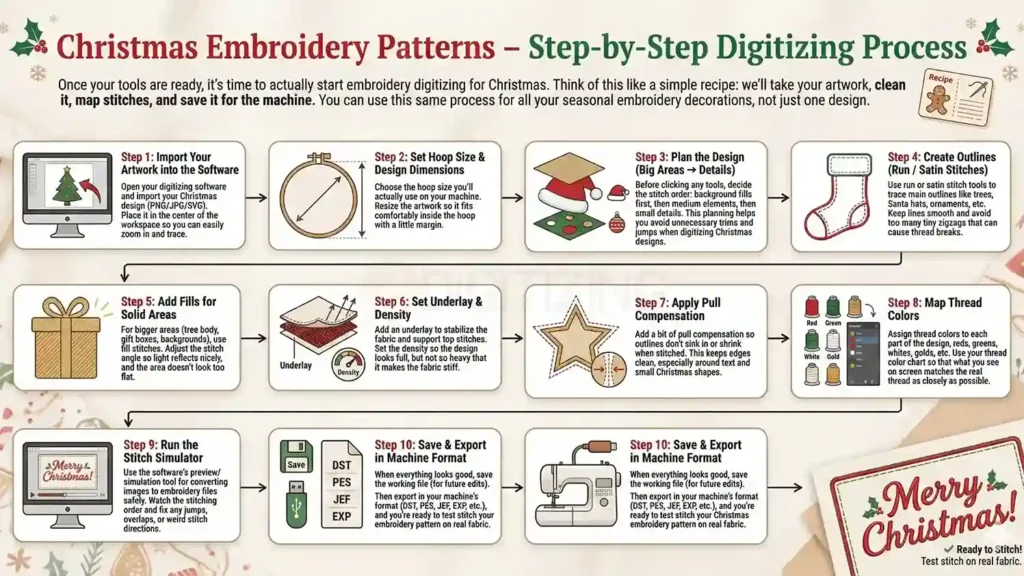
Step 1: Import Your Artwork into the Software
Open your digitizing software and import your Christmas design (PNG/JPG/SVG). Place it in the center of the workspace so you can easily zoom in and trace.
Step 2: Set Hoop Size & Design Dimensions
Choose the hoop size you’ll actually use on your machine. Resize the artwork so it fits comfortably inside the hoop with a little margin.
Step 3: Plan the Design (Big Areas → Details)
Before clicking any tools, decide the stitch order: background fills first, then medium elements, then small details. This planning helps you avoid unnecessary trims and jumps when digitizing Christmas designs.
Step 4: Create Outlines (Run / Satin Stitches)
Use run or satin stitch tools to trace main outlines like trees, Santa hats, ornaments, etc. Keep lines smooth and avoid too many tiny zigzags that can cause thread breaks.
Step 5: Add Fills for Solid Areas
For bigger areas (tree body, gift boxes, backgrounds), use fill stitches. Adjust the stitch angle so light reflects nicely, and the area doesn’t look too flat.

Step 6: Set Underlay & Density
Add an underlay to stabilize the fabric and support top stitches. Set the density so the design looks full, but not so heavy that it makes the fabric stiff.
Step 7: Apply Pull Compensation
Add a bit of pull compensation so outlines don’t sink in or shrink when stitched. This keeps edges clean, especially around text and small Christmas shapes.
Step 8: Map Thread Colors
Assign thread colors to each part of the design, reds, greens, whites, golds, etc. Use your thread color chart so that what you see on screen matches the real thread as closely as possible.
Step 9: Run the Stitch Simulator
Use the software’s preview/simulation tool for converting images to embroidery files safely. Watch the stitching order and fix any jumps, overlaps, or weird stitch directions.
Step 10: Save & Export in Machine Format
When everything looks good, save the working file (for future edits). Then export in your machine’s format (DST, PES, JEF, EXP, etc.), and you’re ready to test stitch your Christmas embroidery pattern on real fabric.
Special Digitizing Tips for Popular Christmas Elements
So now that the digitizing process is done and you understand how to convert artwork into stitches, let’s talk about something just as important: the tiny elements inside a design.
Every Christmas embroidery patterns includes small details like trees, stars, Santa hats, snowflakes, ornaments, and characters, and even a great file can fail if these parts aren’t digitized correctly.
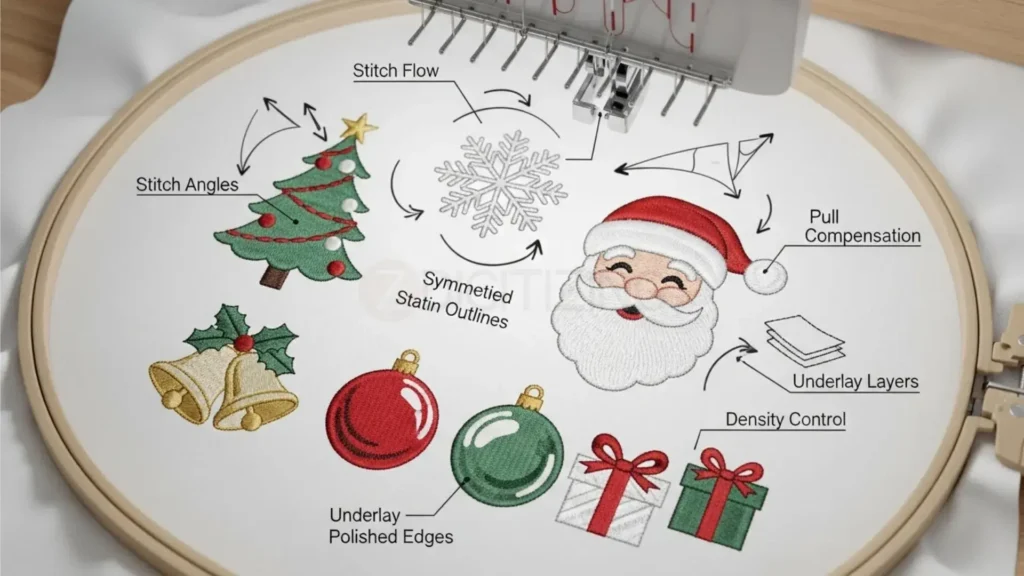
To help your final stitch-out look neat and professional, here are some simple tips you can follow for cleaner results, sharper outlines, and smoother stitch flow.
Christmas Trees
- Keep branches simple, too many points create thread breaks
- Use different stitch angles for a natural look
- Light underlay helps maintain shape
A great way to add depth to winter embroidery projects
Snowflakes
- Avoid micro-details that stitch too tightly
- Satin works best on clean symmetrical lines
- Increase pull compensation for thin arms
Perfect when creating delicate Christmas embroidery artwork
Santa Faces & Hats
- Use satin for outline, run stitch for facial details
- Keep beard density low to avoid stiffness
- Add compensation to maintain round curves
Works beautifully for festive Santa embroidery ideas
Bells & Ornaments
- Use smooth nodes for clean circular shapes
- Satin edges give ornaments a polished finish
- Metallic threads look stunning at slow speed
Great for pillows, hoops, and bright Christmas embroidery patterns
Gift Boxes & Ribbons
- Fill + satin combo gives neat, rich dimension
- Avoid dense stitching in ribbon overlaps
- Stitch direction changes add realism
When to Hire a Professional Digitizer (And Why It Saves Time)?
So, the digitizing steps are clear, and we’ve talked about how to make designs look neat, but here comes the real-world question we all face sooner or later:
When is it better to just hire a professional instead of doing everything yourself?
Because honestly… You and I both know one thing:
There are tons of designs online that look adorable, but once stitched, the outline shifts, the letters sink, the fabric puckers, or the colors don’t sit right. It’s frustrating, especially when you’re working on thoughtful holiday pieces or gifts for family. When you want to learn how to make your own embroidery pattern, especially for Christmas embroidery patterns, clean digitizing makes all the difference in achieving smooth, professional stitches.

This is exactly why ZDigitizing makes the process easier. Instead of trying multiple test stitch-outs, adjusting density repeatedly, or struggling with pull compensation, you can simply send us your artwork, and we convert it into a clean, machine-friendly file using our professional embroidery digitizing services.
We also provide pre-made embroidery templates for Christmas, winter themes, Santa icons, ornaments, reindeer, snowflakes, and more. These designs are already tested on real embroidery machines, sized for different hoops, and ready to download, ideal for anyone who wants beautiful holiday stitching without starting from scratch.
And if you prefer something personal, like a child’s drawing, a name, a family logo, or a custom festive illustration, we’ll digitize it for you carefully, keeping underlay, stitch direction, and density balanced so it runs smoothly when stitched.
Normal delivery is fast (4-12 hours), and if you’re rushing through holiday orders, we even offer express turnaround from 1-4 hours. Minor edits are free, and first-time customers receive 50% OFF, which makes it easy to test our quality without hesitation or risk.
In short, when you want perfect results on the first try, smooth stitching, and clean outlines for your holiday projects, hiring a professional digitizer saves time, reduces frustration, and guarantees beautiful Christmas embroidery artwork that sews flawlessly.
FAQs
Christmas fabric is perfect for grown-up projects like placemats, table runners, tree skirts, pot holders, coaster sets, wine bottle bags, or quilted throws. You can also sew makeup pouches, tote bags, book sleeves, and reusable gift wraps for thoughtful and practical gifting.
A Christmas motif refers to recognizable festive symbols used in decorations and designs — such as bells, angels, candy canes, holly, poinsettias, wreaths, nativity scenes, stars, and Christmas trees. These elements instantly create a holiday feel in embroidery, fabric crafts, and décor.
Yes, a cross-stitch chart can be stitched as regular embroidery by modifying it with satin, backstitch, or outline stitches instead of X-shapes. Just keep the original artist credited and simplify details where needed so the needlework flows better on fabric.
Absolutely, just replace the pixel-style blocks with traditional embroidery stitches. Some shading and tiny areas may need simplification, but the overall pattern can be easily adapted with creative stitch choice and cleaner outlines.
Very thin and delicate materials like silk, rayon, chiffon, and ultra-fine t-shirt fabric don’t support needlework well because needle holes become visible. These fabrics stretch, distort, or tear easily during stitching, making embroidery difficult without a proper stabilizer and technique.