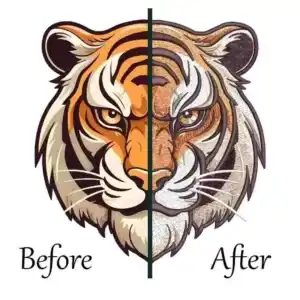
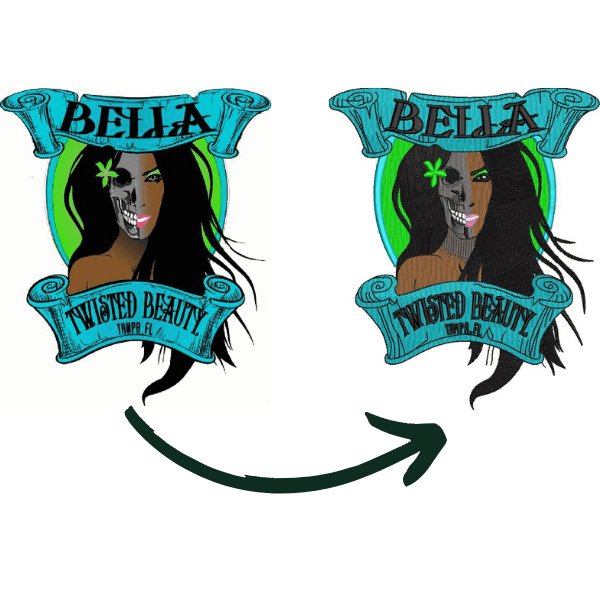
For users who need more than basic embroidery editing, floriani total control u is a Windows-based embroidery software program that combines digitizing, design editing, lettering, appliqué, specialty stitch effects, and machine-format conversion in one application. It is designed for both serious hobbyists and professional embroidery users.
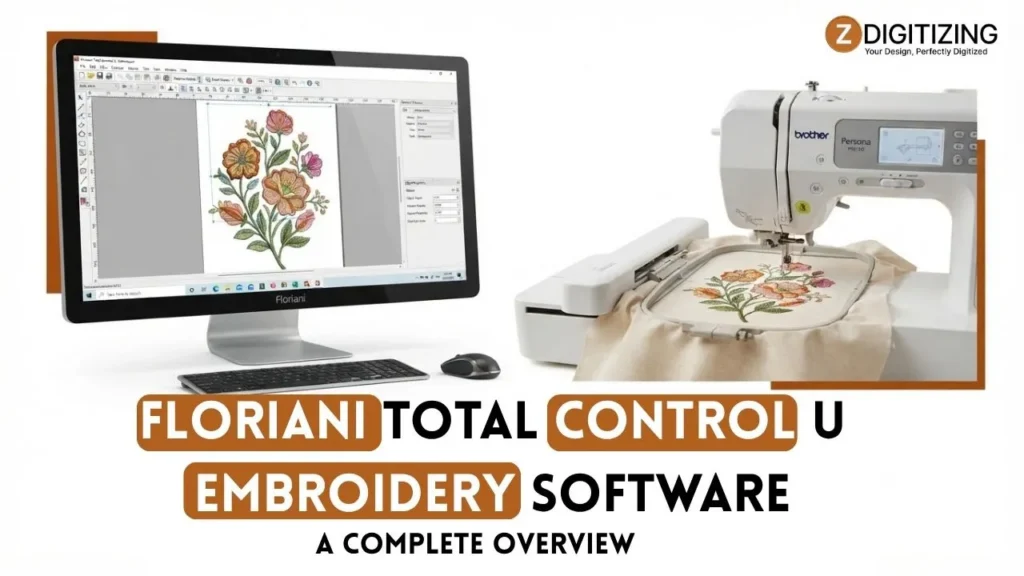
Floriani Total Control U Embroidery Software: A Complete Overview
What Is Floriani Total Control U?
Floriani Total Control U is an embroidery design and digitizing program developed for creating, modifying, and preparing embroidery designs for machine stitching. Unlike basic embroidery editing software, it provides tools for both manual and automatic digitizing, allowing users to convert artwork into stitch-based embroidery and then refine the resulting design.
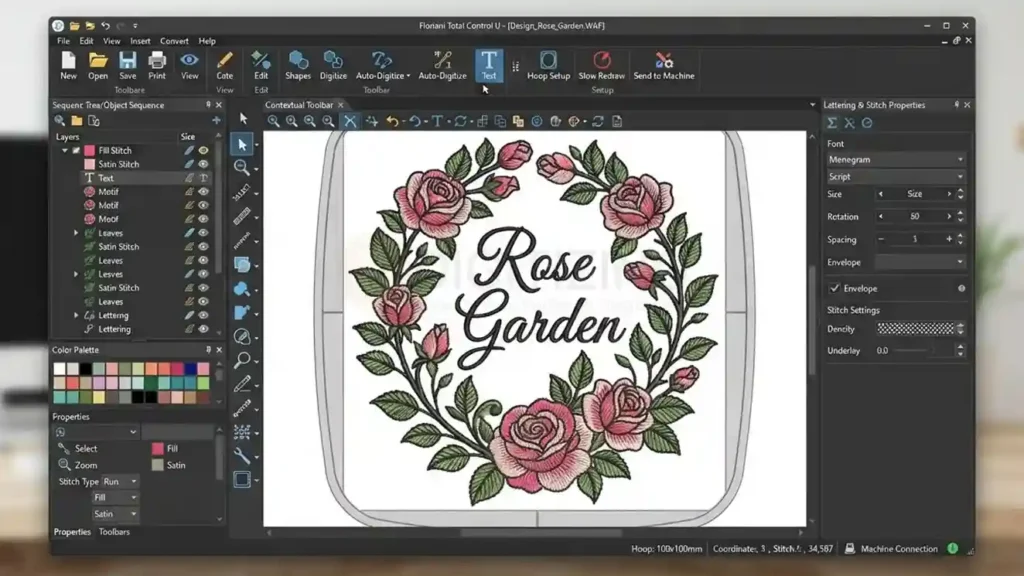
The program includes tools for creating stitch objects such as fills, satin stitches, runs, appliqué, and specialty effects. Users can adjust stitch density, underlay, stitch direction, sequencing, and other settings that directly influence sewability, thread breaks, and final embroidery quality.
It also supports a wide range of embroidery machine formats, including PES, JEF, DST, EXP, HUS, VP3, VIP, PCS, SEW, XXX, and other formats. However, converting a design into a supported format does not mean every machine-specific setting will transfer identically.
Who Is Floriani Total Control U Designed For?
floriani total control u can serve different types of embroidery users, from those searching for embroidery software for beginners to professional digitizers needing advanced stitch control.
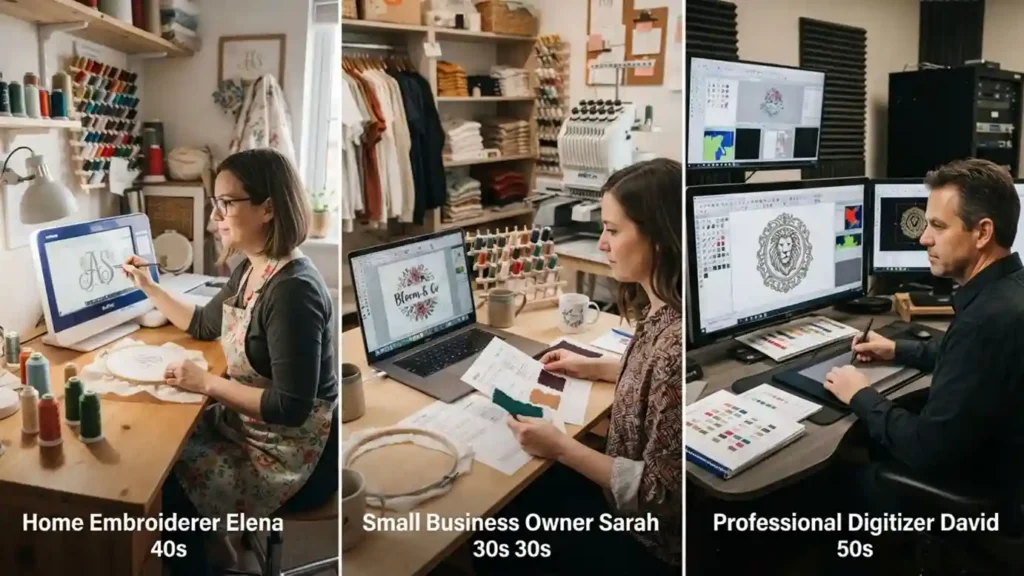
Beginners Learning Embroidery Digitizing
Someone new to digitizing can use floriani Total Control U for tasks such as editing purchased designs, creating lettering, making monograms, converting simple artwork, and learning how different stitch settings affect embroidery.
Its automated tools can reduce the amount of manual work required for straightforward designs. However, automatic digitizing should be treated as a starting point rather than a guarantee of a production-ready file.
A beginner still needs to understand basic concepts such as stabilizer selection, stitch density, underlay, pull compensation, stitch direction, and fabric behavior before relying on automated results.
Home Embroidery and Custom Projects
For users creating personalized garments, gifts, patches, monograms, or appliqué projects, the combination of lettering, editing, design transformation, and specialty embroidery tools can cover a broad range of common projects.
This makes it far more capable than applications designed only to view or make basic edits to existing machine designs.
Professional Embroidery Users
Professional users can take advantage of manual digitizing, detailed stitch editing, lettering controls, specialty effects, design splitting, color management, and support for multiple machine formats.
For production work, however, software capability is only one part of the process. The final result still depends on how the design is digitized, the fabric and stabilizer being used, the machine settings, and whether the design has been tested before production.
Floriani Total Control U Features at a Glance
The feature set covers both everyday editing and more advanced digitizing work.
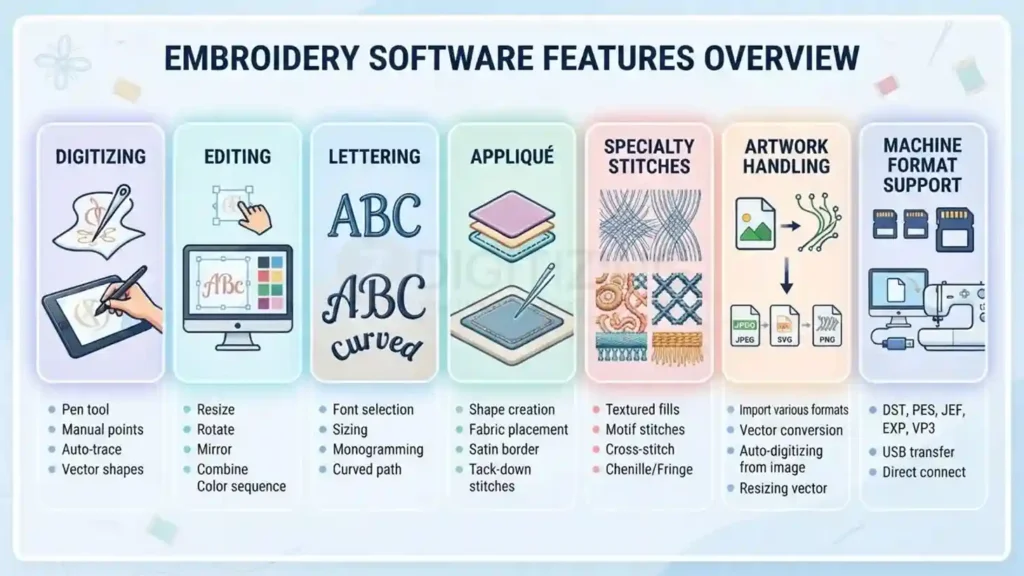
Feature area | What it provides |
Manual digitizing | Create and control embroidery objects and stitch structures manually |
Auto-digitizing | Convert suitable artwork into embroidery using automated tools |
Stitch editing | Adjust individual stitches, objects, sequencing, and stitch settings |
Lettering | Create text, monograms, curved lettering, and customized embroidery fonts |
Appliqué | Create appliqué designs and related stitch sequences |
Specialty embroidery | Tools for lace, cutwork, shadow work, whitework, stippling, and decorative effects |
Photo Stitch | Convert suitable photographs into embroidery effects |
Stitch effects | Wave, gradient, color-blend, spiral, satin, fill, and other effects |
Artwork support | Import common raster and vector artwork formats |
Machine formats | Export designs to numerous embroidery-machine file formats |
Design preparation | Color sorting, basting, sequencing, design splitting, and other production tools |
The official Floriani feature set also includes tools such as Auto Cutwork, Auto Lace, Auto Shadow Work, Color Blend Fill, Wave and Wave Gradient, Spiral Satin, Font Play, Font Importer, Photo Stitch, Auto Baste, and design color-management functions.
Floriani Total Control U Digitizing Capabilities
The most important distinction is that floriani Total Control U is not limited to editing existing embroidery files. It also provides tools for building embroidery from artwork and controlling how individual design elements are stitched.
Manual Digitizing
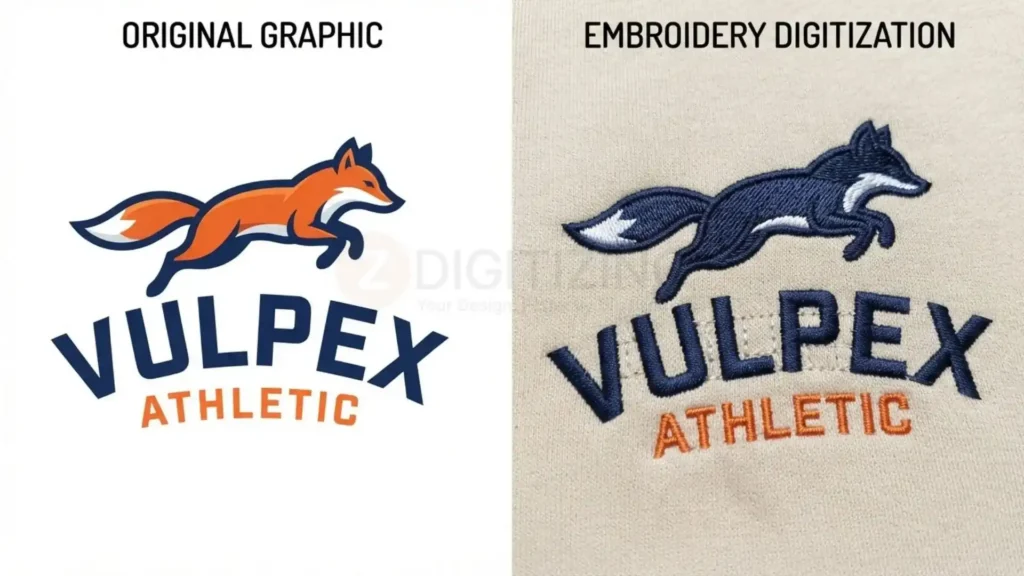
Manual digitizing gives users control over the construction of embroidery objects instead of relying entirely on automatic conversion.
The software provides tools for creating different stitch types and adjusting their properties. Depending on the design, a digitizer can control elements such as stitch direction, density, underlay, stitch length, entry and exit points, and sequencing.
This level of control becomes particularly important when a logo contains small details, lettering, irregular shapes, or areas that need to sew differently because of the fabric.
Automatic Digitizing
Automatic digitizing can speed up the initial creation of embroidery from suitable artwork. It is useful for relatively straightforward designs where the artwork has clear shapes and distinct areas.
However, an automatically generated design may still need editing. Artwork that looks simple on screen can behave differently once thousands of needle penetrations are introduced into fabric.
For production embroidery, the generated file should therefore be inspected and, when necessary, manually adjusted before it is considered finished.
Specialty Digitizing Tools
The software also includes tools for embroidery applications that require more than standard fills and satin stitches.
These include functions associated with:
- Cutwork
- Lace
- Shadow work
- Whitework
- Appliqué
- Stippling
- Decorative stitch effects
- Photo Stitch
- Cross-stitch and related embroidery effects
The availability of these tools makes the software suitable for users working across different embroidery styles rather than only conventional logo digitizing.
Editing and Stitch Control
Once a design has been created or imported, the editing tools allow users to refine its structure before sending it to an embroidery machine.
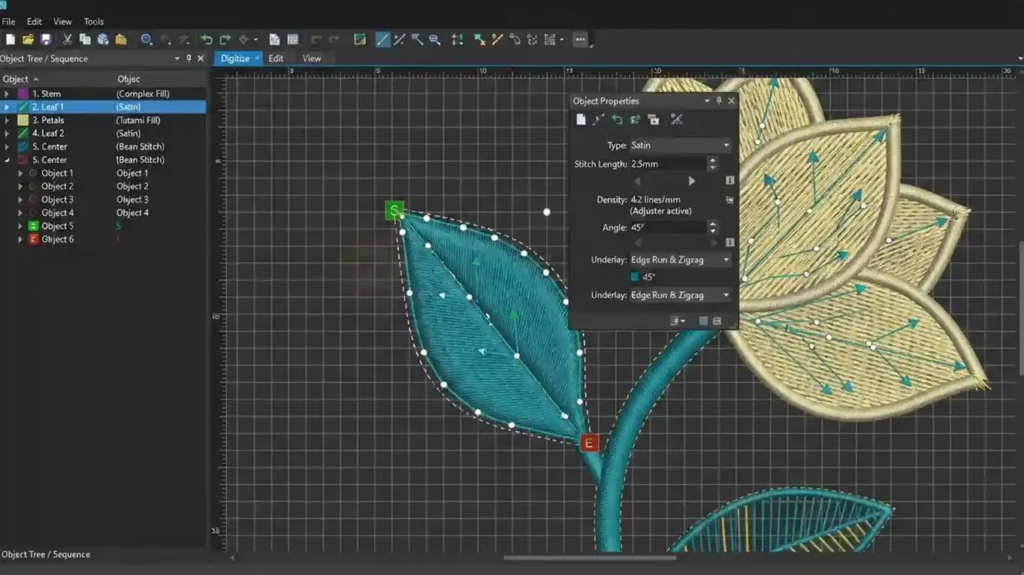
Users can work with design objects and individual stitches, modify the sewing sequence, sort colors, insert basting, adjust stitch properties, and make other changes to improve how a design is prepared for stitching.
The official manual documents controls for stitch types, density, underlay, stitch length, image backdrops, automatic artwork, design splitting, outline editing, sewing-sequence optimization, entry and exit points, color sorting, and stitch editing.
This distinction matters because editing artwork on screen is not the same as editing the actual stitch structure. A design can look correct visually while still needing changes to density, sequencing, underlay, or stitch direction for better machine performance.
Lettering and Monogramming
Lettering is another major part of the floriani embroidery software feature set, making the program useful for names, monograms, personalized garments, and other text-based embroidery.

The software includes lettering tools and Font Play/Font Importer functions that allow users to work with embroidery fonts and create customized text arrangements. The official manual also documents lettering, monogram, circle-text, and vertical-text functions.
For users who regularly create personalized products, these tools can be more important than advanced artistic effects because lettering requires careful attention to size, stitch structure, spacing, and fabric behavior.
Artwork, Image, and Vector Support in Floriani Total Control U
Creating an embroidery design often starts with artwork rather than an existing stitch file. Floriani Total Control U supports common raster and vector formats so users can bring artwork into the software before converting or digitizing it.

Supported raster formats include JPG, BMP, TIF, GIF, PCX, PCT, TGA, and PNG. Vector support includes WMF, EMF, AI, and SVG.
The advantage of importing vector artwork is that clean shapes can provide a better starting point for embroidery digitizing. Raster artwork can also be used, but photographs, low-resolution logos, and images with unclear edges generally require more preparation before they can produce useful embroidery.
The artwork itself does not determine the final stitch quality. The digitizer still needs to decide how each shape should be represented with stitches.
Machine File Formats Supported by Floriani Total Control U
One reason users consider floriani total control software is its support for numerous embroidery-machine formats.
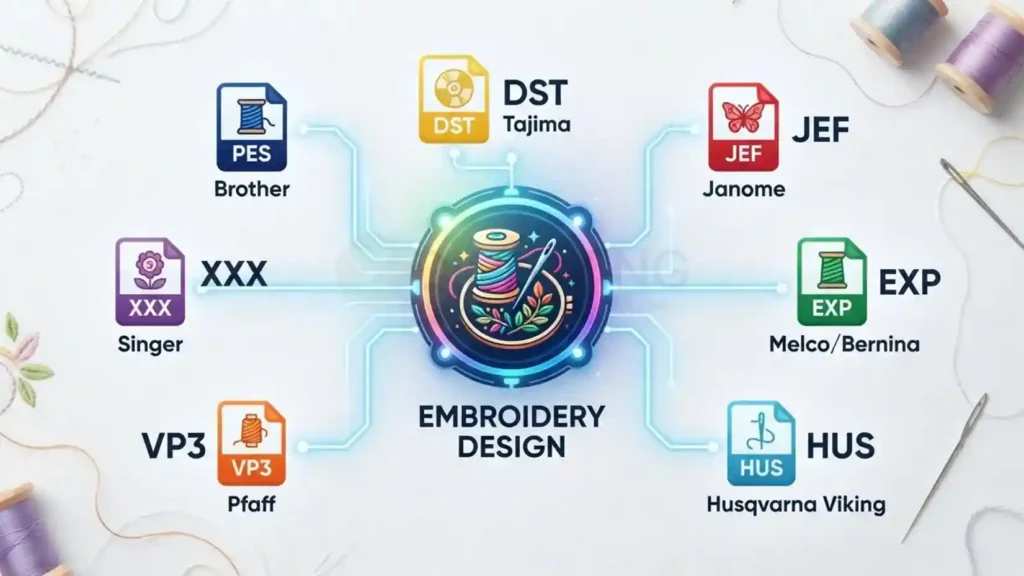
Floriani product information lists support for formats including WAF, PES, EXP, SEW, EMD, JEF, HUS, PCS, DST, CSD, XXX, SHV, VIP, and VP3.
Some commonly encountered formats include:
- PES: widely used by Brother and Baby Lock machines
- JEF: associated with Janome machines
- DST: widely used in commercial embroidery and Tajima workflows
- EXP: used by Melco and in some Bernina-related workflows
- HUS: associated with Husqvarna Viking machines
- VP3/VIP: used with Pfaff and Viking systems
- XXX/CSD: used with some Singer embroidery systems
Format compatibility should still be checked against the exact embroidery machine. A file extension only identifies the general format; it does not guarantee that every machine-specific hoop, thread, color, or specialty instruction will behave identically after conversion.
Floriani Total Control U System Requirements
Before purchasing floriani Total Control U, users should check whether their computer meets the current requirements.
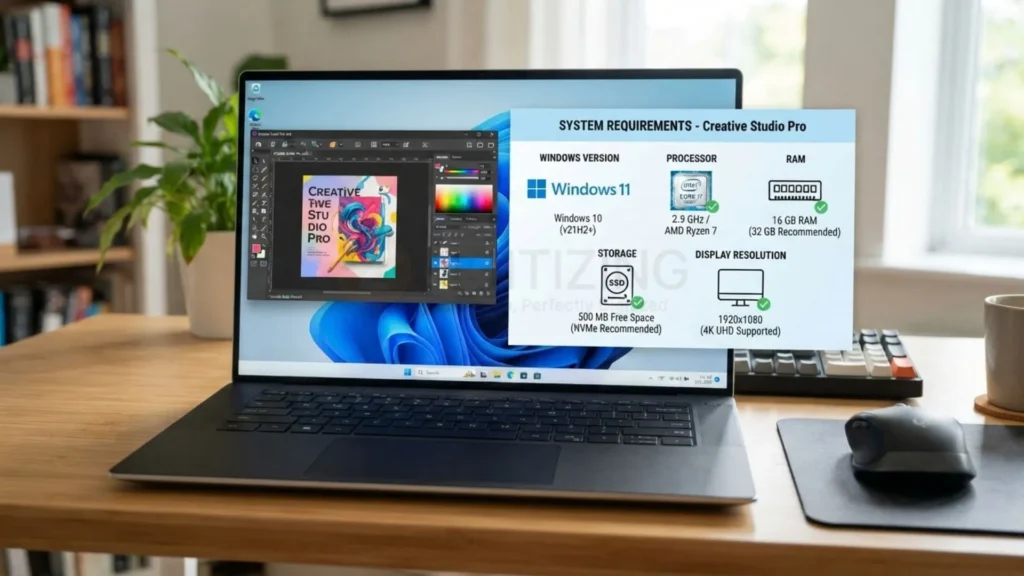
The official requirements specify:
- Windows 10 or Windows 11
- 64-bit Intel or AMD processor at approximately 2 GHz
- 8 GB RAM
- At least 1 GB of available disk space
- Display resolution of at least 1366 × 768
The product page also states that the software is not compatible with Mac.
These requirements are more useful than relying on older forum posts or retailer listings because software requirements can change between versions.
Does Floriani Total Control U Work on Mac?
There is no native macOS version listed for the software. Floriani’s product information specifically identifies Windows 10 and Windows 11 as the supported operating systems and states that the software is incompatible with Mac.
Mac users may encounter discussions about running Windows through virtualization or other workarounds, but those should not automatically be treated as officially supported configurations.
If a Mac is the only computer available, confirm compatibility with Floriani/RNK before purchasing rather than assuming a Windows workaround will provide full support.
Floriani Total Control U Cost: How Much Is It?
The current official listed price for floriani total control u is $1,599 USD. This is the price shown on the current Floriani/RNK product page and should take priority over older retailer listings or third-party articles quoting different amounts.
Update Policy and Long-Term Value
Floriani typically includes free software updates for existing users, but confirm the update policy and duration at the time of purchase as terms can change.
At $1,599, the software represents a substantial investment compared with entry-level embroidery applications. The relevant question for a buyer is therefore not simply whether it has many features, but whether those tools match the type of embroidery work they actually plan to produce.
Matching the Software to Your Workflow
For someone mainly editing purchased designs and creating occasional names, a less extensive application may provide enough functionality. A user who needs manual digitizing, specialty embroidery tools, detailed stitch editing, lettering, and multi-format production workflows has a different set of requirements.
Is There a Floriani Total Control U Free Download?
Searches for floriani total control u free download can be confusing because software downloads, updates, manuals, trial material, and unofficial copies may all appear in search results.
The current official Floriani resources provide software downloads and updates for users of the program, but that should not be confused with a verified free full version. The official product information lists the software as a paid product at $1,599.
There is also no reason to treat an unofficial website offering a “free full version” as equivalent to an official Floriani download. Besides licensing concerns, modified software can create security and compatibility problems.
Trial Version Availability and Terms
For the safest route, use the official Floriani/RNK software resources and confirm whether a current trial or demonstration version is available under the terms offered at the time of download.
Floriani typically offers a time-limited trial version with full feature access, allowing users to test digitizing, lettering, and export workflows before committing to the $1,599 purchase.
Where Can You Find the Floriani Total Control U Manual?
The official Floriani Hub provides access to the floriani total control u manual along with software builds, training resources, lessons, and other learning materials.
The manual covers considerably more than basic program navigation. It documents tools for manual stitch creation, lettering, stitch effects, automatic artwork, digitizing, design splitting, outline editing, sequencing, color sorting, stitch editing, and other functions.
This makes the manual particularly useful when learning the software’s more technical controls. Users should still verify that they are consulting documentation corresponding to their installed software version because older manuals may describe features or requirements from earlier releases.
Is Floriani Total Control U Good for Beginners?
For someone searching for embroidery software for beginners, the answer depends heavily on what they want to accomplish.
Floriani Total Control U can be used by beginners for relatively straightforward tasks such as importing designs, resizing and editing artwork, creating lettering and monograms, and learning basic digitizing concepts.
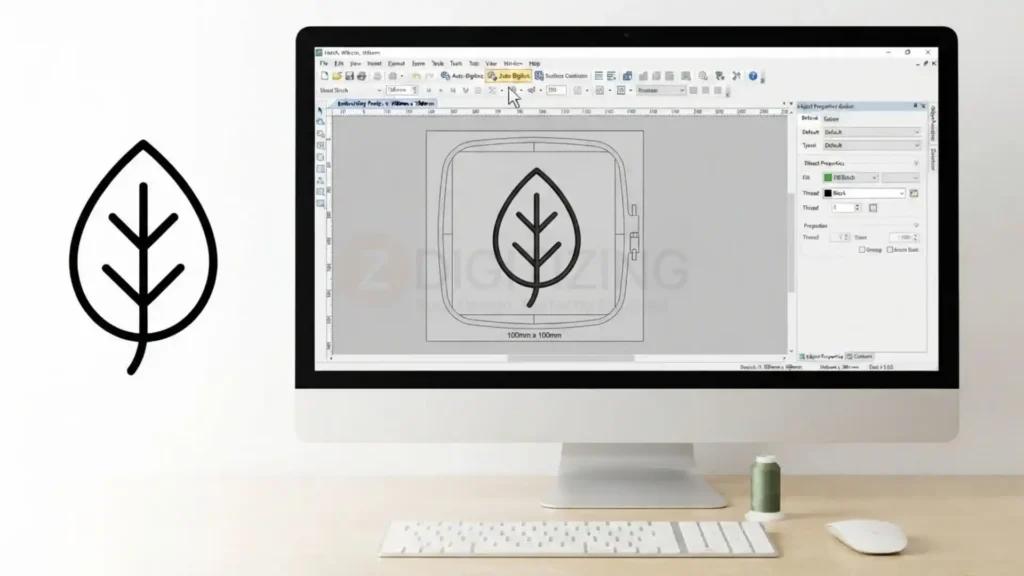
The software also provides automated functions that can make some tasks easier to start with. But beginners should not assume that automatic digitizing eliminates the need to understand embroidery fundamentals.
A new user still needs to learn how fabric, stabilizer, needle, thread, density, underlay, stitch direction, and pull compensation interact. These factors affect the physical embroidery in ways that a screen preview cannot always reveal.
For that reason, the learning curve can be higher than with software designed mainly for editing existing designs.
What Can You Create With Floriani Total Control U?
The range of tools makes floriani embroidery software suitable for several types of projects.
Users can work on:
- Personalized names and monograms
- Small business logos
- Garment embroidery
- Patches and caps (often requiring hat digitizing services for curved surfaces)
- Appliqué
- Decorative embroidery
- Lace and specialty designs
- Cutwork and whitework
- Photo-based embroidery effects
- Custom embroidery artwork
The software’s tools for manual digitizing and stitch editing become particularly useful when a design needs to be adjusted for a specific fabric, size, or embroidery application rather than simply converted from artwork.
Automatic Digitizing vs Manual Control
One of the most important decisions for users learning embroidery digitizing software is knowing when automatic tools are enough and when manual editing is necessary.
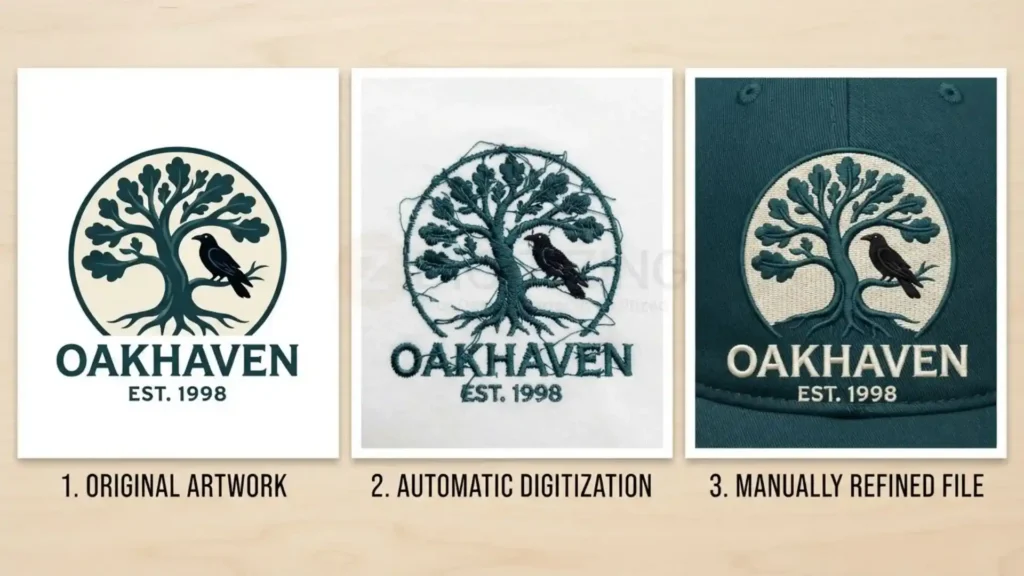
Automatic digitizing can quickly create a starting point from suitable artwork. It can save time when the artwork has simple shapes and relatively clear boundaries.
Manual digitizing provides more control over how those shapes are actually stitched. A digitizer can determine stitch direction, choose appropriate stitch types, set underlay, adjust density, manage overlapping areas, and control the sewing sequence.
For simple projects, automation may reduce the amount of work required. For detailed logos, small lettering, difficult fabrics, or production embroidery, manual refinement can become much more important.
This is also why software features alone should not be used as a measure of the quality of a finished embroidery file. The final sew-out depends on the decisions made during digitizing and the physical production conditions.
For users who lack the time or expertise to manually refine every file, professional services that digitize embroidery designs can ensure production-ready results while you focus on stitching and customer delivery.
What Makes Floriani Total Control U Different From Basic Embroidery Software?
Basic embroidery applications may focus primarily on opening existing files, resizing designs, changing colors, or making simple lettering adjustments.
Floriani total control u goes further by combining editing with manual and automatic digitizing, specialty stitch creation, appliqué, lettering, artwork handling, and Professional Embroidery digitizing tools.
That broader scope is useful for users who want to create embroidery rather than only modify designs they have already purchased.
At the same time, the additional controls mean there is more to learn. Users who only need occasional resizing or simple lettering may not need the full range of professional-style digitizing functions.
Floriani Total Control U Review: Strengths and Limitations
A useful floriani total control u review should look beyond the number of tools included in the software. The more important question is whether those tools match the user’s embroidery workflow, machine, skill level, and production requirements.
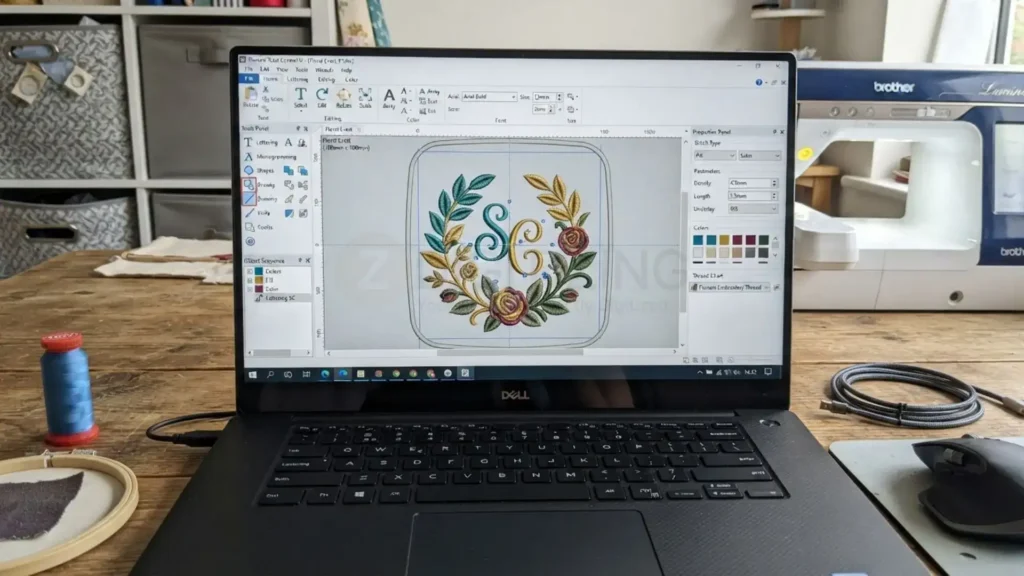
Where Floriani Total Control U Is Strong
The software brings several functions into one Windows application:
- Manual and automatic digitizing
- Detailed stitch editing
- Lettering and monogramming
- Appliqué creation
- Lace, cutwork, and specialty embroidery tools
- Photo Stitch
- Multiple embroidery-machine formats
- Artwork import
- Color and sequence management
- Design splitting and production-oriented editing
The combination is particularly useful for users who want to create and modify embroidery designs rather than only resize or recolor existing files.
Where It Has Limitations
Beyond its features, several practical factors should be weighed:
The lack of a native Mac version is an important limitation because the current software supports only Windows.
The $1,599 USD price also places it in a higher-cost category for users who only need basic editing or lettering.
There is also a learning curve. Having controls for density, underlay, stitch direction, sequencing, compensation, and manual digitizing gives experienced users more control, but beginners need time to understand what those settings actually do to fabric.
Finally, automated digitizing should not be treated as a replacement for manual inspection. A design can look acceptable on screen and still require changes before it produces a reliable sew-out.
How Floriani Total Control U Compares to Other Software
Choosing between embroidery programs often comes down to platform compatibility, licensing models, and how deeply you need to control stitch structures. The following comparisons highlight where floriani Total Control U fits relative to other major options.
Floriani Total Control U vs Wilcom EmbroideryStudio
Both floriani total control u vs wilcom comparisons involve professional-level embroidery software, but the products have different current positioning and licensing options.
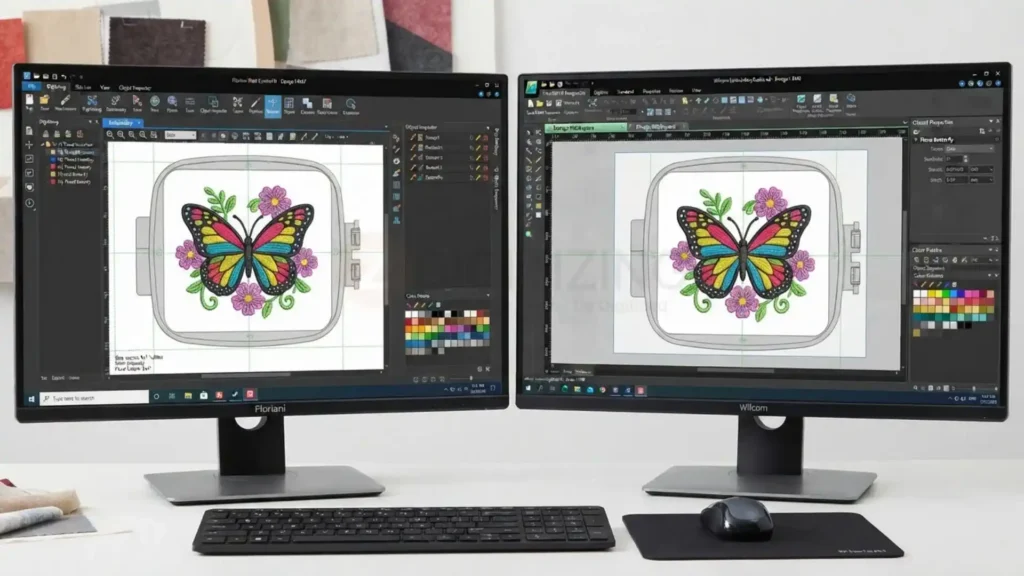
Wilcom EmbroideryStudio 2026 is aimed squarely at commercial design and production, with advanced digitizing tools, multiple product levels, and both one-time-purchase and subscription options.
Floriani Total Control U combines manual and automatic digitizing, lettering, specialty embroidery, appliqué, Photo Stitch, and broad machine-format support in a Windows application at a single perpetual price. For most buyers, the decision comes down to workflow and budget: Wilcom targets high-end production environments, while Floriani targets users who want a comprehensive Windows digitizing and editing suite without a subscription.
Floriani Total Control U vs Hatch
The floriani total control u vs hatch comparison is especially relevant for users looking for software that can cover both embroidery design creation and editing.
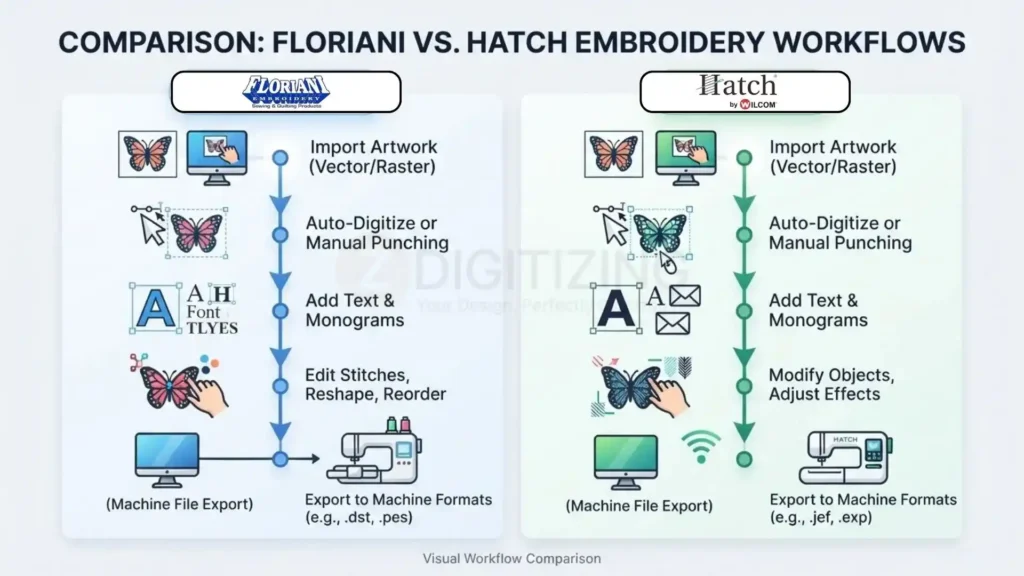
Hatch Embroidery 4 is positioned for hobbyists and enthusiasts, with a separate Digitizer edition for more advanced stitch control. Hatch supports Windows and documents a Parallels/Windows 11 ARM configuration for Apple Silicon Macs.
Floriani Total Control U is Windows-only and not compatible with Mac, but it includes both automatic and manual digitizing, lettering, specialty tools, appliqué, Photo Stitch, and broad machine-format support in one package. Mac users who must stay on macOS will lean toward Hatch’s documented workaround, while Windows-focused users who need deep digitizing in a single perpetual license may prefer Floriani.
Floriani Total Control U vs Brother PE-DESIGN
For users with Brother embroidery equipment, the floriani total control u vs Brother PE-Design comparison involves more than general digitizing capability.
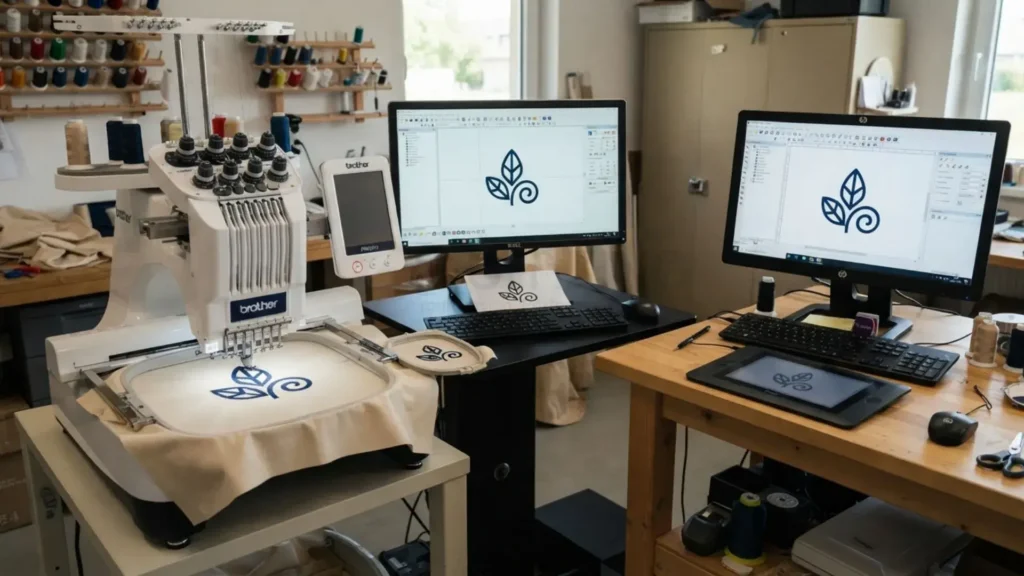
Brother PE-DESIGN 11 targets casual hobbyists and home-based business users, with features such as Fabric Selector, Intelligent Color Sort, built-in designs, lettering, and tight integration with Brother machines.
Floriani Total Control U takes a broader multi-brand approach, supporting numerous embroidery file formats instead of centering the workflow around one machine ecosystem. If your workflow is almost entirely Brother-based and you value brand-specific tools, PE-DESIGN may be more convenient. If you work across multiple machine brands or need deeper digitizing controls, Floriani’s multi-format, Windows-focused suite is more relevant.
Floriani Total Control U vs BERNINA Software
The floriani total control u vs bernina software comparison is relevant when a user wants advanced embroidery creation but also needs to consider machine-brand integration.

BERNINA Embroidery Software is built around the BERNINA ecosystem, offering tools for embroidery design, digitizing, lettering, appliqué, and related creative workflows on Windows (with Intel Mac support via Boot Camp in some configurations).
Floriani Total Control U is more broadly oriented toward multiple embroidery-machine formats and includes a combination of manual digitizing, automatic digitizing, lettering, specialty embroidery, and editing tools on Windows only. For BERNINA owners who prioritize seamless brand integration, BERNINA’s software may be more convenient. For users with mixed machine brands or a stronger focus on multi-format digitizing, Floriani is the more platform-neutral option.
Which Type of User Should Consider Floriani Total Control U?
Rather than asking whether floriani total control u is universally suitable, consider what you actually need the software to do.
It may make sense for users who want to:
- Create embroidery designs from artwork
- Manually refine stitch structures
- Produce names and monograms
- Work with appliqué and specialty embroidery
- Edit designs at object or stitch level
- Export designs for different machine formats
- Build a broader commercial embroidery workflow
It may be less suitable for someone who only needs occasional resizing, recoloring, or simple lettering and does not need full digitizing functionality.
The $1,599 price also makes it sensible to compare the actual tools you will use rather than paying for capabilities that will remain unused.
When Professional Digitizing Makes More Sense Than Doing It Yourself
Software can give a digitizer considerable control, but owning professional-level embroidery software does not automatically make every design production-ready.
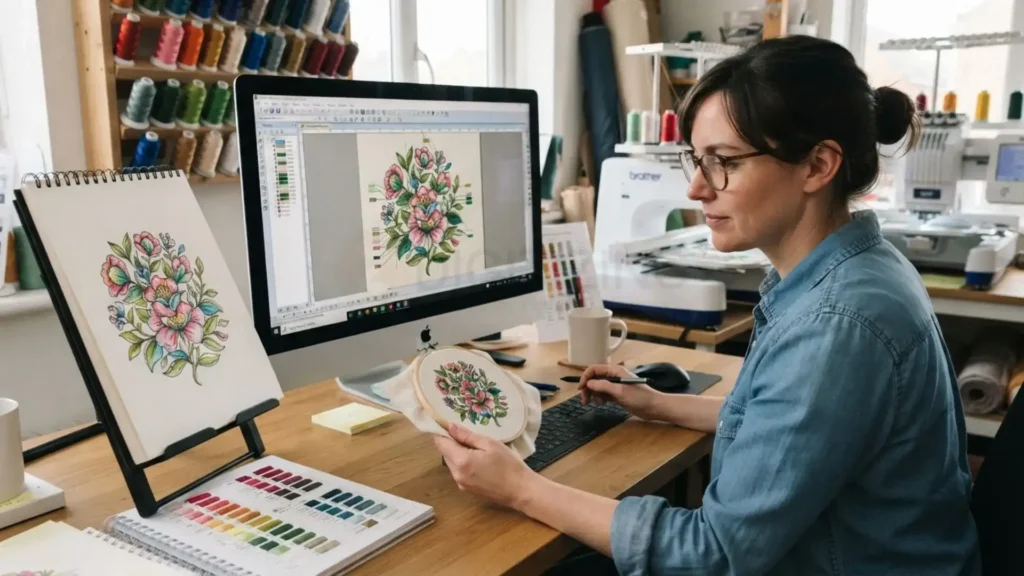
A complex logo, small lettering, unusual garment placement, difficult fabric, or high-volume production run may require more time than simply converting artwork and exporting a machine file.
For businesses handling recurring customer work, bulk embroidery digitizing services in USA can be considered when multiple designs need consistent preparation without requiring the business owner to personally digitize every file.
What to Check Before Buying Floriani Total Control U
Before committing to a purchase, evaluate these key operational checks:
- Operating System: Confirm your setup runs Windows 10/11 or a verified virtualized environment.
- Workflow Need: Determine whether your projects require full manual digitizing or just basic file editing.
- Machine Output: Verify that your target machine formats (PES, DST, JEF, EXP, etc.) match export options.
- Specialty Stitches: Assess if your production involves lace, appliqué, 3D puff, or cutwork tools.
- Return on Investment: Weigh the $1,599 baseline software cost against your projected monthly order volume.
- Sampling Process: Ensure your workflow includes physical sew-outs to test pull compensation and density on actual fabric.
These questions provide a more useful buying framework than simply comparing feature counts between software brands.

Maximizing Your Embroidery Workflow with Floriani Total Control U
Floriani Total Control U makes the most sense when your work goes beyond simple resizing and recoloring. It is built for users who need to create and refine embroidery designs, not just adjust purchased files.
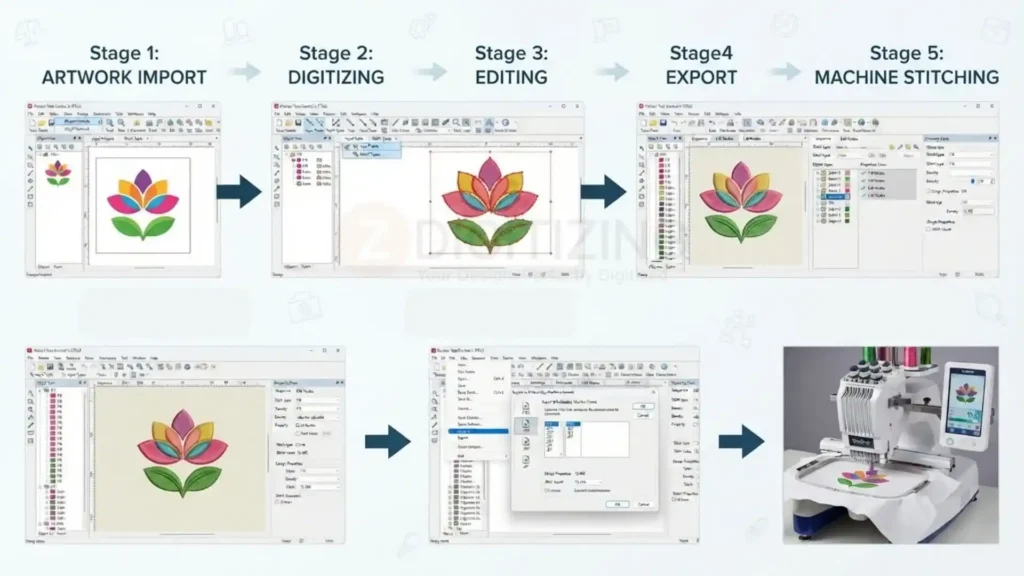
It is a strong fit if you regularly:
- Create designs from artwork or logos
- Edit at object or stitch level
- Produce names, monograms, and personalized items
- Work with appliqué, lace, cutwork, or other specialty effects
- Export to multiple machine formats for different clients or machines
It is less suitable if you only occasionally resize designs, change thread colors, or add basic lettering and do not need full digitizing control.
The $1,599 price means you should match the software to your actual workload. If you will mainly use a small subset of its tools, a lighter application may be more cost-effective. If you will use its digitizing, editing, lettering, and multi-format workflow on a regular basis, the investment is easier to justify.
Before buying, confirm:
- Your computer meets the current Windows requirements
- Your machines support at least one of the listed file formats
- You are comfortable with the learning curve for density, underlay, stitch direction, and sequencing
- You have reviewed the official manual, tutorials, and any available trial
When your main goal is reliable, production-ready embroidery rather than learning every digitizing setting, it can make sense to keep the design work in-house and outsource the technical digitizing. New customers can receive 50% off their first digitizing order when they start with ZDigitizing.