Learning a new craft can feel overwhelming, but learning how to screen print shirts at home is easier when you follow simple steps. Many people want to create custom designs on clothing but think they need expensive equipment. The good news is that you can make professional-looking screen print shirts with a few basic tools and some practice. Whether you’re working from your kitchen, garage, or a small workspace, you can turn your artwork into unique wearable designs.

This guide will walk you through the process step by step and help you achieve great results without spending a fortune.
How to Screen Print Shirts at Home?
What is Screen Printing for T-Shirts?
When looking closely at what is screen printing t shirts, it helps to picture a highly advanced, repeatable stencil system. Unlike digital printing, which sprays tiny ink droplets directly onto the fabric surface like an office printer, this method physically pushes thick ink layers into the textile fibers. A woven mesh, originally made from fine silk but now crafted from durable polyester, is tightly stretched over a rigid frame.

By applying a design to this mesh, you control exactly where the liquid ink can flow. This mechanical transfer method ensures that silk screen t shirt printing delivers incredibly rich colors that stand out, even on dark fabrics. The ink layers bonds deeply with the threads, creating a premium look and feel that digital alternatives struggle to replicate at a low cost.
A major benefit of learning how to screen print shirts is the long-lasting print quality. Once the ink is properly cured, the design stays vibrant and durable through repeated washing, with minimal fading or cracking.
Whether you are building an independent clothing brand or creating unique gifts for friends, mastering this technique gives you professional-quality results right from your living room.
At-Home Screen Printing Equipment Checklist
You do not need expensive equipment to learn how to screen print T shirts at home. A few basic tools are enough to get started. You can gather a budget-friendly kit that fits perfectly in a small workspace. Here are the essential supplies you need for screen printing shirts.
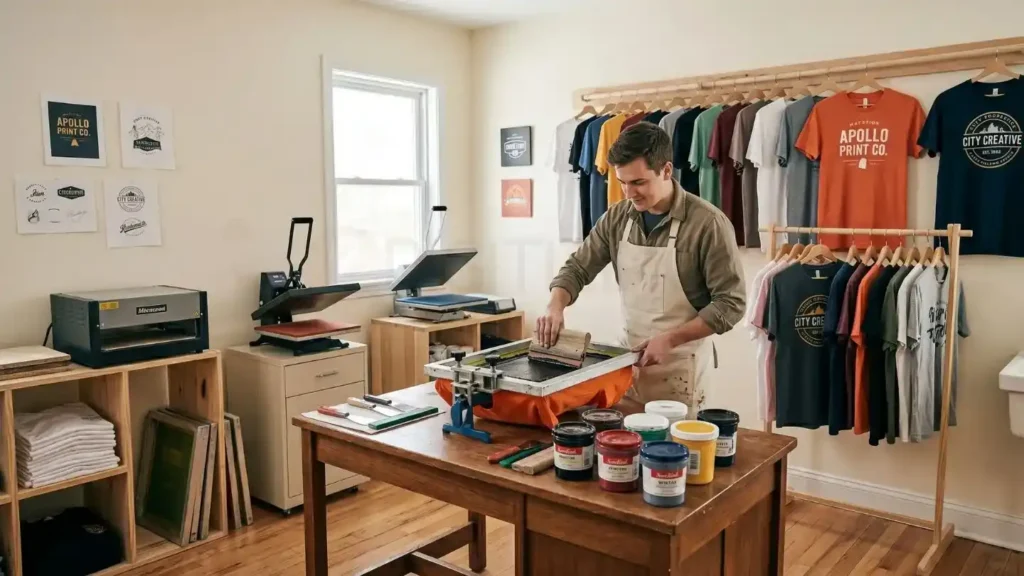
- Screen Printing Frame: A wood or aluminum frame tightly stretched with polyester mesh.
- Squeegee: A rubber-bladed tool used to pull the ink across the screen mesh evenly.
- Screen Printing Ink: Fabric-specific inks designed to bond permanently with cotton or synthetic fibers.
- Photo Emulsion & Activator: A light-sensitive liquid chemical used to create highly detailed stencils.
- Light Source: A basic 50-watt UV LED lamp or a bright work light to expose your artwork.
- Transparency Film: Clear plastic sheets used to print your black stencils via an inkjet or laser printer.
- Cardboard Inserts: Placed inside the shirts to prevent ink bleeding through to the back during printing.
- Painter’s Tape: Used to seal the outer edges of the screen frame to keep stray ink off the garments.
Choosing the Right Screen Mesh for T-Shirts
When learning how to screen print shirts, understanding mesh count is important. The mesh count refers to how many vertical and horizontal threads cross each other per square inch of the screen.
For standard custom screen print shirts, a 110 mesh count is the absolute best choice for beginners. It features larger openings between the threads, which allows thick ink to pass through easily.
If your design features incredibly fine details, thin lines, or tiny text, you should step up to a 155 mesh count. Higher mesh counts hold fine details much better but require a bit more physical pressure when forcing the ink down onto the fabric.
Ink Selection: Water-Based vs. Plastisol
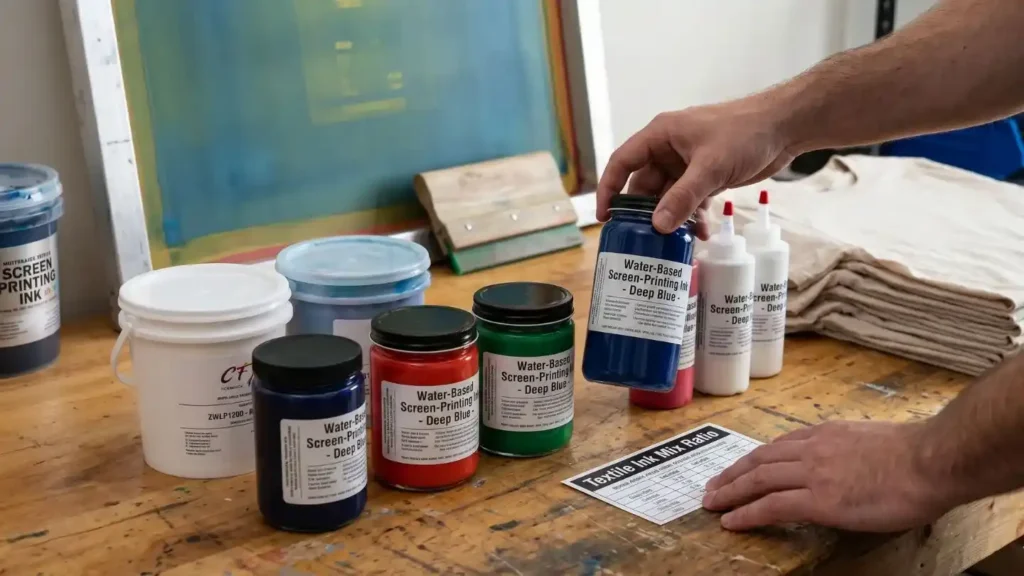
Choosing the right ink is important when learning how to silk screen printing shirts. Water-based inks are highly recommended for home printers because they clean up easily with plain water.
For anyone learning how to screen print shirts, it is a great choice because it blends into the fabric instead of sitting on top, resulting in a lightweight print that feels natural to wear.
Water-Based Ink | Plastisol Ink |
Cleans up with water | Needs chemicals for cleanup |
Sinks into fabric fibers | Sits on top of the fabric |
Very soft feel on garments | Creates a bright, thicker print layer |
Can dry out if left on the screen | Does not dry on the screen |
Best for soft, breathable prints | Best for vibrant and durable prints |
Plastisol ink is the industry standard for commercial screen printing on shirts because it looks incredibly bright on dark fabrics. Unlike water-based ink, plastisol remains on the surface of the fabric and produces a thicker, more vibrant print.
When learning how to screen print shirts, it is important to know that plastisol requires chemical cleaners and higher curing temperatures for proper results.
Role of Vectorization and Digitizing Services
Clean lines make the entire stencil exposure process much easier for beginners. If you are working with complex logos or highly detailed crests, you might need professional help adjusting your files.
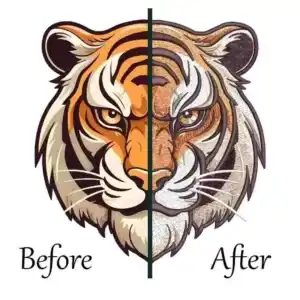
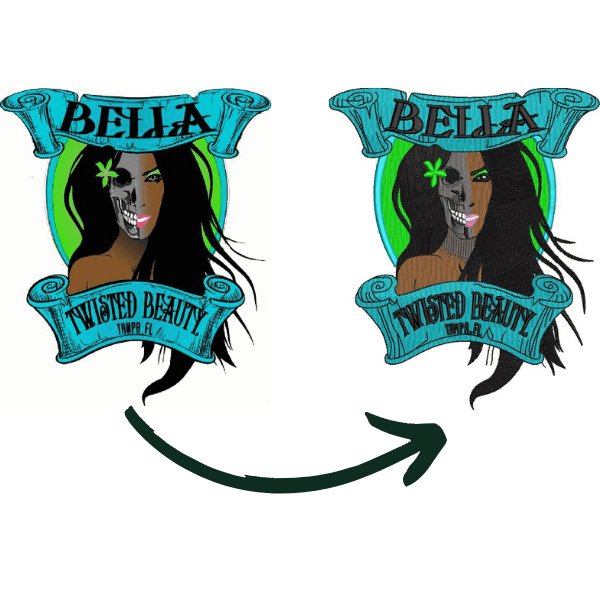
Using specialized cap digitizing services can help clean up messy digital edges and vectorize complex files so they print perfectly onto film negatives. Vector files allow you to scale your artwork up or down without losing sharpness, preventing jagged edges when transferring your art to the mesh.
Preparing Your Artwork and Screen Stencil
Great screen printed shirts always begin with solid artwork file preparation. Your design needs to be converted into a solid black image so that light cannot pass through it during the exposure phase. Any gray or semi-transparent areas will ruin the stencil development.
When preparing to execute how to screen print shirts successfully, you must remember that your printed black transparency film acts as a shield against light. If your black ink isn’t completely opaque on the plastic film, the UV light will pierce through it and harden the underlying chemicals.
Designing for a Single-Color Print
When learning how to screen print shirts, start with a single-color design. Simple graphics, bold shapes, and clear text are easier to print and help you achieve better results without the challenge of aligning multiple screens.
Avoid subtle gradients or photography shading until you master the basics. Export your final digital design file at 300 DPI as a solid black shape against a transparent or stark white background before printing it onto the film.
Option A: The Photo Emulsion Method (Best for Fine Detail)

The photo emulsion method is the best option for creating sharp, detailed designs. When learning how do you screen print T shirts, this technique helps produce clean, professional-quality prints by using light to harden the emulsion while unexposed areas wash away with water.
To complete this how to screen print shirts properly, mix your green or blue liquid emulsion with the included sensitizer chemical according to the manufacturer’s bottle directions. Let the mixed bottle sit quietly for two hours so all the tiny air bubbles can escape.
Applying the Liquid Emulsion Evenly
A smooth emulsion coat is essential when learning how to screen print shirts. Keep the screen away from bright light, then carefully spread a thin and consistent layer of emulsion across the mesh to create a clean stencil for printing.
Use your squeegee or a dedicated metal scoop coater to scrape the liquid upward smoothly. Apply a very thin, even layer across both the front and back of the mesh, then lay the frame flat in a dark closet to dry.
Burning the Image with a Home Light Source
When learning how to screen print shirts, once the liquid coating dries completely, place your clear transparency film design face-down onto the flat bottom side of the mesh. Secure it with a clean sheet of glass to press the film tight against the screen.
Turn on your 50-watt UV light source directly above the screen at a distance of roughly 12 inches. Expose the screen for exactly 45 to 60 seconds to bake the exposed emulsion while keeping the blocked artwork section soft.
Option B: The Vinyl Stencil Method (Best for Simple Designs)
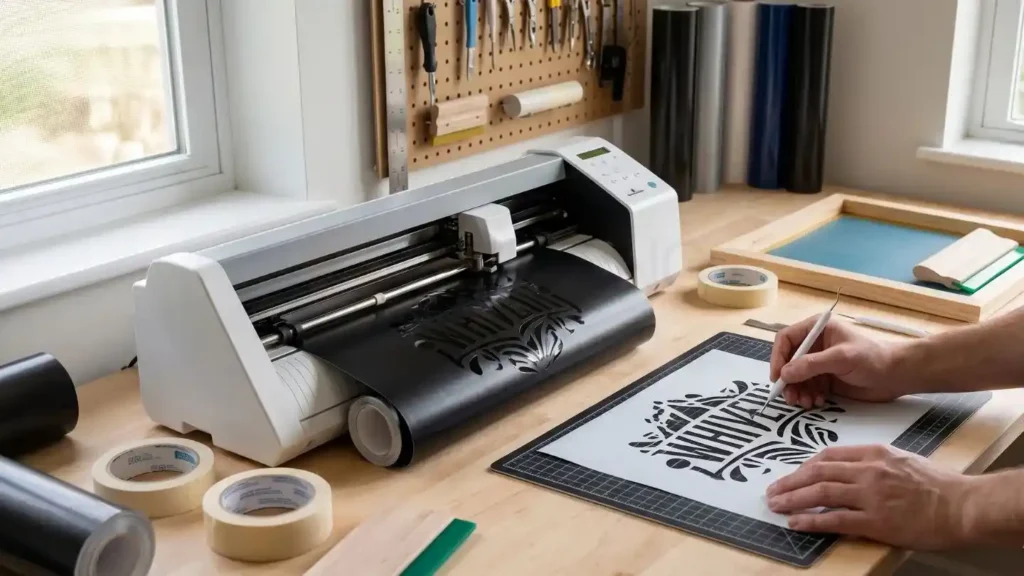
When learning how to screen print shirts, a vinyl cutter can simplify the process. If you own a digital vinyl cutter, you can skip the liquid chemical exposure step completely. Cut your design out of standard adhesive sign vinyl using your machine, ensuring you weed away the specific areas where you want ink to pass through.
Apply transfer tape over the cut vinyl, lift it off its paper backing, and stick it firmly down onto the flat side of your mesh. Press the edges firmly with a plastic scraper to prevent ink from creeping underneath the sticky vinyl edges during printing.
How to Screen Print Shirts | Step-by-Step
With your completed stencil prepared, you are ready to begin silk screen t shirt printing in your workspace. This active stage requires keeping a neat, organized table so that wet ink does not accidentally transfer onto clean clothing panels.
Before starting, run a quick final check on your stencil to ensure there are no tiny pinholes in the surrounding emulsion. If you notice any accidental holes, apply small pieces of painter’s tape over them to protect your target fabric.
Setting Up Your Home Printing Station

When learning how to screen print shirts, prepare your workspace by covering the table. Lay down a wide sheet of butcher paper or heavy plastic trash bags across your work table to catch stray drips. Place your blank garment flat on the surface and slide a thick piece of cardboard inside the body panel.
The cardboard creates a firm, perfectly flat workspace and prevents wet ink from soaking through the front fabric layer into the back layer. Position your prepared screen frame flat on top of the garment.
Loading the Shirt and Aligning the Screen
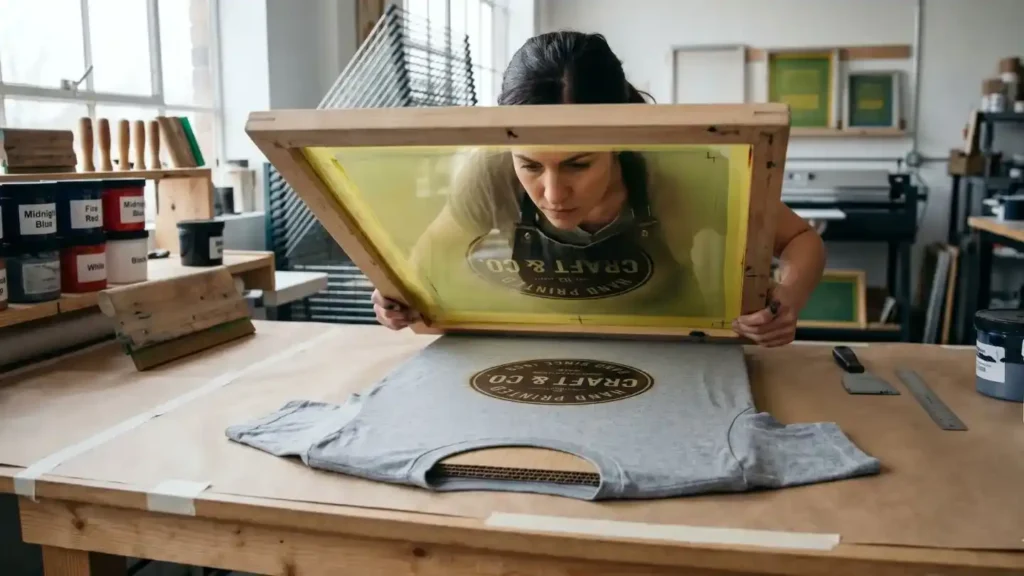
Proper alignment ensures your design looks centered and professional rather than crooked. When doing screen printing a shirt, place the top edge of your graphic roughly three to four inches below the front collar line.
Look directly down through the open mesh to align the graphic with the vertical center line of the shirt fabric. Hold the frame perfectly still with one hand, or use a heavy counterweight to prevent the wood frame from sliding around.
The Flood and Stroke Technique

When learning how to screen print shirts, start by placing a line of ink at the top of the frame, just above the open stencil graphic. Tilt your rubber squeegee at a 45-degree angle and lift the screen up slightly off the garment surface.
Drag the ink lightly across the design without pushing hard; this actions is called “flooding” the screen to fill the mesh holes. Lower the frame back flat against the shirt, press down firmly with both hands, and pull the squeegee downward smoothly.
Curing the Ink So It Survives the Washing Machine

A key step in how to screen print shirts is curing the ink correctly. Water-based prints need heat to become permanent, so allow the design to dry first, then apply the recommended heat treatment to ensure it lasts through repeated washing.
Place a protective sheet of parchment paper over the graphic and press it firmly with a standard household clothing iron set to medium-high heat. Move the iron continuously over the art for three full minutes to bake the ink.
Troubleshooting Common Printing Mistakes
Every beginner runs into unexpected mistakes when exploring how to screen print shirts for the first time. Understanding how to analyze your results will help you fix problems immediately without throwing away good materials.
Most errors happen because of improper pressure, bad timing, or poor cleanup habits. Keep a scrap test shirt nearby so you can practice your manual pulling technique before working on your final premium garments.
Why is My Printed Design Blurry or Bleeding?
If you’re learning how to screen print shirts, your printed image looks blurry or has fuzzy edges, it usually means ink has leaked underneath the bottom of your screen. This error happens when you use too much fluid ink or apply too much downward pressure on the squeegee.
Another cause is moving the frame while it is in direct contact with the fabric. Make sure your screen stays locked down firmly in one spot until you are ready to lift it straight upward away from the table.
What to Do When Ink Washes Out in the Laundry?

If you’re learning how to screen print shirts and the design fades after washing, the ink was likely not cured properly. Reaching the correct curing temperature is essential to bond the ink with the fabric and ensure long-lasting prints.
To fix this issue on your next print run, increase your heat curing time with the clothing iron or use a dedicated heat press machine. Always perform a quick stretch test on a sample shirt to ensure the ink stretches nicely without snapping.
How to Clean and Reclaim a Screen for Reuse?
A useful part of learning how to screen print shirts is knowing how to clean your screen properly. If you are using water-based inks, take the frame to a sink immediately after you finish your printing run. Scrape any leftover ink back into the plastic tub so you do not waste your raw supplies.
Rinse the screen thoroughly with cold tap water and a soft sponge until all the mesh openings are perfectly clear. If you want to erase the emulsion stencil entirely to reuse the screen for a new design, spray a commercial emulsion remover over the mesh and rinse it off with a high-pressure garden hose nozzle.
How to Safely Remove Screen Printing From a Shirt?

Sometimes an error happens and you want to save an expensive garment by fixing a bad print. Learning how to remove screen printing from a shirt is a valuable skill that keeps you from wasting blank clothing stock.
If the ink is still fresh and wet, you can wash it away under a heavy stream of warm water. However, if the ink has already been heat-cured into the fibers, you will need to use physical heat or specific chemical solvents to remove screen printing from shirt.
- Chemical Spot Removal: Apply a few drops of a commercial liquid spot cleaning fluid directly onto the ruined ink area, then blast it from behind using a high-pressure spotting gun to push the dissolved ink particles completely out of the knit weave.
- The Iron and Peel Method: Place a sheet of thick brown grocery bag paper over the old design and press a hot iron directly over the spot. The intense heat softens the cured plastisol ink, causing it to peel away from the cotton and stick to the paper sheet.
- Isopropyl Alcohol Scrubbing: Soak the graphic area in high-grade 99% isopropyl alcohol for ten minutes, then use a stiff-bristled brush to manually loosen and scrub the flaking ink particles away from the fabric surface.
Final Thoughts
When you learn how to screen print shirts, you get beautiful ink designs, but adding premium embroidery takes your custom apparel to the next level. To get perfect results on your machine, you must avoid automated software and use professional files instead.
ZDigitizing provides digitizing & vector art services with over 10+ years of experience. Our expert team maps every stitch and angles manually so your threads never break , print didn’t fade and your designs look incredibly crisp.
We feature a 24/7 working team and 24/7 customer support so you can get help at any hour. Our prices are already lower than the market, a preview is provided before payment, and all minor edits are free.
Whether you need standard files or fast embroidery digitizing services in UK, our quality guaranteed commitment keeps your business running smoothly. Visit ZDigitizing today, place your first order, and get 50% OFF on your first order right now!