Many beginners look for free embroidery digitizing software to turn artwork into stitches without spending money. But choosing the right tool can be confusing when you are just starting out. In this guide, we explain real free options in simple language and show what each tool can do. You’ll learn how to avoid common mistakes and get clean, confident stitch-outs step by step.

Free Embroidery Digitizing Software for Beginner
What Is Embroidery Digitizing (And What Software Really Does)?
It means turning your artwork into stitch instructions that an embroidery machine can read. Instead of a normal image, the design becomes stitch types, directions, densities, and color order. This is why free embroidery digitizing software is so important for beginners. It teaches you how designs are actually stitched on fabric, not just how they look on screen.
Digitizing software lets you create stitches from scratch, choose stitch types, and control how the design runs. Editing tools are more limited; they mainly adjust existing designs. Understanding this difference helps you use the embroidery digitizing software free tools the right way.
Manual vs Auto Digitizing for Beginners
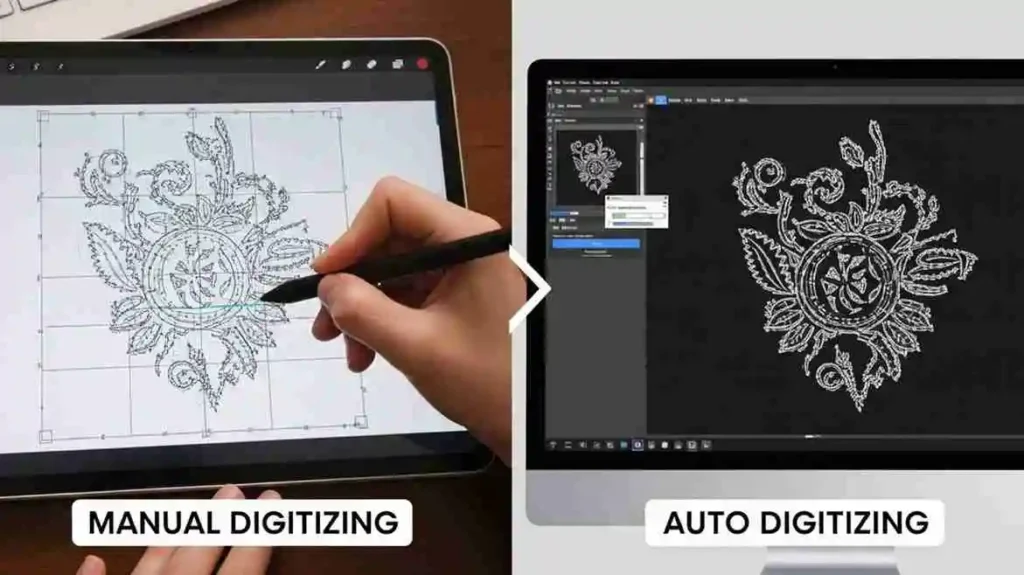
Manual digitizing means you control every stitch and setting yourself. It takes time to learn, but the results are cleaner and more reliable. Auto digitizing works faster by converting images automatically, but it often creates stiff or messy designs that still need fixing.
Auto tools can be useful at first, but learning basic manual skills with free embroidery digitizing software gives you better results in the long run.
Digitizing vs Editing vs Converting – Don’t Mix Them Up
- Digitizing creates new stitches from artwork.
- Editing changes an existing design.
- Converting only changes the file format.
Most beginner mistakes happen when these tools are confused, so knowing the difference saves time, thread, and frustration.
Types of Free Embroidery Digitizing Software You’ll See
Before downloading anything, it’s important to understand the different types of embroidery software. Many tools are called “digitizing software,” but they actually do very different jobs.
When we understand these categories, it becomes much easier to choose the right tools and avoid wasting time on the wrong ones. Often, using a few free tools together gives better results than relying on just one.
1. Viewers and File Converters (The Essential Basics)

These tools are usually the first ones beginners use. They are helpful, but they are not true digitizing tools. Their main job is to manage and prepare files, not create new designs.
Using a digitize embroidery software free tool in this category allows you to:
- Preview designs: You can see a 3D preview of how the stitches will look on fabric before stitching.
- Virtual color swapping: Test different thread colors or brands without rethreading your machine.
- Format conversion: Change files between formats like PES (Brother), JEF (Janome), and DST (Tajima).
These tools are perfect if you already have embroidery files and just need them ready for your machine. However, they cannot turn an image into stitches from scratch.
2. Editing Software vs. Embroidery Digitizing Software Free
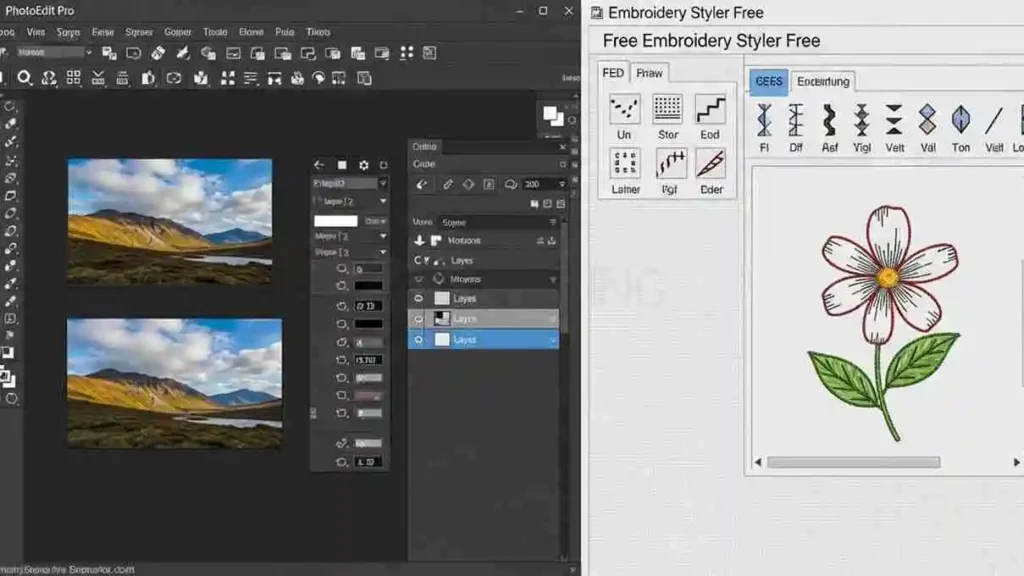
This is the point where many beginners feel unsure, so let’s break it down in a simple way. Editing and digitizing are not the same thing, even though they sound similar.
- Editing software: Lets you resize, rotate, split, or recolor existing designs. Some tools also adjust stitch density to help reduce fabric puckering.
- Digitizing software: This is the real creation tool. It allows you to build stitches from the beginning, creating fill stitches, satin stitches, and running stitches from shapes or outlines.
While free embroidery digitizing software is designed for creating stitches, many people use editing tools alongside it to fine-tune designs. Always check whether a program can create new stitch paths or only modify existing ones.
3. Font and Monogram Tools for Quick Personalization
If your main goal is adding names, initials, or simple text, you may not need full digitizing software. For text-based work, free digitizing software for embroidery focused on lettering can save a lot of time.
- BX font compatibility: You can type text directly using pre-digitized embroidery fonts.
- Automated layouts: The embroidery machine and software handles spacing and alignment for you, which is much faster than manual digitizing.
These tools are ideal for towels, caps, baby items, and quick personalization jobs.
4. Trials and “Freemium” Digitizers: What Is Truly Free?
When searching for freeware embroidery digitizing software, you will often find professional programs offering a free version. These can be useful for learning, but they usually come with limits.
Common “freemium” restrictions include:
- Time-limited trials: Full features work for a short time, then access is blocked.
- Saving restrictions: You can design, but exporting is locked unless you pay.
- Watermarks: A demo stitch is added, making the design unusable.
These tools work best as learning platforms to understand professional workflows before upgrading or using a professional digitizing service.
Best Free Embroidery Digitizing Software (True Digitizers)
When we move beyond basic resizing and start creating designs from scratch, we need true digitizing tools. These tools allow us to manually build stitch paths, control stitch types, and decide how the design will stitch on fabric. They are the most reliable option when working with free digitizing software embroidery that focuses on learning real digitizing skills.
1. Ink/Stitch (The Professional Open-Source Choice)

It is an extension that works inside the vector program Inkscape and is widely known as one of the best free digitizing software for embroidery available today. It is the best free embroidery digitizing software for MAC option because it gives full manual control over stitches, just like professional paid embroidery machine program to digitize embroidery design.
Pros:
- Cross-platform: Runs smoothly on Windows, macOS, and Linux.
- High control: You can manage underlay, stitch direction, density, and realistic previews.
- Vector-based workflow: Lets you clean and refine artwork before turning it into stitches.
Cons:
- Learning curve: You need to understand vector nodes and stitch logic.
- Manual process: It focuses on control, not fast one-click digitizing.
2. Embroidermodder 2 (The Technical Open-Source Choice)

Embroidermodder 2 is a lightweight, open-source program designed for users who prefer a technical, CAD-style experience. As a free embroidery digitizing software Mac users can access, it is well-suited for those who want accuracy and wide format support, especially when working with different machines.
Pros:
- Completely free: No licenses, no paid features, no export limits.
- High precision: Appeals to advanced users who like technical control.
- Wide format support: Works with many machine formats, making it useful as free digitizer software for embroidery machines.
Cons:
- Still in development: Some versions may feel unstable.
- Limited guidance: Not very beginner-friendly due to minimal documentation.
3. SophieSew (The Legacy Manual Digitizer)

It is an older program that many hobbyists still use because of its simple and logical layout. It remains a usable free embroidery digitizing software for beginners who want to understand how stitches are built from basic shapes.
Pros:
- Simple interface: Easier to understand than complex vector-based tools.
- Object-based editing: You can adjust individual parts of a design easily.
- Focused use: Works well for simple logos, text, and basic shapes.
Cons:
- Outdated software: Development has stopped, which can cause issues on modern systems.
- Limited features: Lacks newer tools found in modern digitizing platforms.
These tools are ideal for learning how real digitizing works. Once we understand stitch behavior using free embroidery digitizing software, creating clean and reliable designs becomes much easier.
Best Free Embroidery Software for Editing and Converting
Using the best free embroidery digitizing software for editing allows you to manage your design library without a steep learning curve. These programs focus on “Stitch File” manipulation, meaning they let you move, resize, and recolor existing designs rather than forcing you to draw every line yourself.
1. My Editor – The All-in-One Free Editor

My Editor is a fantastic Windows-based tool that is incredibly popular because it is fast and lightweight. It is one of the most versatile automatic digitizing software options for people who want to “see” their design before they sew it. It even offers a 3D preview with “twisted thread” effects so you can catch mistakes before they waste your fabric.
Best For:
- Resizing designs while automatically adjusting stitch density.
- Splitting large designs into smaller parts for multiple hoopings.
- Changing thread colors and exporting to different machine formats.
Pro Tip: Always check the “Stitch Player” in My Editor. It lets you watch a virtual stitch-out to see the exact sequence your machine will follow.
2. Bernina ArtLink and TrueSizer – Reliable Brand Tools
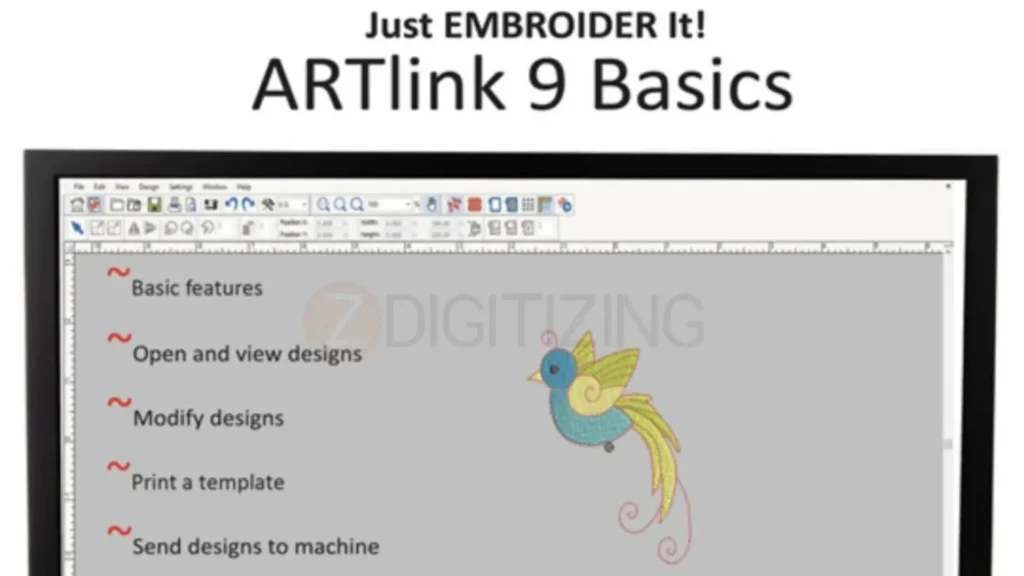
Bernina ArtLink 9 and Wilcom TrueSizer are provided by industry giants. While they are “brand-linked,” you don’t need a Bernina or Wilcom machine to use them. These free embroidery digitizing softwares are world-class for basic tasks and are known for being extremely stable on modern computers.
Key Features:
- Template Printing: Prints a 1:1 scale paper template to help you perfectly center your design on a shirt.
- Universal Conversion: Easily switches files between PES, JEF, DST, and EXP formats.
- Hoop Selection: Shows you exactly how your design fits inside different hoop sizes for various brands.
Why Use Them? Because these are made by pro companies, they handle your files with care, ensuring the stitch data doesn’t get corrupted during a resize.
3. DIME Embroidery Toolshed – The Scalable Ecosystem

The DIME (Designs in Machine Embroidery) Toolshed is more than just an editor; it is a “hub.” This free embroidery digitizing software gives you a solid base for free, but it also lets you add more powerful features later if you decide to grow your hobby into a business.
Key Benefits:
- Design Analyzer: Checks your file for “junk stitches” that might cause thread breaks.
- Color Sort: Merges color stops so your machine doesn’t stop and start unnecessarily.
- Integrated Experience: You can manage all your DIME-related tools from one single window.
4. 2Stitch Organizer – Finding the Right Design Fast

As your collection grows, you will quickly realize that scrolling through hundreds of cryptic filenames (like “SUN_FL_02.PES”) is a nightmare. This is where an organizer becomes essential.
- What it does: It adds “Thumbnails” to your computer’s folders. Instead of seeing a generic icon, you see a picture of the actual embroidery design.
- Added Value: It lets you search your files by stitch count, dimensions, or even specific colors, so you can find that “bunny with a balloon” in seconds.
How to Choose the Right Free Embroidery Digitizing Software?
Matching your software to your hardware is the secret to a happy sewing day. Different machine brands prefer specific file types, and your hoop size determines how much you can safely change a design’s size. By using a reliable free digitizing software, you can make sure your designs fit your hoop perfectly without getting too thick or “dense” for your fabric.
1. If You Have a 4×4 Brother or Entry-Level Machine
If you own a small home machine like a Brother, your focus should be on simple designs. These machines are great for names, small flowers, and basic logos. Because the 4×4 hoop is small, you want to avoid designs that have too many stitches packed into a tiny area.
A Good Free Embroidery Digitizing Software Example:
- Use Ink/Stitch to create your own simple shapes or letters.
- Use My Editor to check the size and make sure the design is saved as a PES file.
Beginner Tip: Stick to simple monograms and icons first. Huge, filled-in designs can be very heavy and might pull on your fabric too much.
2. If You Have Janome, Bernina, or Multi-Needle Machines
These machines are a bit more advanced and often have special features like automatic thread trimming. If you have a Janome or a Bernina, you need free embroidery digitizing software that handles their specific file formats (like JEF or EXP) with high accuracy.
What to Look For:
- Clean Trims: Make sure your software tells the machine exactly where to cut the thread so you don’t have a mess to clean up later.
- Color Order: Especially for multi-needle machines, you want a tool that makes it easy to see which color stitches first so you can set up your thread cones correctly.
Testing: Always run a practice stitch on a piece of scrap fabric first to make sure the “jumps” and “trims” are working exactly as you expected.
File Formats Cheat Sheet: PES, JEF, DST, and More
Think of file formats like different languages. Your machine has one “native” language it understands best. Most free tools can “translate” designs for you, but you need to know which one to pick when you hit the “Save” button.
- PES: The standard for Brother and Baby Lock machines.
- JEF: The format used by Janome machines.
- EXP: Used by Bernina and many commercial-grade machines.
- DST: The “Universal” language. Almost every machine in the world can read a DST file.
Most free editors handle these easily, but always double-check that your chosen free embroidery digitizing software supports the exact format your machine needs.
When Free Isn’t Enough: Trials, Paid Software, and Pro Services
Moving beyond free embroidery digitizing software setup is a sign that you are becoming a serious crafter. While free tools are great for learning, professional embroidery digitizing programs are built to save you time. They often have “automatic” buttons that can do in seconds what might take you an hour to do by hand.
Free Trials Worth Testing
If you feel stuck with your current tools, many famous programs let you try their full version for free for a short time:
- Hatch and Embird: These are very powerful. They have “Auto-Digitizing” tools that can turn a picture into a design almost instantly.
- Embrilliance: You can use their free version for simple lettering and then only pay for the extra “pro” parts when you are ready.
- SewWhat-Pro / SewArt: These are very popular with beginners because they are simple to use for basic editing and making your own designs.
- mySewnet: This is great for modern machines that connect to the internet, making it easy to send designs from your computer to your machine.
Use these trials to see if the faster workflow is worth the cost for your projects.
When to Upgrade to Paid Tools
You will know it is time to move on from a free embroidery digitizing software when:
- Too Much Fixing: You spend more time trying to fix broken designs on your computer than you do actually sewing.
- Special Designs: You want to try “3D Puff” embroidery, complex lace, or special quilting patterns that free tools just can’t do.
- Starting a Business: If you are selling your work, your time is money. Paid tools help you work faster and avoid making mistakes that ruin expensive shirts.
When to Hire an Expert for Big Jobs?
Very large designs, like those needed for jacket back digitizing services, or designs with tiny details can be very hard to get right. These projects need a deep understanding of how fabric moves under the needle, which can take years to learn.
Professional digitizing services are the best choice when:
- Big Orders: You need to stitch the same logo on 50 hats for a local team.
- Perfect Quality: You need the design to look professional and clean every single time.
- Expensive Fabric: If you are sewing on something expensive, like a leather jacket, you don’t want to risk making a mistake.
Professional digitizers know exactly how to plan the design so it doesn’t bunch up or break your thread.
Conclusion: Your Roadmap to Digitizing Mastery
Learning to use free embroidery digitizing software is a rewarding journey that takes a bit of practice and patience. From figuring out how stitches stay on the fabric to picking the right file for your machine, these free tools are a wonderful way to start your hobby without spending a lot of money. You can use these resources to turn your creative ideas into real projects that you can actually stitch and wear.
While free embroidery digitizing software is great for learning the basics, getting a perfect result for a customer or a gift sometimes needs an expert touch. If you have a complex project and want to avoid the headache of fixing mistakes, ZDigitizing is here to help.
We are a professional company with over 10 years of experience, and we offer high-quality custom embroidery digitizing services in USA to make sure your designs sew out perfectly every time.
Our expert team works 24/7 to provide amazing quality with around-the-clock support, so we are always ready when you need us. We guarantee you will love the results because we show you a preview before you pay, and we even offer minor edits for free. Our prices are lower than most, and we give you 50% OFF on your first order to welcome you.
Visit ZDigitizing today to get your discount and experience the premium quality that brings your art to life!