At some point in every design project, the question what is vector art comes up, especially when files need to scale, print, or stitch cleanly. Designers use vector artwork because it gives full control over size, clarity, and editing without damaging quality. Whether you’re creating a new logo or refreshing an old brand, vectors make sure your design works everywhere. In this guide, you’ll learn how vector art works, why it matters for branding, and how to use it correctly in real-world production.
What is Vector Art and How Does it work?
What Is Vector Art?
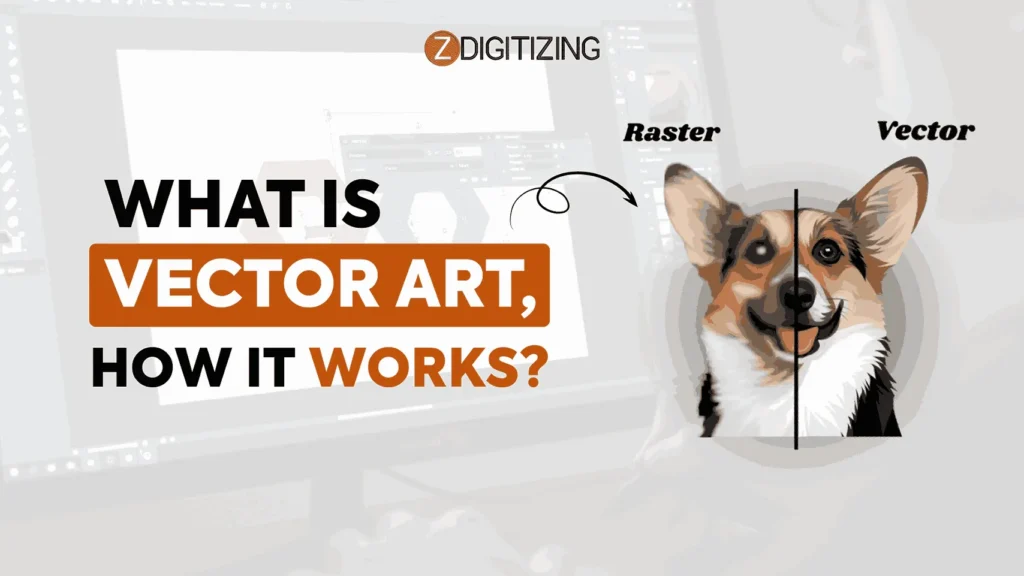
To explain it simply, it means artwork that is created using points, lines, and curves instead of pixels. These shapes are controlled by math, which allows the design to stay sharp and clean no matter how much you resize it. This idea is the foundation of vector art basics, where designs are built with flexibility and accuracy in mind.
What Is Vector Art
Because vector artwork does not lose quality, it is widely used for logos, branding, and vector art for printing. Whether the design is placed on a small label or a large banner, the edges remain smooth and professional. This reliability makes vector art a smart choice for designers and businesses that want consistent results across different sizes and platforms.
How Vector Art Works Under the Hood?
To really understand what is vector art, it helps to look at how vector designs are built inside design software. Unlike regular images that depend on pixels, vector artwork is created using paths that follow mathematical rules.
These paths tell the software exactly where a line starts, where it ends, and how it should curve. Because of this structure, you can resize, rotate, or reshape vector designs freely without damaging quality.
This “rule-based” system is the reason vector files are so reliable for professional use. You are not stretching pixels, you are simply updating instructions. That is why vector designs stay sharp whether they are used for logos, embroidery, or vector art for screen printing, where clean edges and solid shapes are extremely important.
Paths, Anchor Points, and Bezier Curves Made Simple
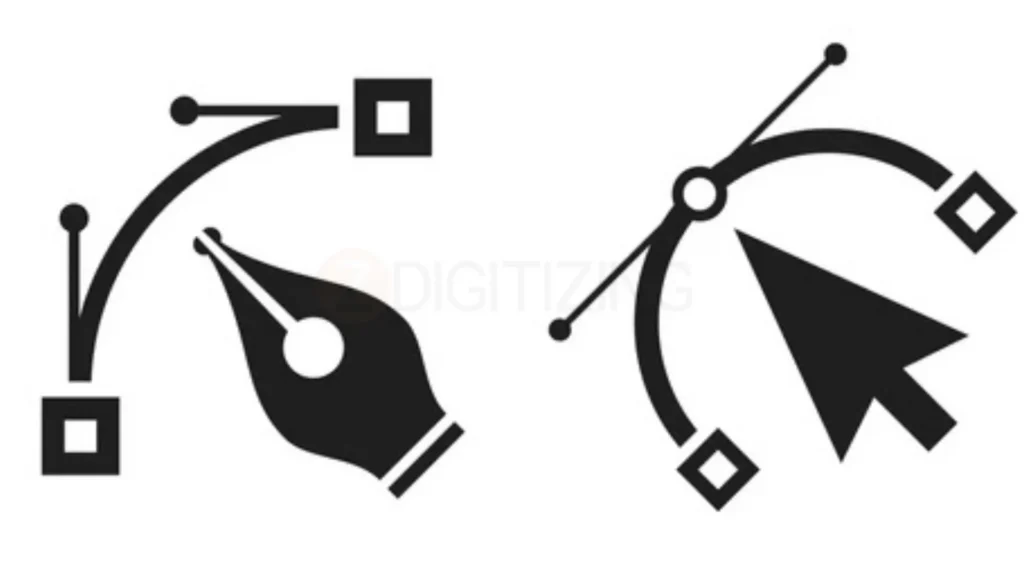
To clearly understand what is vector art, it helps to know how paths and points work together. Every vector design is made from paths, and each path is controlled by anchor points.
Think of anchor points as small control pins that shape the line. Straight points create sharp corners, while curved points use Bezier handles to form smooth curves. By adjusting these handles, you can fine-tune the curve until it looks clean and balanced.
Paths, Anchor Points, and Bezier Curves Made Simple
Good vector work is not about adding many points, it’s about using fewer points wisely. When paths are clean and simple, the file becomes easier to edit and performs better in printing, cutting, and embroidery workflows. This is especially helpful when you later need to vectorize an image, because cleaner paths mean fewer problems during conversion.
Fills, Strokes, and Shapes: How Vector Designs Are Built
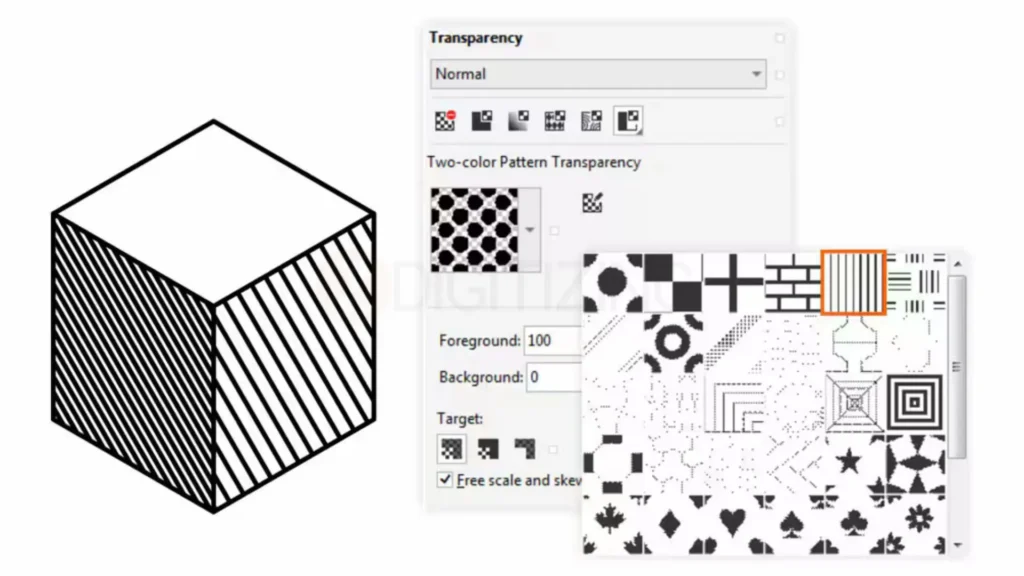
In vector design, every shape has two main parts: a fill and a stroke. The fill controls the inside color or gradient, while the stroke controls the outline’s thickness and style. Even a simple logo can be built by stacking and combining multiple filled shapes with outlines.
Fills, Strokes, and Shapes How Vector Designs Are Built
Most vector editors also allow you to merge, subtract, or intersect shapes. This makes it easy to build complex artwork from simple forms. The real advantage is flexibility, you can recolor a design, adjust thickness, or resize elements without starting over. That flexibility is one of the strongest reasons what is vector art matters so much in professional design and production.
Vector vs Raster: Key Differences You Must Know
Choosing between these two formats is the most important decision you’ll make in any project, as it literally determines if your design will look crisp or like a blurry mess.
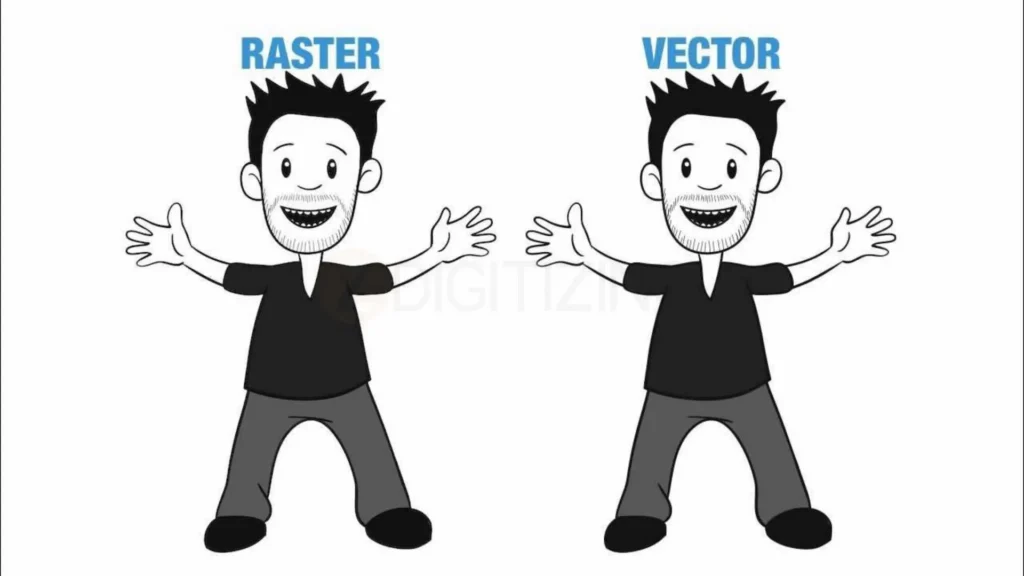
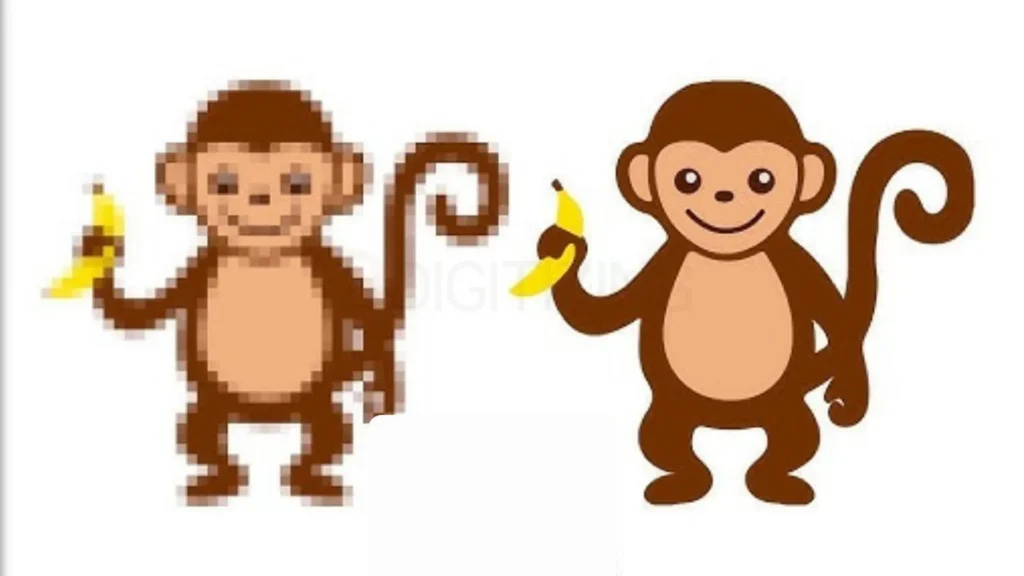
To truly understand what is vector art, you first need to know the real difference between raster images vs vector images before you even open your design software. This basic choice decides whether your design stays sharp and professional or breaks down when resized.
Feature
Raster (Pixels)
Vector (Paths)
What is it?
A grid of tiny colored squares.
Mathematical points and curves.
Can you resize it?
No, it gets “pixelated” and blurry.
Yes, it stays sharp at any size.
Common Uses
Real-life photos and digital paintings.
Logos, icons, and printing.
Best File Types
JPEG, PNG, and GIF.
SVG, AI, and EPS.
File Weight
Can get huge if the quality is high.
Usually very small and lightweight.
Best Vector Graphics Software for Your Work
Selecting the right environment to create your graphics is just as important as understanding what is vector art itself. Whether you are a professional designer or a hobbyist, the right vector design software will streamline your workflow and ensure your files are production-ready for any industry.
Paid Vector Tools Used by Professionals
Paid Vector Tools Used by Professionals
Adobe Illustrator: The undisputed world champion for creating high-end graphics. It offers the most advanced vector drawing tools available, making it the top choice for professionals who need to export perfect files for branding or print.
CorelDRAW: A powerhouse in the signage and engraving industries. It is often the preferred choice for those who need to understand vector art in a manufacturing or technical illustration context.
Affinity Designer: A modern, fast, and subscription-free alternative that has become a serious rival to Adobe. It handles both vector and raster workspaces seamlessly in one app.
Free Options for Vector Art for Beginners
Free Options for Vector Art for Beginners
Inkscape: The best open-source alternative for anyone learning what is vector art without a budget. It is surprisingly powerful and supports almost all professional file formats.
Vectr: A simple, web-based tool that is perfect for beginners who need to create quick graphics without installing heavy software.
Gravit Designer (Corel Vector): A versatile tool that works in your browser, offering a clean interface for those just starting to explore vector drawing tools.
Essential Vector File Formats and When to Use Them
Knowing which file extension to use is just as critical as knowing what is vector art when you are preparing designs for the real world. Selecting the correct vector file ensures that your colors stay accurate and your lines remain crisp, whether they are appearing on a smartphone screen or a physical product.
1. SVG (Scalable Vector Graphics)
SVG (Scalable Vector Graphics)
The SVG vector file is the gold standard for modern web design and digital interfaces. Because it is code-based, it is incredibly lightweight, searchable by Google, and can be scaled to any screen size without losing a single pixel of clarity.
2. AI (Adobe Illustrator)
AI (Adobe Illustrator)
The AI vector file is the primary working format for most professional designers. It is essential because it “remembers” all your layers, editable text, and complex effects, making it the best starting point for anyone learning what is vector art at a professional level.
3. EPS (Encapsulated PostScript)
EPS (Encapsulated PostScript)
For decades, EPS was the go-to format for vector art for screen printing and large-scale signage. While newer formats exist, many professional print shops still prefer EPS because it is compatible with almost every piece of high-end printing machinery in existence.
4. PDF (Portable Document Format)
While most people think of PDFs as simple documents, they are also powerful containers for vector data. When saved correctly, a PDF is the most reliable way to share vector art for printing because it embeds all your fonts and graphics into one universal file that looks the same on every device.
5. CDR (CorelDRAW)
CDR (CorelDRAW)
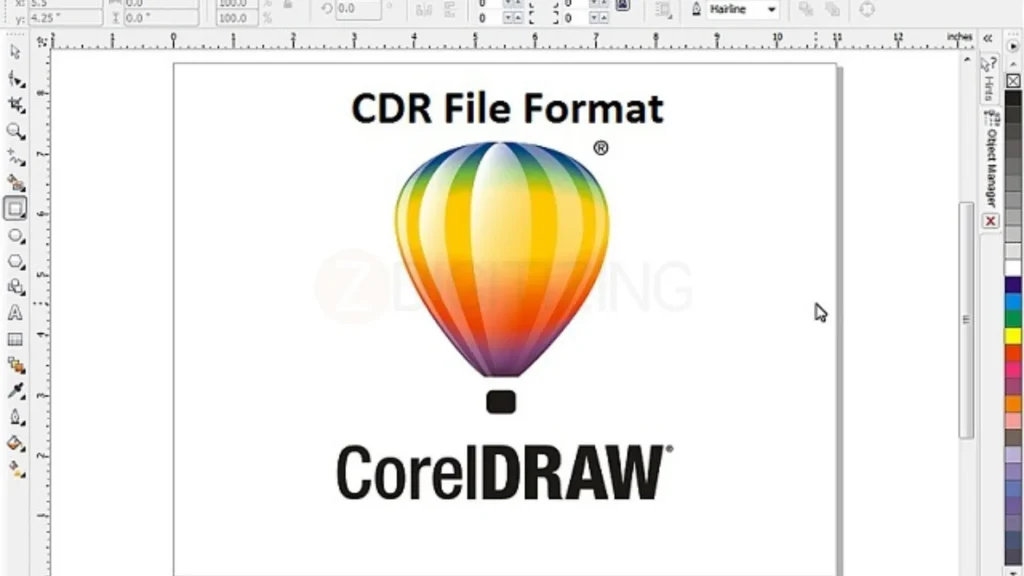
To better understand what is vector art, it helps to look at real file formats used in production, and CDR is a strong example. CDR is the native file format of CorelDRAW software and is widely used in heavy-duty production environments. It is especially popular for vinyl cutting, laser engraving, and large-format industrial printing where accuracy and clean vector paths are essential.
Because CDR files store designs as editable vector objects, they allow precise control over shapes and lines, making them reliable for manufacturing and professional output.
6. DXF (Drawing Exchange Format)
This is a specialized vector format used primarily in CAD (Computer-Aided Design). It is the standard for CNC machining and architectural blueprints, where mathematical precision is required for cutting metal or wood.
How to Convert Image to Vector Art (Step-by-Step)?
Learning how to transform a blurry photo into a clean, scalable graphic is a fundamental skill for anyone mastering what is vector art. This process, known as raster to vector conversion, allows you to rescue old logos or hand-drawn sketches and turn them into professional-grade assets.
How to Convert Image to Vector Art (Step-by-Step)
Step 1: Prepare Your Source Image
Start by opening your software and importing the high-resolution version of your raster image. Understanding what is vector art starts with a clean foundation; the better the original photo, the easier it will be to create sharp, accurate paths during the conversion process.
Step 2: Choose Your Method (Manual vs. Auto)
Manual Tracing: Use the Pen Tool to draw over your image. This is the most professional way to vectorize an image because it gives you 100% control over every curve.
Auto-Trace: Most software has an image tracing feature that detects edges automatically. Use this for high-contrast images to save time, but be prepared to clean up the “messy” extra points it creates.
Step 3: Refine and Simplify Paths
To get professional results and truly apply what is vector art in real projects, refining your paths is a very important step. After creating the basic shapes, you may notice jagged edges or too many anchor points.
Using the “Simplify” tool helps reduce extra nodes, smooth out curves, and keep your file clean and lightweight. This makes the design easier to edit and much more reliable for printing and production.
Step 4: Finalize Colors and Layers
Organize your new vector shapes into layers and apply the correct CMYK or RGB colors. This step ensures that your final vector file is easy to edit later and is ready to be sent to a printer or a digitizer.
Common Uses of What is Vector Art in Design and Business
In the modern marketplace, understanding vector art is essential because these graphics serve as the versatile backbone for both digital and physical branding. These are key applications of vector graphics:
Logos and Brand Identities: Every professional logo is built as a vector to ensure it stays crisp on a business card and a billboard.
Website Icons and UI Elements: Responsive web design relies on SVG vector file formats to keep load times fast and graphics sharp on 4K monitors.
Marketing and Advertising: Large-format prints like vehicle wraps, posters, and banners require the infinite scalability that only vectors provide.
Technical Illustrations and Blueprints: Engineering and architectural fields use vector math for precise CAD drawings and schematics.
Product Packaging: Complex dielines and package designs are created as vectors to maintain surgical precision during the printing and cutting process.
Apparel and Merchandise: Whether it is screen printing or heat transfers, vectors provide the clean lines needed for high-quality garment decoration.
Embroidery and Textiles: One of the most critical uses is creating vector files for embroidery digitizing. A clean vector path allows a digitizer to map out perfect stitch directions.
Note: If you need professional vector art or quality embroidery digitizing services, ZDigitizing is here to help! We offer lightning-fast turnaround times and a dedicated 24/7 support team to ensure your designs are production-ready whenever you need them.
Advanced Vector Art Techniques (For Growing Designers)
Once you know what is vector art, you can start exploring advanced techniques that bridge the gap between simple icons and complex masterpieces.
Using Clipping Masks, Compound Paths, and Shape Builders
Using Clipping Masks, Compound Paths, and Shape Builders
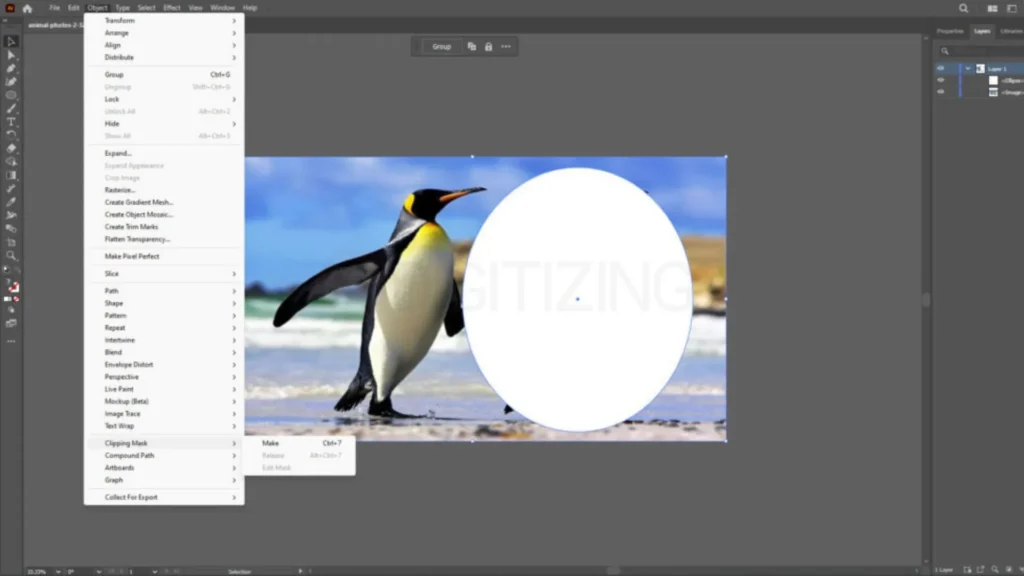
Clipping masks allow you to “tuck” one shape inside another, while compound paths let you punch holes through shapes. These advanced maneuvers are essential for creating complex textures and layered illustrations.
Creating Clean Line Art and Minimalist Icons
Minimalism is harder than it looks. Creating an icon that conveys a message with only three lines requires a deep understanding of “negative space”, the empty area around your vector paths.
Vector Art for Motion Graphics and Animation Pipelines
Vector Art for Motion Graphics and Animation Pipelines
When learning what is vector art, animation is one of the easiest ways to see its power. Most 2D animations (like those seen in “explainer videos”) start as vectors. Because the paths are mathematical, an animator can tell the computer to “morph” one anchor point into another, creating smooth, fluid motion.
Building a Reusable Icon or Illustration System
Pro designers don’t just make one icon; they build systems. By using a consistent “grid” and stroke weight, you can create a library of hundreds of vectors that all look like they belong to the same family.
Conclusion
Now you have a clear idea of what is vector art and why it plays such an important role in design, branding, and production. Vector artwork stays sharp, clean, and flexible, which makes it perfect for logos, printing, and embroidery. When your design starts as a strong vector file, everything that comes after looks better and more professional.
Along with embroidery digitizing, we also provide vector art services to help businesses and designers prepare clean, production-ready artwork. Whether you need a logo recreated, artwork cleaned up, or a design made ready for printing or embroidery, having expert vector work makes a big difference. Good vector preparation saves time, avoids errors, and improves final quality.
When it comes to caps and apparel, professional hat digitizing services are especially important. ZDigitizing turns your vector designs into smooth, well-balanced embroidery that runs perfectly on machines.
With over 10+ years of experience, expert digitizing, a 24/7 working team, and 24/7 customer support, you get reliable results every time. Quality is guaranteed, a preview is provided before payment, minor edits are free, and prices are already lower than the market. Plus, you get 50% OFF on your first order.
If you want your designs to look great not just on screen but on real products, visit ZDigitizing today. Place your first order, claim your 50% OFF, and experience professional vector and embroidery services you can trust.
Are you looking for embroidery digitizing and vector art services at low cost with superfast turnaround, guarranted quality and preview before pay? So, you are at right place. We can digitize and vectorize any type of artwork in your required file format.