When learning digital design, understanding what is vector graphics helps you create logos and artwork that stay sharp at any size. Unlike regular images that become blurry when enlarged, vector graphics maintain clear quality because they are created using mathematical lines, curves, and shapes instead of pixels.In this guide, you will learn how vector graphics work, common vector file types, popular software, and how to convert normal images into scalable vector designs.
What is Vector Graphics and How Does it Work?
How Vector Graphics Work (Without the Confusing Math)?
To understand what are vector graphics, it helps to imagine a classic connect-the-dots puzzle. A vector drawn graphics file does not store thousands of colored pixels. Instead, it uses mathematical instructions to place points, connect lines and curves, and fill shapes with color.
Every time you zoom into a vector image, the computer simply recalculates the shapes for a larger display. This is why scalable vector graphics stay perfectly sharp without blurry edges or quality loss, no matter how large or small the design becomes.
Another reason designers love vector files is their flexibility. You can easily edit lines, curves, colors, and shapes with professional vector graphics software in just a few clicks. Because these files store only geometric data instead of millions of pixels, they also remain lightweight and easy to share online.
Once you understand what is vector graphics, it becomes easier to see why businesses, printers, and designers use vector files for logos, branding, and high-quality artwork.
Vector vs Raster Graphics: The Core Difference
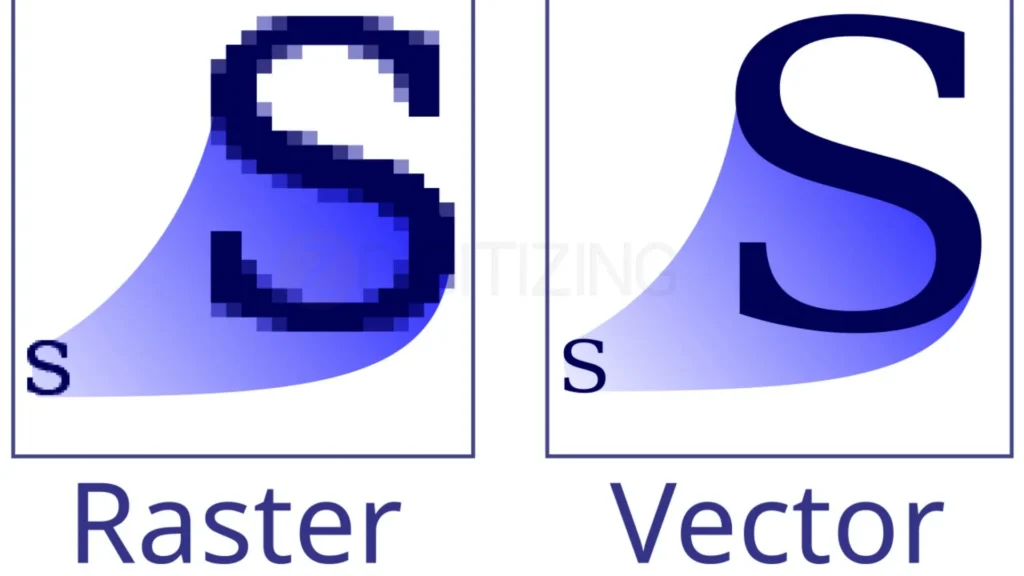
To understand what is vector graphics, you need to compare it with raster graphics. Raster images like JPG and PNG are made of tiny pixels, which work well for photos but become blurry when enlarged.
This is where vector based graphics are different. Instead of pixels, they use mathematical paths, allowing designs to stay sharp and clear at any size. That is why designers often use Adobe Illustrator vector graphics tools for logos, branding, and print designs.
Knowing the difference between vector vs raster graphics helps you choose the right format for your project. Raster files are best for photos, while vector graphics are ideal for scalable artwork and professional designs. Once you understand what is vector graphics, selecting the correct file type becomes much easier.
Feature | Vector Graphics | Raster Images |
What it’s made of | Mathematical formulas (lines, curves, points) | A fixed grid of colored squares (pixels) |
Scalability | Infinite. Never loses quality or gets blurry. | Limited. Becomes blurry and pixelated when enlarged. |
Common File Types | .SVG, .EPS, .AI, .PDF | .JPG, .PNG, .GIF, .WEBP |
Best Used For | Logos, typography, icons, printing, embroidery | Photography, complex digital paintings, web images |
File Size Factor | Usually small (scales with no size penalty) | Large (higher resolution means massive files) |
Common Vector Graphics File Types and When to Use Them
Once you understand what is vector graphics, it becomes easier to choose the right vector file format for different projects.
Each vector file type is designed for a specific purpose, helping your artwork stay sharp and professional on websites, print materials, signs, packaging, and even embroidered products.
1. .SVG (Scalable Vector Graphics)
The .SVG format is a popular choice for web logos and icons. Understanding what is vector graphics helps explain why SVG files stay sharp, scalable, and lightweight on all devices.
Because an .SVG file is written in XML code, which web browsers can read, render, and scale the graphic directly on a webpage without needing to load a heavy image asset.
This means your website logos, icons, and UI buttons will look flawlessly sharp on every device, from low-res older monitors to the highest-density modern smartphone screens.
Additionally, because they are code-based, .SVG files have incredibly tiny file sizes, which helps improve your website loading speeds and boosts your search engine performance.
2. .AI (Adobe Illustrator)
The .AI file extension is the native project format used by Adobe Illustrator, which is the world’s leading vector graphics software. An .AI file is an editable working file that preserves all of your design layers, history, effects, and individual anchor points.
Graphic designers use AI files to create and edit artwork easily. Understanding what is vector graphics helps explain why these files are perfect for making precise design adjustments without losing quality.

However, because .AI files are proprietary, you need specialized design software to view and edit them, meaning you cannot upload them directly to a website or send them to a standard office printer without exporting them first.
3. .EPS (Encapsulated PostScript)
For decades, .EPS was the industry-standard file format for sending high-resolution artwork to commercial printing presses. It is a universal vector format, meaning it can be opened across almost all professional design programs, not just Adobe products.
Many printing companies still request vector files because understanding what is vector graphics shows why they provide sharp and high-quality print results. .EPS files when they are preparing massive print jobs, signage, or promotional materials because it handles color separation and complex vector paths with extreme reliability.
4. .PDF (Portable Document Format)
While most people think of a .PDF as a simple document format for reading text reports, it is actually a highly powerful container for vector data. If you export a design from a vector program as a high-quality .PDF, it will preserve all the mathematical shapes, lines, and fonts perfectly.
Understanding what is vector graphics helps explain why PDF files are perfect for sharing print-ready designs like brochures, flyers, business cards, and magazine layouts without needing professional design software.
Essential Tools for Creating and Editing Vectors
Understanding what is vector graphics helps you choose the right software for creating scalable designs. Vector tools use mathematical paths instead of pixels, making them ideal for logos, illustrations, and professional artwork.
Adobe Illustrator Vector Graphics
When it comes to professional design, adobe illustrator vector set the benchmark for the entire creative industry. Illustrator provides an unmatched suite of advanced tools for drawing precise anchor points, manipulating complex typography, and creating intricate patterns.

Understanding what is vector graphics explains why professionals use advanced design software for logos, typography, and branding. These tools provide accurate color control, print layouts, and asset management, making them ideal for high-end digital design work.
Free Vector Graphics Software
You do not need to break the bank to start working with scalable artwork. There is incredible free vector graphics software available that offers professional-grade features without the price tag.
Inkscape is an excellent open-source desktop program that gives you full control over vector paths, node editing, and file creation.
Once you understand what is vector graphics, choosing the right design tool becomes much easier. Modern platforms like Figma help teams create web graphics and interface designs together online, while simple tools like Vectr are great for beginners learning how to create clean vector shapes and illustrations.
Rise of AI Vector Graphics

Artificial intelligence is rapidly transforming the design landscape, and the introduction of AI vector drawn graphics tools is making asset creation faster than ever before. Modern platforms can now take a simple text prompt and instantly generate fully editable vector shapes, clean patterns, and icons.
Even with modern AI design tools, understanding what is vector graphics remains important because professional designers still need to edit, optimize, and perfect vector artwork before it is ready for printing, branding, or commercial use.
How to Convert a Picture to a Vector Graphic?
One of the most common challenges small business owners and marketing teams face is finding out that their primary company logo only exists as a low-quality, tiny .PNG or .JPG file. When this happens, you must learn how to convert picture to vector graphic formats so that you can scale your branding up without any pixelation.
Using a Free Vector Graphics Images Converter Online
If you have a very simple graphic, such as a basic text logo, a minimalist icon, or a clean silhouette, you can use a free vector converter online to handle the job in seconds. Websites like Vectorizer.ai or Convertio allow you to upload your pixel-based image, automatically analyze the contrasting edges, and output an editable vector file.
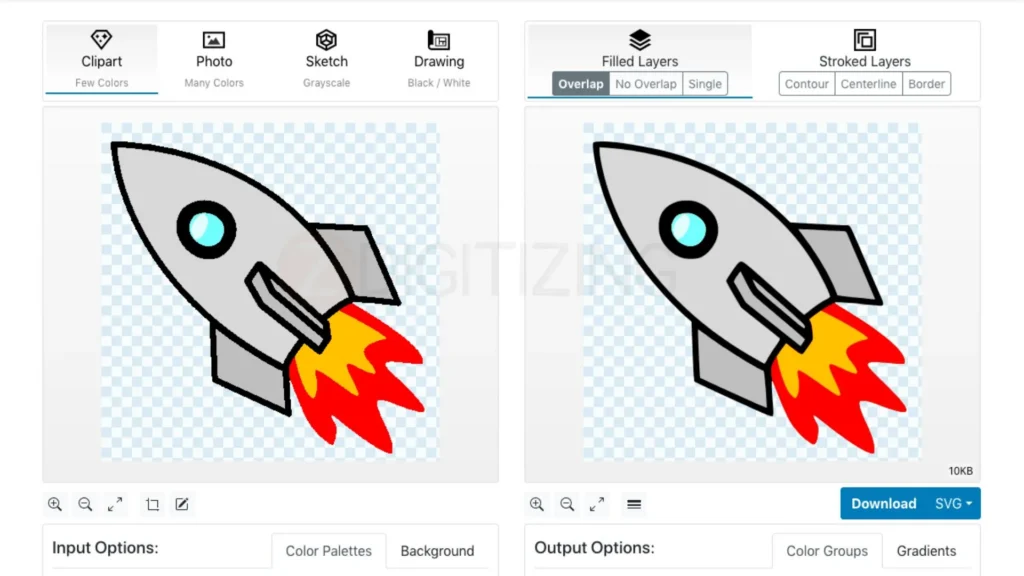
Understanding what is vector graphics also helps explain why automated tools sometimes fail with detailed images, creating rough paths, distorted shapes, or messy gradients when the original design contains shadows and complex details.
Converting a PNG to a Vector Graphic in Illustrator
For professional, production-ready results, knowing how to change a PNG to vector graphic inside Adobe Illustrator is an incredibly valuable skill. The secret to this process is a powerful built-in feature called the Image Trace tool.
- First, open a new document in Illustrator and place your .PNG image onto the canvas.
- Select the image, navigate to the top window menu, and open the Image Trace panel.
- Choose a tracing preset that matches your artwork, such as “Black and White Logo” for clean graphics or “High Fidelity Photo” for colorful designs.
- Adjust the paths, corners, and noise sliders to make the traced lines as smooth and accurate as possible.
- Check the box that says “Ignore White” if you want to remove the solid background color automatically.
- Once you are happy with the preview, click the Expand button at the top of the screen to transform the traced preview into permanent, editable vector paths.
Why Vector Graphics Are Mandatory for Physical Production?
Once you understand what is vector graphics, you can see why vector files are widely used in printing and product manufacturing. From apparel branding to promotional products and large-format signs, vector designs ensure clean, sharp results for every type of physical merchandise.
Crisp Commercial Printing
If you have ever ordered custom company t-shirts, promotional mugs, or massive vinyl vehicle wraps, you have participated in the world of commercial printing. Unlike a standard inkjet printer sitting on an office desk, industrial printing machines, large-format sign plotters, and vinyl cutters rely on vector coordinates to guide their mechanical systems.
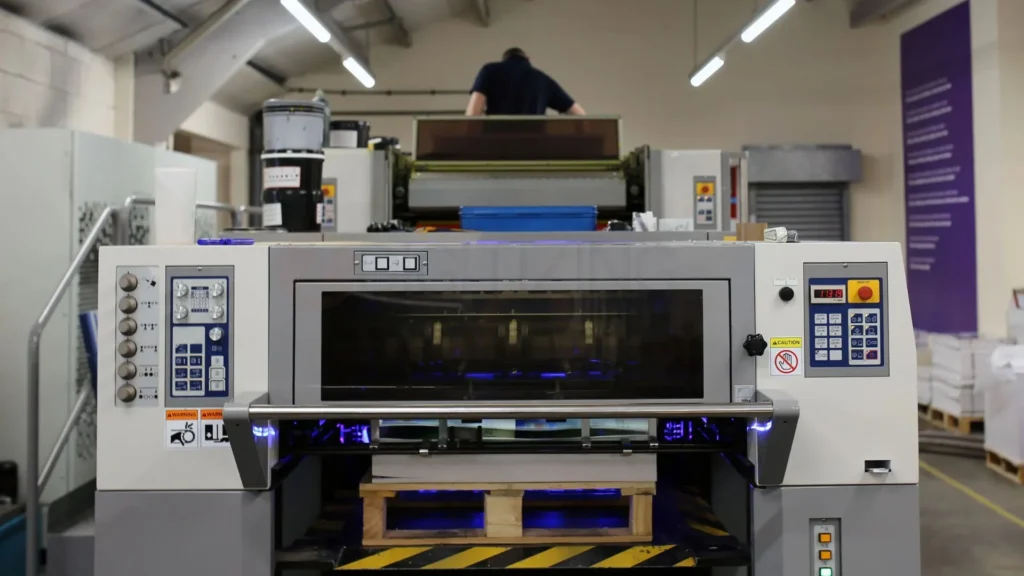
A vinyl cutter, for instance, uses the mathematical vector path as a literal digital roadmap, directing a tiny, razor-sharp blade to cut out your logo with perfect precision.
If you send a blurry raster file to a commercial print shop, the software will not be able to find the clean edges, resulting in delayed orders, blurry prints, and wasted money.
Embroidery Digitizing
Another massive industry that depends entirely on scalable artwork is the apparel decoration world. Commercial embroidery machines cannot read pixel grids or basic image files.
Instead, they require specialized instruction files that tell the machine needle exactly where to drop, which thread colors to use, and what types of stitches to apply across the fabric. To bridge this gap, business owners send their artwork to professional digitizers who translate the design lines into physical stitch data.
Using high-quality vector paths makes this process incredibly efficient. Professional teams, such as those providing fast embroidery digitizing services in Italy, utilize vector coordinates to map out clean fill stitches, sharp satin borders, and flawless lettering.
Because vector designs provide crisp, mathematically perfect lines, the digitizing software can calculate stitch density with incredible accuracy. This ensures that the finished embroidery looks beautifully smooth, stays durable through dozens of laundry cycles, and prevents the fabric from puckering during production.
Conclusion
Understanding what is vector graphics technology helps you protect your brand identity and streamline production. By using scalable vectors instead of pixels, you ensure your logos remain flawlessly sharp at any size, from a tiny website icon to a corporate uniform.
When creating physical merchandise, turning digital lines into clean thread requires absolute precision. Partnering with professional hat digitizing services is critical to ensure your embroidered apparel looks smooth, sharp, and free of puckering.
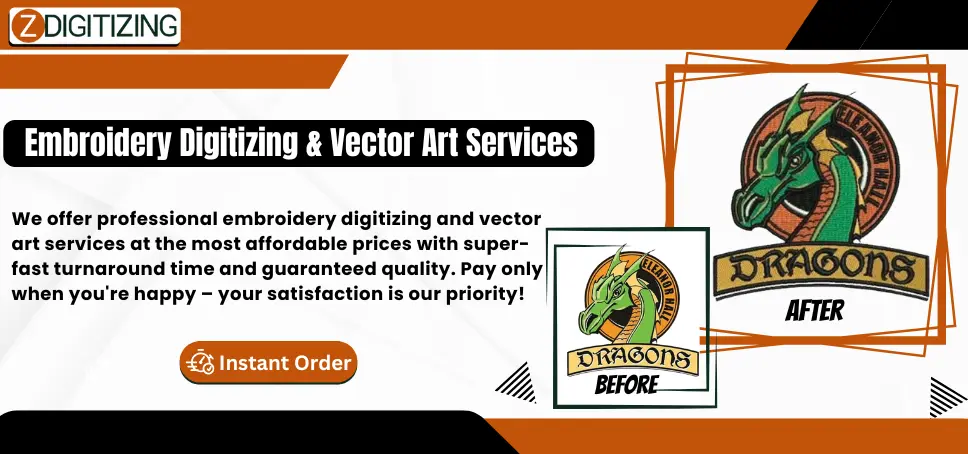
To guarantee your brand looks its best, ZDigitizing provides professional digitizing services backed by over 10+ years of experience. Our expert digitizing team works around the clock with a 24/7 working team and 24/7 customer support.
With our quality guaranteed, we provide a detailed stitch preview before payment, and all minor edits are free. Our prices are already lower than the market average, making top-tier production accessible. If you want to see how infinite scalability can elevate your business assets, mastering what is vector graphics workflows is the perfect first step.
Ready to experience premium embroidery digitizing quality? Visit ZDigitizing today to place your first order and instantly receive 50% OFF your project!